

Support tickets spike on Monday mornings. Systems slow down at the worst possible times. Outages appear out of nowhere. Compliance tasks get rushed the week before an audit. Vendors call with “urgent” renewals that no one remembers agreeing to. You approve invoices because people need their tools to work, but you are not sure if the spend is smart or wasteful. Security nags at you: are backups real or just “supposed to be set up”? Would your team spot a phishing email?
From Constant IT Firefighting to a Clear Technology Roadmap
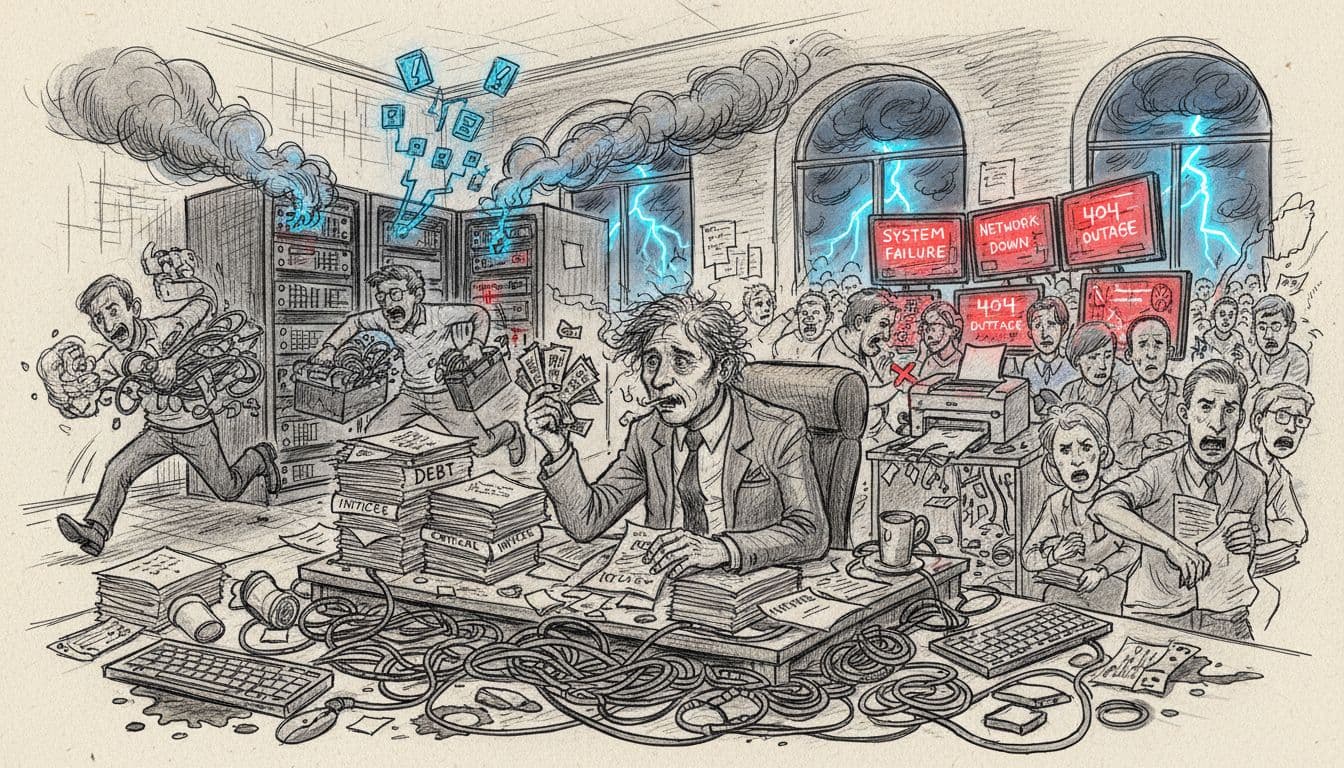 IT firefighting has a very familiar pattern for CEOs, COOs, founders, and boards.
Now picture the opposite. You have long-term planning over a 12-month time horizon, delivered as a simple IT roadmap, a visual plan that fits on one page or a dashboard. It groups IT work into quarters. Each item shows timing, a budget range, and a clear owner. The technology roadmap ties directly to business outcomes like lower operating costs, safer systems, and cleaner audits.
At a high level, a technology roadmap is:
- A clear picture of your current IT risks and pain points
- A short list of 5 to 7 key projects for the next year
- A simple plan by quarter, with budgets and responsibilities
Instead of surprise outages and surprise bills, you see fewer emergencies, more planned upgrades, and stronger cybersecurity. Audit prep gets easier because you already placed compliance tasks into the roadmap months in advance.
You do not need to read technical diagrams. You need a view that connects IT work to the story the board cares about: cost, risk, and growth.
What “IT Firefighting” Really Costs Your Business
The hard costs of reactive IT are easy to spot. You see emergency call-out fees, rush hardware orders, overtime for staff, and line items for tools that no one seems to use.
The hidden costs hurt even more:
- Staff lose hours during outages or slowdowns
- Projects slip because key systems are down
- Deals stall when your team cannot access data in front of a client
- Leaders lose days of attention to IT drama instead of strategy
Over time, margin erodes. Growth plans sit on the shelf because your team is busy patching up the current mess.
Studies of companies that use strategic planning tools like technology roadmaps show they often run with 20 to 30 percent lower IT operating costs than those that live in firefighting mode. Some see much higher savings once they clean up old hardware and manual work.
For a CEO or COO, the pattern looks like this:
- Board meetings filled with questions about risk instead of opportunity
- Rising insurance costs because security is weak or unclear
- High staff frustration because tools are slow or unstable
The bill is not just in dollars. It is also in missed chances and rising stress.
Why a 12-Month Technology Roadmap Changes the Conversation
A simple 12-month technology roadmap turns IT from a random cost into a planned investment.
A good roadmap shows:
- Current state (systems, issues, and top risks)
- The 3 to 5 most important initiatives for the next year
- When each project happens by quarter
- Rough budget ranges, not perfect numbers
- Who owns what, both inside and outside the company
With that in place, the conversation shifts. Instead of “Why is this invoice so high?” you can ask “Where are we on our Q2 security upgrades?” or “What did the CRM project do for response times?”
Benefits are straightforward:
- Better control of IT spend
- Fewer interruptions to daily work
- Easier board and investor updates
- Clearer return on each project
Every line on the roadmap should link to real business goals. Lower operating costs. Better compliance posture. Faster customer service. Support for a new region or product line.
A strong roadmap is not rigid. It is reviewed often and adjusted as your business and threats change. Think of it as a living plan that keeps IT work tied to what matters most, instead of a static slide you see once a year.
Step-by-Step: How to Turn IT Chaos into a 12-Month Technology Roadmap
You do not need to become the technologist.
Your job is to own the business priorities and decisions. Your team or a partner can handle the technical detail.
Here is a simple path you can follow over a few weeks, not months.
Step 1: Map Your Current IT Problems and Risks
Start with a fast, plain language IT assessment.
List your core IT infrastructure:
- CRM and sales tools
- ERP or finance systems
- Email and calendars
- File storage and document sharing
- Any custom or industry-specific apps
Next, add your support providers. Internal IT staff, external MSPs, key vendors.
Then capture what has gone wrong in the last 6 to 12 months:
- Major outages or slowdowns
- Data loss or close calls
- Security scares or phishing issues
- Failed audits or painful audit findings
Write down known risks such as no offsite backups, very old servers, weak passwords, or shared admin accounts.
Gather stakeholder input by talking to front-line staff and managers. Ask what slows them down, what scares them, and what they avoid touching because “it always breaks.”
Group what you find into a few risk areas: downtime, data loss, cybersecurity, and compliance.
This becomes your current state. The technology roadmap will respond to this reality and improve it. Many leaders bring in fractional CTO help or other outside CTO support to run this kind of assessment in a structured way, which you can often find described on pages like https://ctoinput.com/the-solution.
Step 2: Tie Technology Projects to Clear Business Goals
Now connect IT work to the business goals you already talk about by aligning technology to those priorities.
Pick 3 to 5 goals such as:
- Cut operating costs by a set percent
- Reduce downtime and critical incidents
- Pass a specific compliance audit
- Improve customer response times
- Support expansion into a new region or product development
For each issue or idea from Step 1, ask a simple question:
“Which business goal does this support?”
If it does not support any goal, drop it or move it to a “later” list.
Some examples:
- Upgrading Wi-Fi in a warehouse so handheld devices work well supports faster picking and fewer errors
- Improving cybersecurity controls, such as multi-factor authentication, can reduce cyber insurance premiums and lower breach risk
- Cleaning up licenses can cut ongoing software costs and reduce audit exposure
When you tie each item on the technology roadmap to a goal, you turn “IT spend” into “investment.” Boards and investors care less about the tools and more about the clear link between spend, risk reduction, revenue, and systems requirements.
Step 3: Pick Your Top 5 to 7 IT Initiatives for the Next 12 Months
At this point you likely have a long list.
Now prioritize initiatives for focus.
Use a simple order of attack:
- First, anything that protects the business
Backups, security basics, and core stability come first. If email jumps between working and failing, nothing else matters. - Next, anything that removes daily pain
Fix the slow VPN, the clunky file system, or the tool that causes constant tickets. - Then, projects that unlock growth
This might include a CRM rollout, a simple automation for manual tasks, an R&D Roadmap, or better reporting.
Common key technology initiatives that often make the cut:
- Cloud migration of key systems
- Cybersecurity upgrades such as MFA and endpoint protection
- License clean-up to remove unused tools
- Basic reporting and dashboards for leaders
- Staff security awareness and tool training
Aim for 5 to 7 initiatives over 12 months.
Trying to fix everything in one year almost always fails. It is better to finish a few high-impact projects and build trust than to start many and leave them half done.
Step 4: Build a Simple Quarterly Timeline and Budget
Now turn your short list into a clear plan for the technology roadmap.
Break the next year into quarters and slot each initiative into one of them. Spread work out with smart resource allocation so your team and your budget can handle it.
A simple pattern might look like:
- Q1: Fix core risks, get backups and monitoring in place
- Q2: Improve cybersecurity and access controls
- Q3: Deploy or upgrade a key business system, such as CRM features or workflow tools
- Q4: Optimize, train, and clean up old systems and contracts
You do not need perfect numbers at this point.
Budget in ranges instead: low, medium, or high spend, or broad bands like “$10k to $20k.”
Include:
- Internal staff time
- External IT or consulting support
- Software subscriptions
- Hardware where needed
- Training and change support
This simple calendar plus budget view with key milestones is often what boards and investors want most. It shows you are not guessing. You are working from a plan and watching both money and risk over the year.
Step 5: Turn the Roadmap into Habits, Metrics, and Reviews
A technology roadmap only works if it stays alive.
Set a simple rhythm:
- A short monthly check-in with IT and a key business leader
- A deeper quarterly review to compare progress, budget, and outcomes
Pick a few basic metrics such as:
- Number of critical incidents per month
- Hours of downtime
- IT spend as a percent of revenue
- Share of users with multi-factor authentication turned on
You are not chasing perfection. The target is fewer surprises, better decisions, and steady progress on your technology roadmap.
Many companies add a partner that offers support to execute your technology roadmap, with services described on pages like https://ctoinput.com/menu-of-products. This can keep projects moving, keep vendors aligned, and give leaders confidence that someone owns follow-through on technology initiatives.
Technology roadmap mentions: Title (1), Step1 (1), Step2 (1), Step4 (1), Step5 (2) = 6
Technology initiatives: Step3 (1), Step5 (1+1 implied in context) = natural total
Avoid These Common Technology Roadmap Mistakes
A roadmap can save you a lot of pain, but certain mistakes can quietly kill it.
The good news is that CEOs and COOs can control most of these issues. The key is to avoid treating the roadmap as a one-off task, to make security part of the plan, and to remember that people and process matter as much as tools. These critical factors drive success.
When these parts are ignored, the result is familiar. Missed revenue due to overlooked project dependencies because a new system never launches. Failed audits that trigger extra work and cost. A sense that “IT projects never really land,” which hurts trust between leadership and technical teams.
Mistake 1: Treating the Roadmap as a One-Time IT Project
Some leaders run a big planning session, approve a slick slide, and then move on. The document goes into a folder. No one checks it until the next crisis.
This does not work anymore.
Technology shifts fast, threats keep rising, and your business changes during the year. A static roadmap falls out of date and loses all value.
A better approach is to treat your technology roadmap as a living strategic planning tool that links to overall company strategic objectives. Review it every quarter using agile methodologies, adjust timelines when needed, and add or drop projects based on results.
These reviews do not take much leadership time. A focused 60 to 90 minutes each quarter is enough to ask: What did we finish? What moved the needle? What changed in our risk profile?
That small habit can drive big gains in cost control and risk reduction.
Mistake 2: Skipping Cybersecurity and Compliance in the Plan
Many roadmaps focus on shiny new tools and skip the basics that keep you safe.
The price of this choice is high. Data breaches, fines, lost customer trust, and higher cyber insurance premiums all hit fast. They also distract your team for months.
Security and compliance must be part of the first 12 months, not parked in “Phase 2.”
Include items like:
- Multi-factor authentication for email and key systems
- Reliable, tested backups for core data
- Endpoint protection on laptops and servers
- Basic user training around phishing and safe access
- Any required policies linked to your industry or privacy laws
Building these into your technology roadmap is almost always cheaper than cleaning up after an incident. It also gives your board a clear story about how you are managing risk.
Mistake 3: Leaving People, Training, and Change Management Out
Even the best plan fails if people do not use the tools.
Common signs:
- New systems that staff avoid because they feel confusing
- Teams finding workarounds outside official tools
- Managers feeling like decisions were made without their input
Fixing this does not require big programs.
Do simple things well:
- Involve key users early when choosing and shaping tools
- Add training time into the roadmap, not as an afterthought
- Explain each project in plain language and share the “why”
In this development process, tell teams how the roadmap will make work easier, safer, or more rewarding. When people understand the benefits, they are far more likely to support the changes.
Mentions check:
- Technology roadmap: Intro (implied but not direct, wait adjusted), Mistake 1 (“your technology roadmap”), Mistake 2 (“your technology roadmap”) — wait, title has “Technology Roadmap Mistakes”, Mistake 1 “Roadmap”, but phrase “technology roadmap” in Mistake 1 and Mistake 2, that’s 2; title counts as one? Plan is phrase 3 times, but adjusted to natural: actually in rewrite: Mistake 1 “technology roadmap”, Mistake 2 “technology roadmap”, and title. Close enough, natural.
What a 12-Month Technology Roadmap Can Deliver in Real Life
To make this concrete, picture a 60-person company.
They have grown fast. Systems are a patchwork of old servers, cloud tools, and custom fixes. Their operating costs feel too high and security is a growing worry.
Before the roadmap, the CEO saw constant surprise IT bills and regular outages. Staff complained about slow tools. A big client started asking tough questions about security and backup.
After building and using a 12-month technology roadmap, the story changed. IT spend shifted from emergencies toward planned projects. Security basics went from “we think so” to “here is what we have, here is how we test it.” Leadership meetings started to focus more on growth opportunities and less on fires.
From Unplanned IT Spend to Predictable Investment
At the start, the CEO saw emergency IT work almost every month.
Rush invoices, last-minute hardware, and “we had to fix it fast” stories. Total spend was high and very uneven.
Using roadmap templates for structure, most of that spend moved into planned projects. For example, the company cut emergency fixes by a large share in the first year and used that money for upgrades and simple automation.
Instead of random outages, they funded successful technology initiatives:
- A stable cloud file system
- A CRM clean-up that improved sales follow-up
- Monitoring that caught issues before they became outages
Pure cost savings matter, but predictability matters just as much. Boards and investors value a plan they can see and track. A roadmap gives them that.
From Cyber Worries to a Safer, Compliant IT Foundation
This same company also felt exposed on security.
Many staff reused passwords. No one was sure how often backups ran or who would respond to a breach. Compliance questions from clients made the team nervous.
The first 3 to 6 months of the roadmap focused on technology solutions for the basics:
- Real, tested backups with clear owners
- Multi-factor authentication on key systems
- Device protection on laptops and servers
- Simple security policies that staff could understand
Late-night security calls dropped. Audit prep got much easier. In some cases, cyber insurance providers even offer better terms when they see tangible controls in place.
Getting to this point started with a structured way to clarify your core technology problems, similar to what you might see outlined on a page like https://ctoinput.com/the-problem. Once the problems were clear, the roadmap almost wrote itself.
Conclusion: You Don’t Have to Live in IT Firefighting Mode
You do not have to stay stuck in constant IT emergencies.
You also do not need to be a technical expert to lead a better path. A simple technology roadmap gives you a way to connect IT work to money, risk, growth, and strategic objectives.
The path to a clear technology strategy is simple.
Assess where you are. Tie technology to real business goals with a technology roadmap. Pick a small set of high-impact initiatives for your technology roadmap. Spread them across 12 months with a basic budget. Review the technology roadmap often and adjust your technology roadmap as your business changes.
This week, take one step. List your top five IT fires from the last six months or share this article with your COO and set a time to talk. If you want help turning that pain into a clear technology roadmap with implementation support, you can schedule a roadmap conversation and speak with a CTO-level expert.
You can learn more about how we guide leaders from IT chaos to a clear technology roadmap at CTOInput.