
If your tech budget feels like a black box, you are not alone. Many leaders feel trapped between rising costs, security fears, and a backlog of projects that never quite finish.
The good news is that technology cost optimization is less about slashing tools and more about fixing decisions, habits, and blind spots. With the right approach, you can lower spend and still support growth, security, and compliance.
This guide walks through five practical ways to find real savings in your technology budget, without creating chaos for your teams.
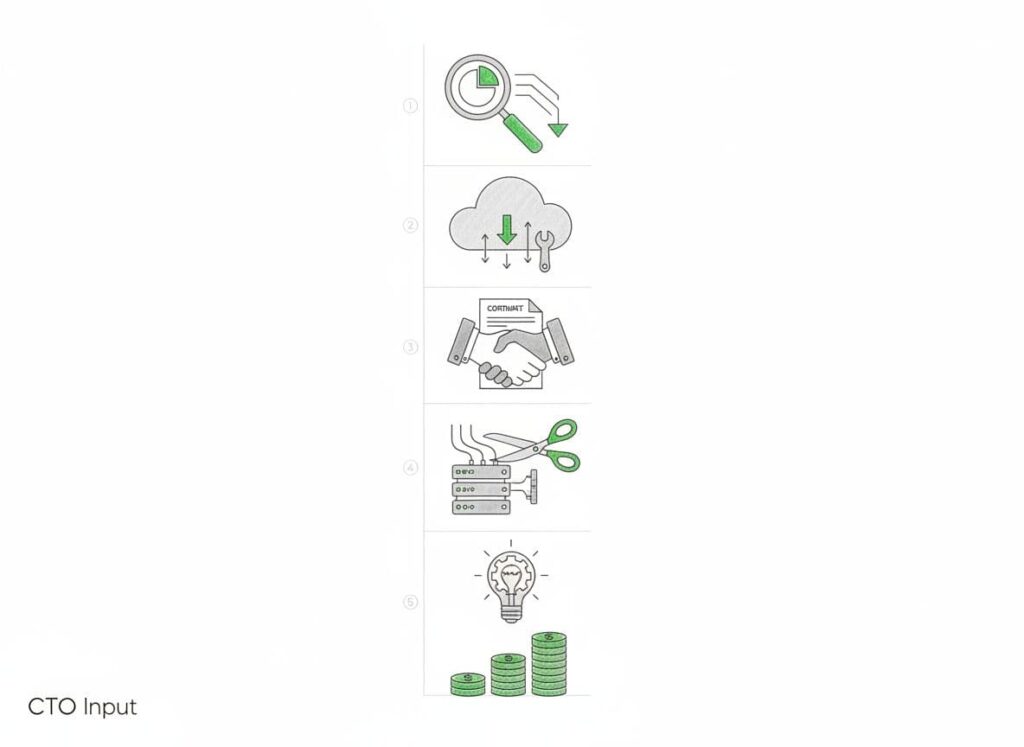
1. Start With a Simple Technology Cost Inventory
You cannot manage what you cannot see. Most companies do not know exactly what they pay for, who uses it, or why they still have it.
Think of your tech stack like a crowded storage unit. There are useful tools, broken tools, and tools nobody remembers buying. Your first job is to open the door and turn on the light.
What to capture in your inventory
At a minimum, track:
- Vendor name and product
- Business owner (not only IT owner)
- Purpose or use case
- Contract terms, renewal dates, and notice periods
- Number of licenses or units
- Monthly and annual cost
A simple spreadsheet works fine to start. The point is clarity, not perfection.
What you will usually find
Once leaders see the full list, patterns jump out:
- Tools that solve the same problem three different ways
- Licenses for people who left the company
- Products kept “just in case” that nobody touches
- Old contracts with ugly pricing that nobody has renegotiated
The inventory becomes your map. Every later move in technology cost optimization starts here.
2. Cut Redundant Tools Without Hurting The Business
After the inventory, the next step is to reduce overlap. Most mid-market firms pay for multiple tools that do almost the same thing.
It often happens because teams buy what they like, not what the company already has. Sales buys one tool, marketing buys another, operations buys a third. IT is left trying to hold it all together.
How to spot and remove overlap
Group your tools by function, for example:
- Communication and collaboration
- Project and task management
- File storage and sharing
- Monitoring and alerting
- Data reporting and BI
Then ask three simple questions for each cluster:
- Which tool is most widely adopted?
- Which tool has the strongest security and compliance story?
- Which tool gives the best value for the price?
Keep the one that best meets those points and phase out the rest. That does not mean you must move overnight. Plan migrations in stages so teams do not lose data or productivity.
Watch for “hidden” duplicates
Sometimes the overlap hides inside larger platforms. For example, you might pay for a separate survey tool when your CRM already includes one. Or you might run a third-party backup that duplicates what your cloud provider already handles.
The rule of thumb: if your main platform does the job well enough, a separate tool has to earn its keep or leave.
3. Right-Size Licenses, Seats, And Environments
Many companies do not overspend because of big flashy projects. They overspend because of thousands of small leaks that never get fixed.
License bloat is one of the biggest leaks. The numbers look small per user, but they add up fast across the year.
Simple license checks that produce fast savings
Three quick reviews can free up real money:
- Inactive users: Remove licenses for former staff and long-term contractors.
- Tier downgrades: Move users from premium to standard tiers if they do not use advanced features.
- Shared roles: Some roles do not need named licenses. See where shared or pooled licenses work.
Calendar reminders before renewal dates help your team check usage before you auto-renew.
Do not ignore cloud environments
Cloud waste is another quiet drain. Common issues include:
- Test and dev environments that run 24/7
- Oversized servers “just to be safe”
- Storage for logs and backups that nobody ever cleans up
Ask your team to tag resources by environment (prod, test, dev) and owner. Then set clear rules for shutting down or scaling down non-production environments outside work hours.
Even modest changes, like rightsizing a few large databases or instances, can deliver big savings with little risk.
4. Fix Vendor Contracts And Buying Habits
Cost is not just what you buy. It is how you buy it.
Many contracts were signed when the company was smaller, under time pressure, or before someone looked at market prices. Those agreements keep renewing on autopilot, year after year.
Where negotiation usually works
You often have more room to move than you think, especially if:
- Your usage has grown a lot since the original contract
- You are willing to commit to a longer term in return for lower rates
- You can bundle multiple products with one vendor
Good vendor negotiations focus on a few levers:
- Price per user or per unit
- Contract length and exit terms
- Included support levels and response times
- Built-in discount tiers for growth
Ask vendors to match current market pricing or a competitor quote. Many will adjust to avoid losing the account.
Clean up how your company buys tech
Even strong negotiations will not help if buying habits stay messy.
Set a simple process that:
- Requires a clear business owner for each tool
- Checks for overlap with existing tools before any new purchase
- Reviews security and compliance needs before signing
This does not have to slow the business. A short review with clear rules often speeds things up, because teams know what to expect.
5. Align Technology Spend With Clear Business Outcomes
The most powerful form of technology cost optimization is not a discount or a license cut. It is refusing to fund work that does not tie to clear results.
Many tech budgets are a loose mix of:
- “We have always paid for this” items
- Pet projects from strong internal voices
- Half-finished efforts that keep going because nobody closes them
Tie every major spend to a result
For each significant line item or project, write down:
- What problem it solves, in business terms
- How you will know it worked (a simple metric or two)
- When you will review success or failure
If you cannot explain it in plain language, you should not fund it yet.
Some common examples:
- “Cut average onboarding time by 30 percent”
- “Reduce customer churn by 2 points”
- “Lower failed login tickets by half”
Once you think this way, you will start to see projects that do not earn their place. Those projects are where large savings hide.
Stop projects that no longer make sense
Killing work is hard. No leader likes to admit a project lost its value.
Treat it like pruning a tree. You do not hate the branch. You cut it so the rest can grow strong.
Set regular checkpoints for major projects. If the business case is gone or the cost is now too high for the benefit, stop or scale down the work. Use the freed budget to fund efforts that support growth, security, or compliance in a clear way.
Turn Cost Cutting Into A Stronger Technology Strategy
Cost savings are not the end goal. The real goal is a tech function that supports growth, manages risk, and spends money with intent.
The five steps in this guide work best when you treat them as part of a simple, repeatable rhythm:
- Build and maintain your tech inventory.
- Clean up overlap and unused tools at least once a year.
- Review licenses and cloud use before renewals.
- Tune contracts and buying habits instead of accepting vendor defaults.
- Fund work that ties to clear results, and stop what does not.
Over time, this rhythm does more than cut waste. It gives you a sharper story for your board about where money goes and what you get back. It makes audits and compliance checks easier. It reduces the feeling that technology is a high cost risk with little reward.
If you want a practical outside view to find savings and turn technology cost optimization into a strength for your business, take the next step and talk with a fractional CTO team at CTOInput.