
A solid nonprofit technology strategy isn’t just about the software you buy. It’s a clear plan that aligns your systems, data, and security with your mission. It’s what turns technology from a constant source of stress into a reliable backbone—freeing your staff to focus on your work, protecting sensitive information, and proving your impact to your board and funders.
Key Takeaways
- Frame Tech Around Mission: Stop talking about tools and start talking about outcomes. A successful strategy connects every technology investment directly to a program goal, a fundraising objective, or a critical risk you need to mitigate.
- Start with a Clear-Eyed Assessment: Before building a roadmap, you must understand your current reality. Map how work and data actually flow, quantify the hours your team loses to manual tasks, and identify the specific security risks that pose the biggest threat to your mission.
- Build a Roadmap with Quick Wins: A believable plan delivers value immediately. Focus on 90-day projects that reduce risk and give staff back time (like rolling out a password manager) while you sequence larger, foundational projects over one to three years.
- Speak the Language of Your Audience: Frame your plan for your board around risk and sustainability, for funders around capacity building and impact, and for your staff around reducing frustration and making their work easier.
Your Mission Is Straining Under Tech Pressure
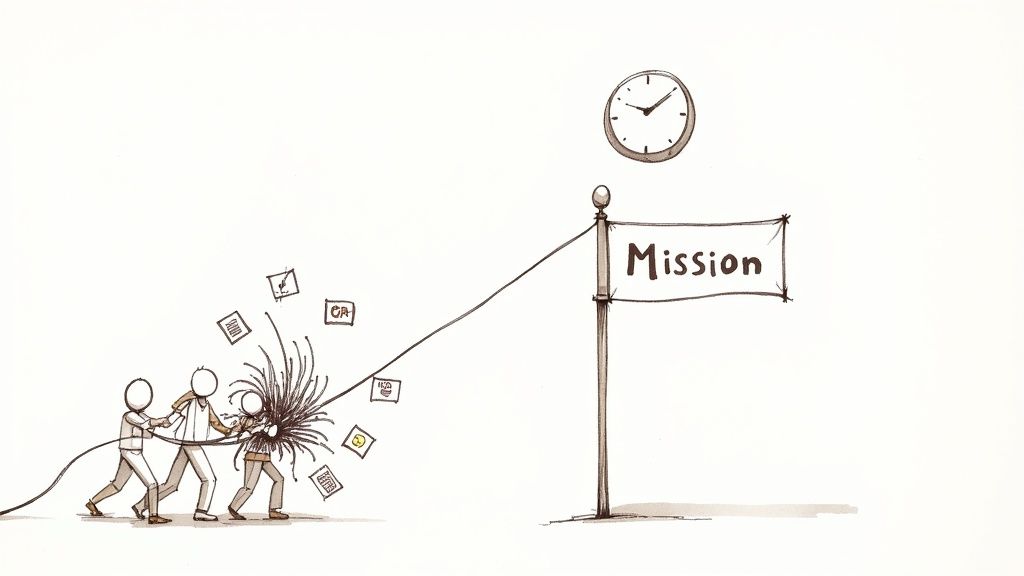
Does this sound familiar? It’s the end of the quarter. A big grant report is due Friday, and your program manager is wrestling with three different spreadsheets, trying to stitch together a coherent story about your impact. Your development director is pulling numbers from a donor system that won’t talk to your accounting software. Everyone is working incredibly hard, but the whole process feels like a recurring fire drill.
This isn’t a failure of your team. It’s the predictable friction created when a growing mission runs on top of fragile, disconnected systems that were never built for the long haul.
Most justice-focused nonprofits grow fast. You add new programs and funding streams, but the technology underneath rarely keeps pace. Case data, grant milestones, and financial information end up scattered across tools that don’t talk to each other. The result is a quiet, constant drag on your entire organization.
The Real Cost of Doing Nothing
This quiet chaos has a very real price. I see the same symptoms appear in organizations that are one step behind the front lines—the national networks, law school clinics, and policy shops that support advocates.
- Wasted Staff Time: Your brilliant team spends too much time on manual workarounds and administrative churn, and not enough time supporting partners or advancing your cause. That lost productivity is a direct tax on your mission.
- Scattered Data: Proving your impact becomes an exhausting scavenger hunt. When you can’t easily connect your activities to your outcomes, it’s hard to make a compelling case to funders or your board.
- Constant Security Risks: The worry of protecting sensitive client information—especially data related to immigration, incarceration, or at-risk youth—is a persistent threat. Without a clear plan, you feel dangerously exposed.
You might have an IT vendor or a dedicated "tech person" on staff, but what's often missing is a senior leader who understands both your mission and your ecosystem. This gap leaves you without a trusted advisor who can help you make smart, strategic choices.
You’re not just imagining it. Your technology is actively working against your mission. The endless cycle of manual reporting and data wrangling is a direct tax on your ability to serve frontline partners and vulnerable communities effectively.
The answer isn't another piece of software. It's a calm, believable modernization path—a nonprofit technology strategy that you can defend to your board, funders, and communities. It’s how you finally turn your systems from a source of stress into a backbone that reliably supports your work.
Start With a Clear-Eyed Assessment of Your Current State
Before you can build a roadmap to the future, you have to get painfully honest about where you are right now. A real assessment isn’t a list of outdated software. It’s a clear-eyed look at your team’s daily workflows, frustrations, and the hidden risks you’re carrying.
The goal is to create a simple, undeniable one-page summary that makes the problem crystal clear. This becomes the foundation for every decision you make next.
Map How Work Actually Happens
Forget about systems for a moment. Instead, trace the journey of your most critical information.
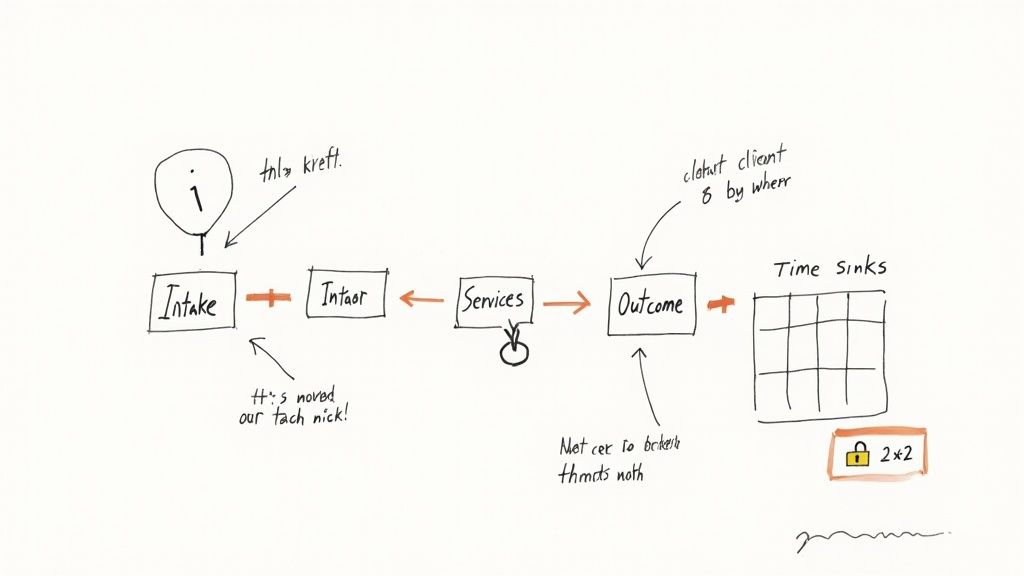
Let’s say you’re a refugee support organization. A new family’s intake information might land in a spreadsheet. Case notes from your legal team go into a specialized software. Time tracking for the grant that funds this work? That’s in another tool. And the final outcome data—the numbers you need to prove your impact—ends up in yet another spreadsheet.
When a grant report is due, someone has to manually piece that whole journey together. This exercise almost always reveals the same thing: your data isn't flowing, it’s trapped in silos. Those recurring fire drills aren't a staff problem; they’re a system design failure.
Identify the ‘Time Sinks’
Next, pinpoint the most infuriating, repetitive tasks that drain your team’s energy. Your staff knows exactly what these are.
Sit down with your program and operations managers and ask a simple question: "If you had an extra five hours back each week, what would you spend it on?"
Their answers will lead you straight to the biggest "time sinks."
- Manually copying data between spreadsheets for a weekly report.
- Entering the same contact information into both the donor CRM and the email tool.
- Wasting hours formatting datasets for a board presentation.
Once you have your list, put a number on it. If three staff members each spend four hours a week on manual reporting, that’s 12 hours of mission-focused time lost every single week. That's over 600 hours a year spent on work a computer should be doing. This simple math turns a vague complaint into a powerful business case for change.
A clear-eyed assessment isn't about blaming your team for workarounds. It's about acknowledging the systems that force them into those workarounds in the first place. You can't fix a problem you haven't honestly defined.
Pinpoint Your Most Dangerous Risks
Finally, get brutally honest about risk. When you handle sensitive information, a data breach isn't an abstract IT problem—it’s a mission-ending event that could put vulnerable people in real danger.
You don't need a massive audit to start. Just grab a whiteboard and use a simple matrix to plot threats based on their likelihood and their potential impact.
A Quick Risk Assessment Might Look Like This:
- High Impact, High Likelihood: A phishing attack compromises staff email, exposing client data. This is a top-tier priority.
- High Impact, Low Likelihood: A server failure causes major data loss. Critical to have backups, but not the same immediate daily threat as phishing.
- Low Impact, High Likelihood: A staff member accidentally deletes a shared file. Frustrating, but recoverable with the right systems.
This simple exercise forces you to prioritize. Instead of worrying about everything at once, you can focus on the threats that pose the biggest danger to your clients and your reputation. For a more structured approach, an IT security assessment checklist can help ensure you haven't missed any critical vulnerabilities.
With this assessment complete, you have hard evidence. You can show your board not just what’s broken, but exactly why fixing it has to be a priority.
Frame Your Technology Needs Around Your Mission
Walking into a board meeting and asking for a "new CRM" is a great way to get a polite nod and a "we'll think about it." It sounds like a cost center, not a mission accelerator.
The secret to a powerful nonprofit technology strategy is to change the conversation. Stop talking about tools. Start talking about outcomes.
Every technology decision must tie directly back to your mission. It must help you do one of three things: deliver services more effectively, prove your impact more convincingly, or better protect the people you serve. If a proposal doesn't clear one of those hurdles, it's a distraction.
From Vague Goals to Concrete Objectives
A common strategic goal is to "Increase support for our frontline partners." That’s a worthy ambition, but it’s too vague to guide any real technology decisions. The work is to drill down from that broad statement into a concrete, measurable objective.
An effective technology objective doesn't just name a tool; it names a specific, measurable improvement in how you operate. It answers the critical question: "What will we be able to do with this investment that we can't do today?"
Let's translate "Increase support for our frontline partners" into tech-driven objectives:
- Objective 1: Implement a unified case management system to reduce partner reporting time by 5 hours per week. This is a direct win, giving them more time for clients.
- Objective 2: Launch a secure resource portal to give partners on-demand access to training materials, building their capacity without adding to your team's workload.
- Objective 3: Automate grant reporting dashboards to deliver impact data to partners within 24 hours of a request, helping them secure their own funding faster.
See the difference? We've moved the conversation from "we need new software" to "we need to save our partners 5 hours a week." That’s a strategic initiative a board can understand and a funder can get excited about.
Connecting Pain to Strategic Goals
This exercise is the bedrock of your justification for any investment. It creates a clear line from a daily headache to long-term mission success. The table below is a simple framework to help you clarify your own priorities.
| Common Pain Point | Strategic Goal | Example Technology Objective |
|---|---|---|
| "Grant reporting is a manual fire drill that takes weeks." | Prove Impact to Funders | Implement an integrated data system to automate key grant reports, reducing preparation time by 75%. |
| "We're constantly worried about the security of our client data." | Protect Vulnerable Communities | Deploy multi-factor authentication and a password manager to reduce the risk of unauthorized account access by 90%. |
| "Our program staff spends too much time on administrative paperwork." | Deliver Services More Effectively | Adopt a modern intake system to cut client data entry time by 50%. |
| "Our partners complain that our reporting requirements are too burdensome." | Strengthen Partner Capacity | Create a simplified partner portal to centralize reporting, saving each partner an estimated 20 hours per quarter. |
By grounding your nonprofit technology strategy in solving real problems, you ensure every investment is relevant, justifiable, and directly supports the work that matters most.
Build a Realistic Roadmap With 90-Day Wins
A five-year technology plan is a work of fiction. A believable nonprofit technology strategy is a defensible 24-month roadmap that starts delivering value almost immediately. This is how you build trust with your board, funders, and especially your staff.
Your roadmap needs to work on two tracks: tangible, high-impact wins you can achieve in the next 90 days, and a clear, sequenced vision for bigger projects over the next one to three years.
Secure Momentum with 90-Day Wins
The point of the first 90 days is to build momentum. It’s about delivering quick, visible improvements that reduce risk and give your team back precious time. These early victories prove that change is possible.
Look for initiatives that are high-impact but relatively low-effort.
What a 90-Day Win Looks Like:
- Slash Security Risk: Roll out multi-factor authentication (MFA) across your critical systems, like email and your donor database. This one move can neutralize the vast majority of common account compromise attacks.
- Eliminate Spreadsheet Chaos: Set up an automated reporting dashboard that pulls data from your core systems. That dreaded quarterly report becomes a one-click process instead of a week-long fire drill.
- Simplify Password Security: Get your team on a secure password manager. This immediately ends the dangerous practice of using weak passwords or sharing them in spreadsheets.
These are practical steps that solve immediate, nagging problems. For organizations stuck in reaction mode, learning to move past crisis mode is the essential first step. It’s a cultural shift from turning firefighting into stable operations.
Chart the 1-3 Year Vision
With a few quick wins under your belt, you can turn your attention to the larger, foundational projects—like a CRM migration or a new case management system.
The key word here is sequencing. A successful roadmap breaks these massive undertakings into logical phases. You wouldn’t put the roof on a house first. For example, you absolutely must clean and structure your data before you even think about migrating to a new CRM. Trying to pour messy data into a new system is a recipe for disaster; you're just moving the chaos into a more expensive house.
This timeline shows how to align mission goals with specific objectives and, finally, the tools needed to get there.
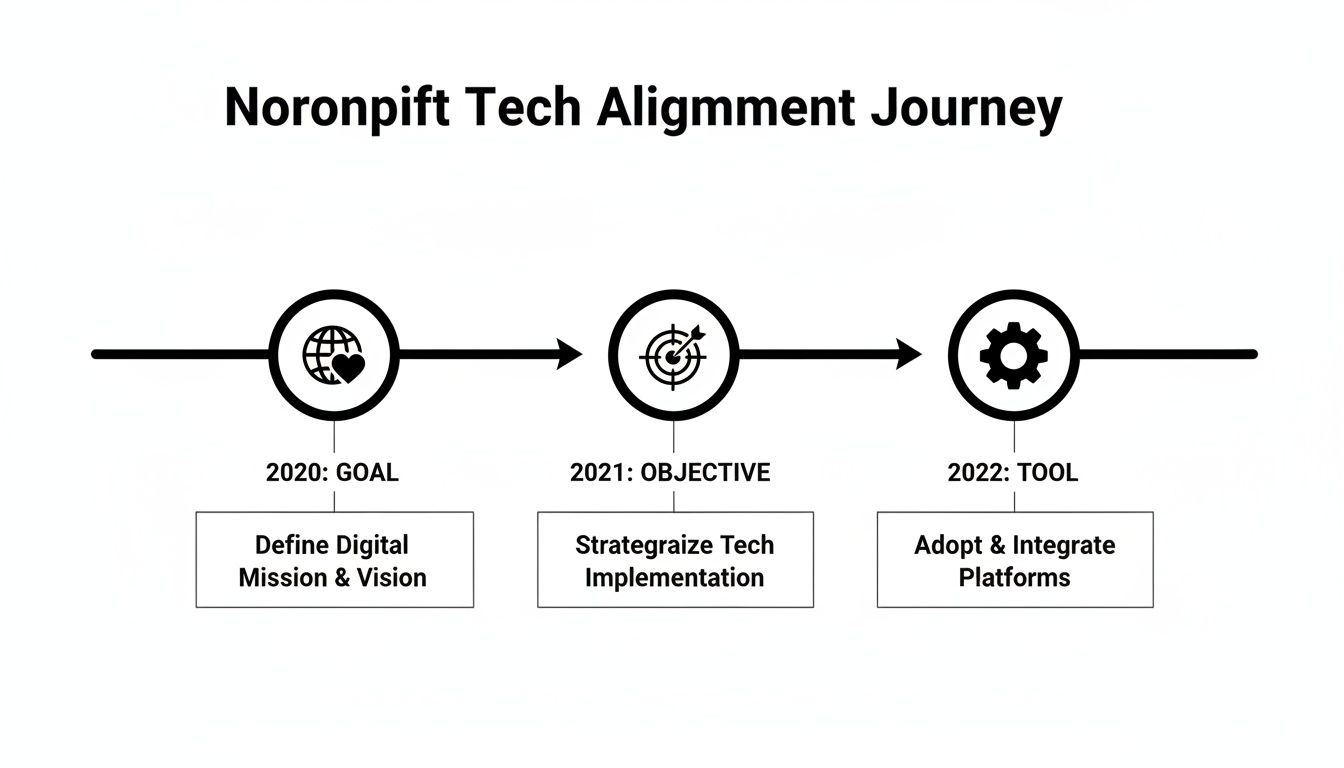
As you can see, the tool is the last step in the process, not the starting point.
Your roadmap is not just a project plan; it's a communication tool. It must be simple enough for your board to grasp, compelling enough to inspire your team, and clear enough for a funder to see the line between their investment and your impact.
Budget for Reality, Not Just for Software
Finally, a realistic roadmap must have a realistic budget. A software subscription is just the tip of the iceberg. Don't forget to include the real-world costs:
- Implementation and migration support from a qualified partner.
- Staff training and change management to ensure the new tools are actually adopted.
- Internal capacity—the cost of your own team’s time to participate.
- Ongoing support and maintenance.
Under-budgeting is a primary reason tech projects fail. By building a budget that reflects the true cost of success, you create a fundable plan that your board can get behind.
Make Your Case and Drive Change
You have an assessment that makes the problems undeniable and a realistic roadmap. But a plan is just a document until you get people on board. This is the human side of a nonprofit technology strategy.
Your plan has to speak to three different audiences: your board, your funders, and your staff. Nailing this communication is the difference between a strategy that collects dust and one that truly transforms your organization.
Speaking to Your Board About Risk and Sustainability
Your board's duties are fiduciary responsibility and managing risk. Don't present a shopping list for new software; present an essential investment in resilience.
Lead with the risks you uncovered. Explain, in plain English, how brittle systems and the threat of a data breach pose a direct threat to your mission and reputation. A security incident involving client information isn't an IT headache—it's an existential threat.
Then, show them how this roadmap systematically dismantles those risks and makes the organization more sustainable and attractive to funders. This isn't about spending money; it's about protecting the mission.
Framing the Investment for Funders as Capacity Building
Funders don’t get excited about servers. They get excited about impact. Your pitch must frame this technology investment as a direct way to build capacity—one that will multiply the value of every program grant they give you.
Don't start with, "We need a new CRM." Lead with, "We need to give our frontline partners five hours back each week." Explain how a modern system will eliminate manual reporting, freeing up your team and partners to do the work that changes lives.
You’re not asking funders to pay for overhead. You’re asking them to invest in the operational backbone that makes your work more efficient, secure, and effective. It’s a force multiplier for their existing grants.
Connect the dots. Better data systems lead to clearer proof of impact. When you show up with a clear, budgeted plan—like the kind we detail in our guide to building a technology roadmap a CFO can trust—it proves you're a responsible steward of their investment.
Rallying Your Staff Around a Calmer Future
Your staff is the most exhausted by the daily friction of broken systems. They don't need to be convinced there's a problem, but they might be skeptical of another "big new project" that sounds like more work.
Your message to the team must be about one thing: relief. This strategy is about getting rid of the frustrating, manual tasks that drain their energy. Frame the 90-day wins as immediate stress reducers.
- "We’re rolling out a password manager to finally end the nightmare of lost passwords."
- "We’re automating that quarterly report, so you never have to build it from scratch in a spreadsheet again."
When you start with small improvements that solve their daily pain, you build the trust needed to tackle the bigger projects down the road.
From here, the path forward has two destinations. Doing nothing guarantees more fire drills, mounting risk, and burned-out staff. Taking action leads to a calmer, more resilient organization that can confidently stand with the communities it serves.
Frequently Asked Questions
Even the best-laid plans come with practical questions. Here are the real-world concerns we hear most often from nonprofit leaders as they start on a new nonprofit technology strategy.
How do we fund this without a dedicated tech budget?
Most nonprofits don't have a line item for "strategic technology." The secret is to stop framing it as an operational cost and start framing it as a capacity-building investment. Build a business case that ties every dollar directly to mission outcomes. For example, request funds for a new case management system as part of a program grant, showing how it will allow you to serve 20% more clients with the same headcount. Security upgrades aren't just an IT expense; they're essential risk mitigation to protect the communities you serve.
What’s the difference between an IT vendor and a strategic partner?
An IT vendor fixes things when they break. They manage your email, troubleshoot laptops, and keep servers running. They are essential for day-to-day operations, but their focus is reactive. A strategic technology partner is a senior advisor focused on your future. They start with your mission, not the tech. They help you build a roadmap that prevents problems and ensures your systems can support your growth three years from now. You need both, but they play very different roles.
How can we manage a major tech project when our team is already overworked?
This is a valid fear. The solution isn't to avoid necessary change—it's to plan for the human side realistically. A good nonprofit technology strategy explicitly budgets for two things that prevent staff burnout: backfill capacity (hiring temporary help to cover daily tasks) and expert guidance (bringing in an experienced project manager or fractional CTO to manage vendors and keep the project on track).
Should we find one system to do everything or connect multiple tools?
The "all-in-one" dream is tempting, but it rarely works. A single system that tries to handle fundraising, case management, and finance is usually mediocre at all of them. A more resilient approach is to choose the best-in-class tool for each core function and then make sure they talk to each other. Use the best CRM for your fundraising and the best software for your program delivery, then connect them with modern integration tools. This way, each team gets the features they need without forcing a one-size-fits-none compromise.
Feeling overwhelmed by technology decisions and risks? CTO Input provides the calm, seasoned leadership you need to build a clear, believable path to modernization. We turn complexity into clarity, helping you create a technology backbone that reliably supports your mission.
Schedule a no-pressure discovery call to see how we can help you move from constant firefighting to focused, sustainable progress.