
The end of the quarter is looming. A critical grant report is due, and your program manager—the one who should be coaching partners—is buried in spreadsheets, manually piecing together data from three different systems. This isn’t a failure of your team. It’s a symptom of a deeper problem: your mission has outgrown the fragile systems you built it on. The constant, low-grade chaos of manual work is burning out your best people and putting your sensitive data at risk.
This isn’t about a massive, expensive tech overhaul. It’s about finding practical, immediate relief. By using automation to reduce repetitive staff tasks in legal orgs, you can swap out manual data entry and paper-pushing for simple, reliable workflows. You can reclaim hundreds of hours, slash the risk of error, and free your team to focus on the human work of supporting advocates and serving communities.
Key Takeaways
- The Real Cost Isn’t Hours, It’s Mission Drag: Repetitive manual work leads to staff burnout, increases the risk of critical data errors (especially with sensitive client information), and creates a massive opportunity cost by pulling your best people away from strategic work.
- Start with Small, High-Impact Wins: Don’t try to boil the ocean. Begin by identifying one or two highly repetitive, rule-based tasks—like client intake or grant reporting—and automate them to deliver a tangible win in the first 90 days.
- Match the Tool to the Job, Not the Hype: The legal tech market is noisy. Ignore the buzzwords and focus on the problem you need to solve. Simple workflow platforms are often more effective and affordable than massive, complex systems.
- Build a Phased Roadmap: A single automation is a good start, but a simple 12-24 month plan turns one-off fixes into a sustainable strategy. Move from stabilizing quick wins to integrating core systems, creating a reliable backbone for your mission.
- Measure What Matters: Success isn’t just about “time saved.” Track the reduction in data errors, faster client service, and improvements in staff morale to tell a powerful story about impact to your board and funders.
The Real Cost of Manual Work in Your Legal Organization
We’ve all seen it. The critical grant report is due, and the data you need is everywhere but where it should be. It’s fragmented across a dozen spreadsheets, tucked away in your case management system, and living in a separate intake tool.
So what happens? Your best program manager—the one who should be coaching partners or supporting your frontline team—ends up spending days just trying to piece it all together. They’re stuck manually compiling, cleaning, and verifying numbers. This isn’t just a hypothetical; it’s the quiet operational drag slowing down mission-driven organizations everywhere.

Beyond Wasted Hours
The true cost of these repetitive, manual tasks goes far beyond the hours logged on a timesheet. It’s a silent tax on your mission, and it compounds with every administrative cycle. When your team is stuck in the weeds of manual work, the consequences ripple through the entire organization.
- Staff Burnout and Turnover: You hired skilled people to advance your mission, not to act as human bridges between disconnected systems. Forcing them to perform mind-numbing data entry leads directly to disengagement and burnout.
- Increased Risk of Error: Every single time someone manually copies information from an intake form to a spreadsheet, or from that spreadsheet to a grant report, you introduce a small risk of error. With sensitive client data—especially around immigration, incarceration, or youth services—even a tiny mistake can have serious consequences.
- Massive Opportunity Cost: Just think about what your best people could be doing. That program manager could be strengthening relationships with community partners or digging into program outcomes for new strategic insights. Instead, they’re trapped in a reporting fire drill.
This isn’t about blaming your team for relying on processes that, at one point, probably worked just fine. When your organization was smaller, these workflows were manageable. The problem is that your impact has outgrown them. Your systems, built for a simpler time, are now the source of constant, low-grade stress and operational friction.
The reliance on manual processes isn’t a failure of your people. It’s a sign that your organization’s impact has surpassed the capacity of its foundational systems. Recognizing this is the first step toward building a more resilient future.
Moving from Chaos to Clarity
You see the symptoms every day. The frantic scramble for data before a board meeting, the nagging worry about data security, and the persistent feeling that your team is always just trying to keep its head above water. This cycle makes it impossible to focus on long-term strategy and growth.
This guide is a calm, pragmatic path forward. It’s written for leaders who don’t have time for tech jargon or abstract theories. We’re going to walk through a simple, believable plan for using automation to reduce repetitive staff tasks in legal orgs, starting with practical wins that build momentum and confidence. The goal is to help you reclaim control, reduce risk, and reinforce your mission with smart, sustainable technology.
Find Your First High-Impact Automation Win
The thought of a massive tech project is enough to make anyone’s head spin, especially when your team is already running on fumes. The good news? You don’t have to boil the ocean. The smartest way to start using automation to reduce repetitive staff tasks in legal orgs is to aim small. Find one or two processes that create the most friction and deliver a quick, visible win.
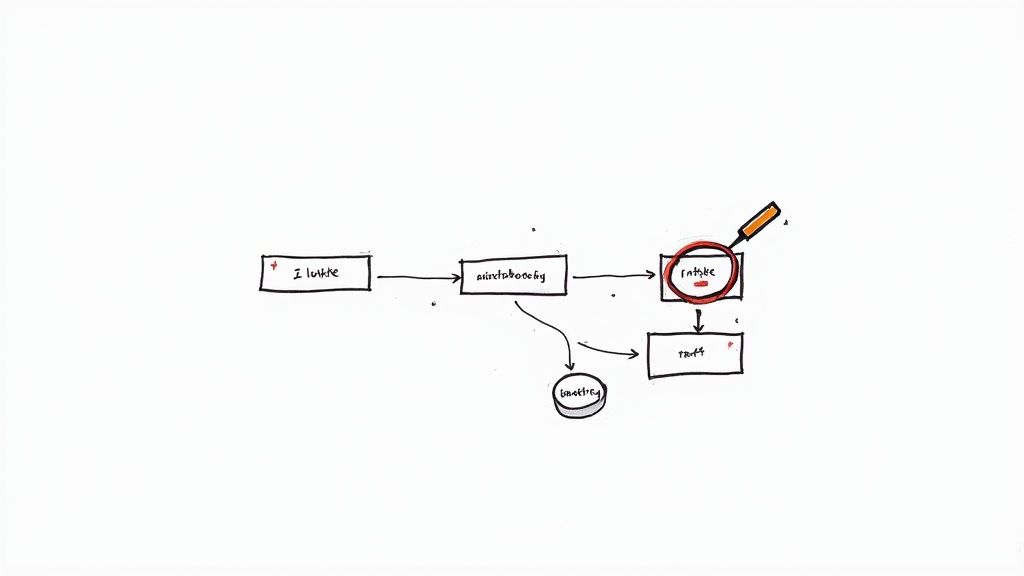
This initial phase isn’t about shopping for software. It’s about putting on your detective hat. Before you can improve a workflow, you have to understand how work actually gets done—not just how the manual says it should.
Start with Workflow Discovery
Your first move is to map out your current processes to spot the bottlenecks. Don’t do this in a vacuum; sit down with the people who live and breathe this work every day. Ask them to walk you through a few common tasks, step-by-step.
Where do things grind to a halt? What tasks make them want to pull their hair out? You’ll quickly notice that the best candidates for your first automation project share three key traits.
Look for work that is:
- Highly Repetitive: Think about tasks done the same way, multiple times a day or week. A classic example is copying client details from an intake form into your case management system.
- Rule-Based: The process follows a clear set of “if-then” logic. For instance, if a client’s income is below a certain threshold, then they are flagged as eligible for a specific service.
- Prone to Human Error: Any step involving manual data entry is a ticking time bomb. Transposing numbers in a grant report or mistyping a client’s phone number can create a cascade of problems.
High-Impact Automation Opportunities for Legal Orgs
In my experience with legal nonprofits and advocacy groups, a few areas almost always rise to the top as prime candidates for early automation wins. These are the administrative backbones of your programs, where small fixes can reclaim a shocking amount of staff time.
A recent study found that nearly 46% of legal professionals said automating time-consuming, repetitive tasks was the single greatest benefit of AI. The same report noted that firms using this tech have automated up to 27.1% of their workload in some areas. You can dig into the data yourself in the 2025 Legal Technology and AI Adoption Report.
To help you get started, here are some of the most common, high-value areas to look at first.
| Operational Area | Repetitive Task Example | Primary Benefit of Automation |
|---|---|---|
| Client Intake | Manually transcribing info from web forms or paper documents into a case management system. | Reduces data entry errors and dramatically speeds up the time it takes to begin serving a new client. |
| Grant Reporting | Pulling program data from multiple spreadsheets and systems to compile quarterly or annual funder reports. | Ensures data consistency, reclaims dozens of hours for program staff, and improves the accuracy of impact metrics. |
| New Staff Onboarding | Setting up accounts across multiple systems, sending standard policy documents, and tracking training completion. | Creates a consistent, professional experience for new hires and frees up HR and IT from manual checklists. |
This table should give you a solid starting point for where to focus your initial discovery efforts.
The goal is not to automate everything at once. It’s to prove the concept. Pick a single, high-pain, low-risk process and deliver a clear win within 90 days. This is how you build trust, momentum, and the internal business case for doing more.
For instance, client intake and eligibility screening is a perfect place to start. The process is repetitive, critical for compliance, and almost always a major bottleneck. By automating the initial data collection and screening, you can ensure your advocates get complete, accurate information from day one. If this sounds promising, you can learn more about choosing eligibility screening tools for legal aid.
By the time you finish this discovery phase, you should have a shortlist of three to five high-impact automation opportunities. From there, you’ll choose one to pilot—your first concrete step toward turning operational drag into a source of organizational strength.
Choose the Right Automation Tools for the Job
Let’s be clear: the legal tech market is a crowded, noisy space. It’s packed with vendors promising the next big thing, and it’s nearly impossible to tell what’s real from marketing fluff. This is where many leaders get stuck. You know you need to start using automation to reduce repetitive staff tasks in legal orgs, but the sheer number of options is paralyzing.
Let’s cut through that noise. The best way to pick a tool is to stop obsessing over features and start thinking about the specific job you need done. The goal isn’t to buy the most powerful software; it’s to find the simplest, most reliable tool that solves a real problem your team is facing right now.
Match the Tool to the Task
Different kinds of tedious work call for different kinds of tools. Instead of getting lost in brand names, it’s more useful to think in categories. Most of the automation opportunities you uncovered in the last step will likely fall into one of these three buckets.
- Document Automation: This is your go-to for cranking out routine, template-driven documents. Think client agreements, intake summaries, or standard court filings. Instead of someone manually copying and pasting names, dates, and case details, these tools pull data from a single source to generate perfect, error-free documents every time.
- Workflow and Integration Platforms: These are the digital connectors that get your different systems to talk to each other. I think of them as the glue holding your tech stack together. They’re perfect for tasks like automatically creating a new client record in your case management system the instant someone submits your website’s intake form.
- Robotic Process Automation (RPA): This sounds more complicated than it is. RPA is best for those frustrating situations where you have to interact with older, clunky systems that don’t have modern APIs—like a government database or an ancient court filing portal. An RPA “bot” can be taught to log in, copy data, and paste it into another system, perfectly mimicking the clicks and keystrokes a person would make.
The most common mistake I see is leaders buying a massive, expensive platform to solve what is actually a simple integration problem. You don’t need a sledgehammer to hang a picture. Often, a straightforward workflow tool is all you need to reclaim dozens of staff hours a month.
Simple Decision Criteria for Choosing a Tool
Once you’ve figured out which category of tool you need, how do you actually pick one? Your decision should never be based on a slick sales demo. It needs to be grounded in a few pragmatic, mission-focused questions that protect both your organization and your clients.
Before you sign a contract, make sure the tool checks these three boxes:
- Security and Compliance: Does it handle sensitive client data safely? For any organization working with immigration, incarceration, or youth data, this is an absolute deal-breaker. The vendor must be able to clearly explain their data encryption, access controls, and how they comply with relevant privacy standards.
- Ease of Use: Can your current team actually use it? The most powerful software in the world is useless if it requires a specialist to run it. Look for solutions your existing systems manager or “de facto tech person” can learn and maintain without needing weeks of training.
- Right-Sized for Your Budget and Scale: Does the cost make sense for the value it delivers? I strongly advise against locking into long-term, expensive contracts for your first automation project. Start with tools that offer flexible, month-to-month pricing so you can prove the concept before making a bigger financial commitment.
For instance, a workflow platform like Zapier or Make can be a fantastic, low-cost starting point for connecting your core systems. These tools are built for non-developers and can create powerful automations between hundreds of common apps. Connecting your client intake form to your CRM is a perfect first project, and you can learn more about integrating a legal nonprofit CRM to see how it works in the real world.
The right tool is out there. By focusing on the job to be done and asking these simple, practical questions, you can find a solution that delivers immediate value without adding needless complexity or risk to your organization.
Build Your Automation Roadmap: A Phased Approach
A single automation project is a great start, but it’s a band-aid on a bigger problem. To truly move away from constant fire drills and turn your tech from a source of stress into a strategic backbone, you need a plan.
This isn’t about some massive, multi-year overhaul that never gets off the ground. It’s about creating a realistic 12-to-24-month roadmap that builds on your quick wins and creates lasting operational strength. This plan becomes your story—a simple, believable narrative for your board, your funders, and your team about where you’re headed and why. It shifts the conversation from one-off projects to a deliberate strategy.
The key is to start with the problem, not the shiny new tool.
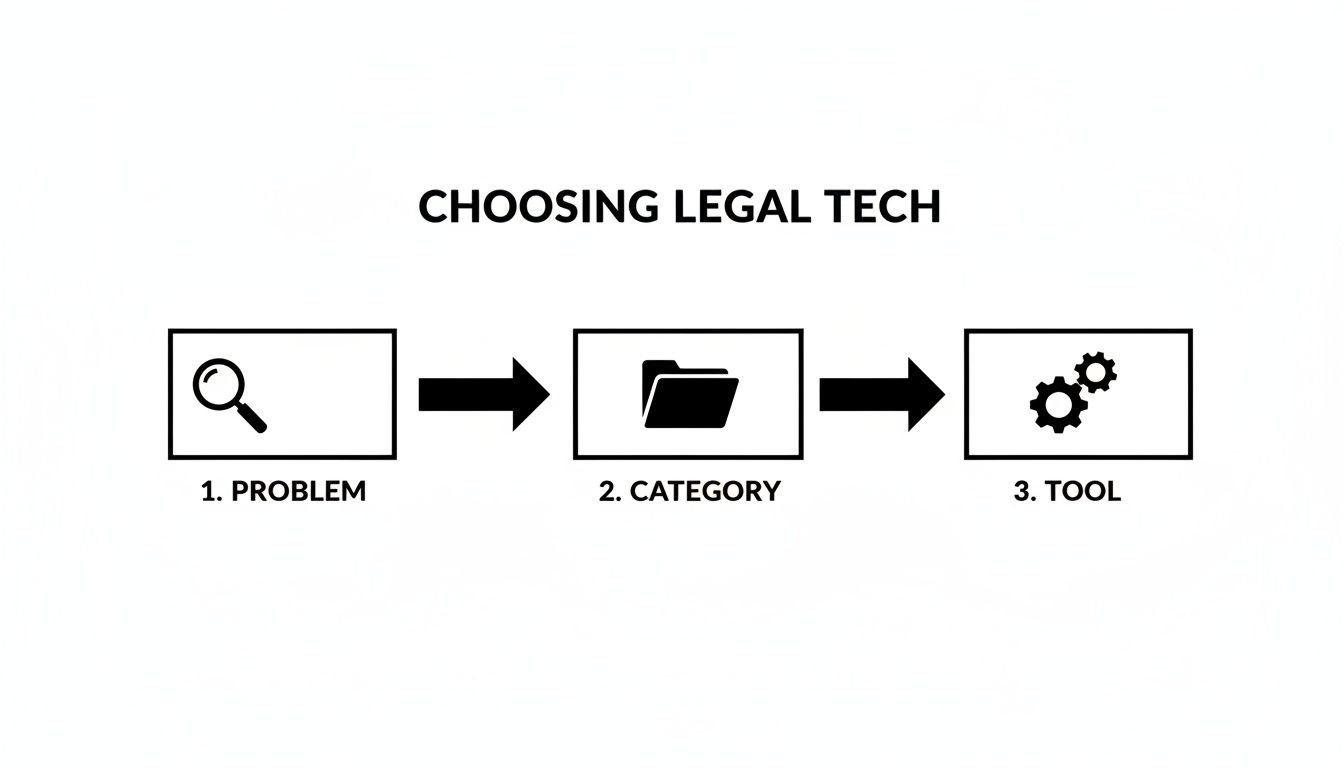
This kind of discipline ensures every tech decision is grounded in solving a real-world operational pain point.
Phase 1: Stabilize and Secure (Months 1-6)
First, stop the bleeding. This phase is all about executing those high-impact, low-risk automation projects you’ve already identified. The goal is simple: deliver tangible relief to your team and build momentum.
- Implement Your Quick Wins: Get that first automation live. Whether it’s client intake, grant reporting, or staff onboarding, focus on getting it right and documenting the time saved.
- Establish Basic Governance: You don’t need a 50-page policy manual. Start with a simple, one-page acceptable use policy for any new AI or automation tools. Define who has access to what data and clarify who owns the process.
- Shore Up Security Foundations: As you connect systems, you open new doors—and potential risks. Chat with your IT vendor or systems manager to make sure basic security hygiene is in place for any platforms involved.
This is your confidence-building phase. By delivering a clear win and showing you’re a responsible steward of the technology, you earn the trust you’ll need for what comes next.
Phase 2: Integrate and Unify (Months 7-18)
With some early successes under your belt, the focus shifts from automating single tasks to connecting your core systems. The chaos of scattered spreadsheets and siloed tools is likely your single biggest source of inefficiency. Phase two tackles it head-on.
The objective here is to create a single source of truth for your most critical information, like case and program data. This could mean finally getting your intake system to talk to your case management platform, or connecting your program database directly to your financial software.
This is where the real power of using automation to reduce repetitive staff tasks in legal orgs becomes crystal clear. When your systems communicate, the mind-numbing work of copying and pasting data between them just… disappears. Reports that once took days to compile can now be generated in minutes.
The goal of integration isn’t just efficiency; it’s clarity. When everyone is working from the same, reliable data, you can finally have confident conversations about your impact with funders and your board.
Phase 3: Scale and Optimize (Months 19-24)
By now, automation is no longer a novelty; it’s becoming part of your organization’s DNA. This final phase is about scaling what works and embedding these practices into your long-term operations.
This is the time to:
- Expand Automations: Take what you learned from your initial projects and apply it to other high-value areas. If you automated intake for one program, can you roll it out to others?
- Refine Governance: As your automations get more complex, your governance needs to mature. This means refining data privacy controls and establishing clear protocols for monitoring and maintaining automated workflows.
- Measure and Report on Impact: You finally have the data to prove the ROI of this work. Track metrics like hours reclaimed, reduction in data errors, and faster client service times to build a powerful case for continued investment.
This phased approach is becoming standard for a reason. The 2025 Clio Legal Trends Report found a strong link between growth and tech adoption, with 79% of legal professionals at growing firms using AI. Yet a gap remains—only 40% use legal-specific AI tools, a problem a structured roadmap helps solve. With 82% planning to increase their tech use, having a deliberate plan is no longer a nice-to-have. You can discover what’s driving legal tech adoption in the full report.
Measure Success and Demonstrate Real Impact
You’ve rolled out your first automation and your roadmap is in hand. Now for the tough part: proving to the board, your funders, and even your own skeptical team that it was worth the effort. Too many leaders stop at “time saved,” but that metric alone barely scratches the surface of the real value you’ve created.
To tell a compelling story, you have to go deeper. The goal is to shift the conversation from technology costs to strategic gains in organizational capacity. This means measuring a smart mix of hard numbers and the human impact, which is just as important but often overlooked.
Moving Beyond Simple Time Savings
Getting hours back in your team’s day is a fantastic start, but it’s really just the opening act. To truly show the return on this work, you need a balanced scorecard—something that captures both the hard data and the softer, qualitative improvements. This approach gives you a much richer, more honest picture of the impact you’re making.
Here are the kinds of metrics you should be tracking:
Quantitative Metrics (The “What”)
- Hours Reclaimed Per Week: This is your baseline. Calculate the time your team gets back from tedious administrative tasks.
- Reduced Error Rate: Look at the drop in data entry mistakes on intake forms or grant reports. An error rate falling from 5% to less than 1% tells a powerful story about reducing risk.
- Faster Client Response Time: How long does it take from a client’s first contact to the first meaningful interaction? Shaving days off this process directly translates to better, more humane service.
- Increased Program Capacity: How many more clients can you now serve without adding headcount? This shows you’re scaling your impact, not just your payroll.
Qualitative Metrics (The “So What”)
- Improved Staff Morale: Don’t guess—survey your team. Ask them directly about their stress levels and job satisfaction before and after the automation.
- Better Data Quality for Reporting: Talk to your program managers. Is pulling data for that big foundation report less of a nightmare? Is the data more reliable?
- Enhanced Client Experience: How do clients feel about the new, smoother process? A simple survey can reveal that an easier intake makes your organization feel more accessible and professional right from the start.
The most powerful way to justify this work is to connect a number to a story. Saying “we saved 20 hours a week” is good. Saying “we saved 20 hours a week, which allowed our top paralegal to support three additional asylum cases” is unforgettable.
A Quick Story from the Field
I worked with an immigration support network that automated its referral process. Before, a coordinator spent nearly her entire week manually reading emails, logging details into a messy spreadsheet, and forwarding cases to partner organizations. It was a bottleneck, and urgent cases sometimes fell through the cracks.
After we implemented a simple workflow automation, their success wasn’t just about the 30+ hours she got back each week.
- Their quantitative win was a stunning 75% reduction in the time it took to get a case from the initial inquiry into the hands of a frontline advocate.
- Their qualitative win came from the partners themselves. They started reporting that they were getting clean, complete case files every single time, which made their own work faster and less frustrating.
This combination of hard numbers and real-world feedback made their case for further investment to the board undeniable. The conversation wasn’t about the tech; it was about serving more people, faster and more effectively. Thinking through these metrics early is a key part of calculating your technology ROI in legal advocacy and building a sustainable plan.
By measuring what truly matters—efficiency, risk reduction, and the human capacity you unlock—you build a powerful case that using automation to reduce repetitive staff tasks in legal orgs is one of the smartest investments you can make in your mission.
What Happens If You Just… Wait?
Doing nothing is a decision. It’s an active choice to stick with the status quo, accepting all the hidden costs and daily frustrations that come with it. The current path of constant fire drills, scattered data, and a team stretched to its breaking point isn’t going to fix itself. It’s only going to get rockier.
The chasm between what your organization could achieve and what your operations can actually support will just keep getting wider. Staff burnout, already a whisper in the hallways, will become a roar. Good people don’t stick around to fight with broken systems; they leave to find places where they can do the meaningful work they signed up for. And all the while, your security risks will simmer—a constant, low-grade hum of anxiety for anyone handling sensitive client information.
This path feels familiar. But it’s slowly bleeding your most precious assets: your team’s time and energy.
The Two Paths Forward
There is another way. It’s the path we’ve been mapping out in this guide. This isn’t about some massive, disruptive tech overhaul or buying the flashiest new platform on the market. Think of it more as a calm, deliberate journey toward building a stronger, more resilient organization.
This is a future where technology actually serves your team instead of creating more work for them. It’s a reality where your case data is secure, reliable, and—most importantly—accessible. Imagine having clear, defensible evidence of your impact right at your fingertips when funders or the board come calling.
This isn’t a choice between technology and people. It’s about using technology to free up your people for the complex, human-centered work that no machine can ever replicate.
What would it feel like to eliminate the end-of-quarter reporting scramble? Picture your key staff having the headspace to think strategically because they’re not drowning in spreadsheets. This future is completely within reach, built one smart, practical automation at a time. It all starts by admitting that how you work today is holding back the impact you could have tomorrow.
Your Next Step Isn’t a Purchase—It’s a Conversation
This isn’t the time to sit through a dozen software demos. The real first step is much simpler: have a focused conversation with someone who gets it—someone who understands your mission, your team, and the unique pressures you face. You need a partner who can help you turn the ideas in this guide into a realistic roadmap that actually fits your budget and your culture.
At CTO Input, we help justice-focused leaders build these kinds of modernization plans. We start with your mission and work backward to map a clear, practical path from chaos to clarity.
If you’re ready to put out the fires for good and build a more resilient foundation for your work, we should talk. Schedule a no-pressure discovery call with our team and let’s figure out what that first step looks like for you.
Frequently Asked Questions About Legal Automation
When leaders start exploring automation for their legal workflows, a few questions always come up. Let’s tackle them head-on.
Is our organization too small for this?
Not at all. It’s a common misconception that automation is only for massive legal departments with big budgets. Some of the most impressive returns on investment happen in smaller teams. When you only have a handful of people, every hour you give back makes a huge difference. The key is to think “start small, win fast.” Don’t try to boil the ocean. Pick one process that’s a known bottleneck and prove the concept there.
Will we have to lay people off?
This is probably the biggest fear, but the goal here is to augment your team, not replace it. Your people are your greatest asset. Automation is about taking the tedious, repetitive, soul-crushing tasks off their plates—the copy-pasting, the data entry, the endless chasing for signatures. This frees up your talented staff to focus on the work that actually requires a human brain: complex problem-solving, client relationships, and strategic thinking. You’re not eliminating jobs; you’re making the ones you have more engaging and impactful.
How quickly will we see a difference?
Faster than you might think. You can get tangible results within the first 90 days. The trick is to be strategic with your first project. By targeting a well-defined process that causes a lot of headaches, you can deliver a quick win that saves time and reduces errors almost immediately. While a full, department-wide transformation takes time, these initial projects build momentum and get everyone on board.
We’re already seeing this play out across the industry. For example, high-adoption practice areas like immigration (47%) and civil litigation (27%) are automating specific tasks and seeing major efficiency gains. Discover more insights from the 2025 Legal Industry Report.