

You are a CEO who is spending more on tech and getting less back due to mounting technical debt. Projects drag on, outages keep showing up in Monday reports, and the board is starting to ask sharper questions about risk and return. You know those fragile legacy systems are at the center of it, but every time someone suggests changing them, your gut says, “If this goes wrong, we are offline.”
That tension is real. Rising tech spend, stalled digital transformation, a worried board, and legacy systems that feel too risky to touch but too costly to ignore. You are not trying to become a technologist. Modernizing legacy systems safely is your goal and you hope to keep the business running, and finally see clear value from the dollars you are already spending.
This is where an experienced guide matters. At CTO Input, we have helped mid-market companies update core platforms without public outages, surprise cost spikes, or chaos for front-line teams. In this article, you get a simple, decision-level path for how to modernize legacy systems safely, with a few concrete moves you can start in the next 30 to 90 days.
Why “legacy systems” feel untouchable (and why you cannot leave them alone from a “legacy system modernization” perspective)
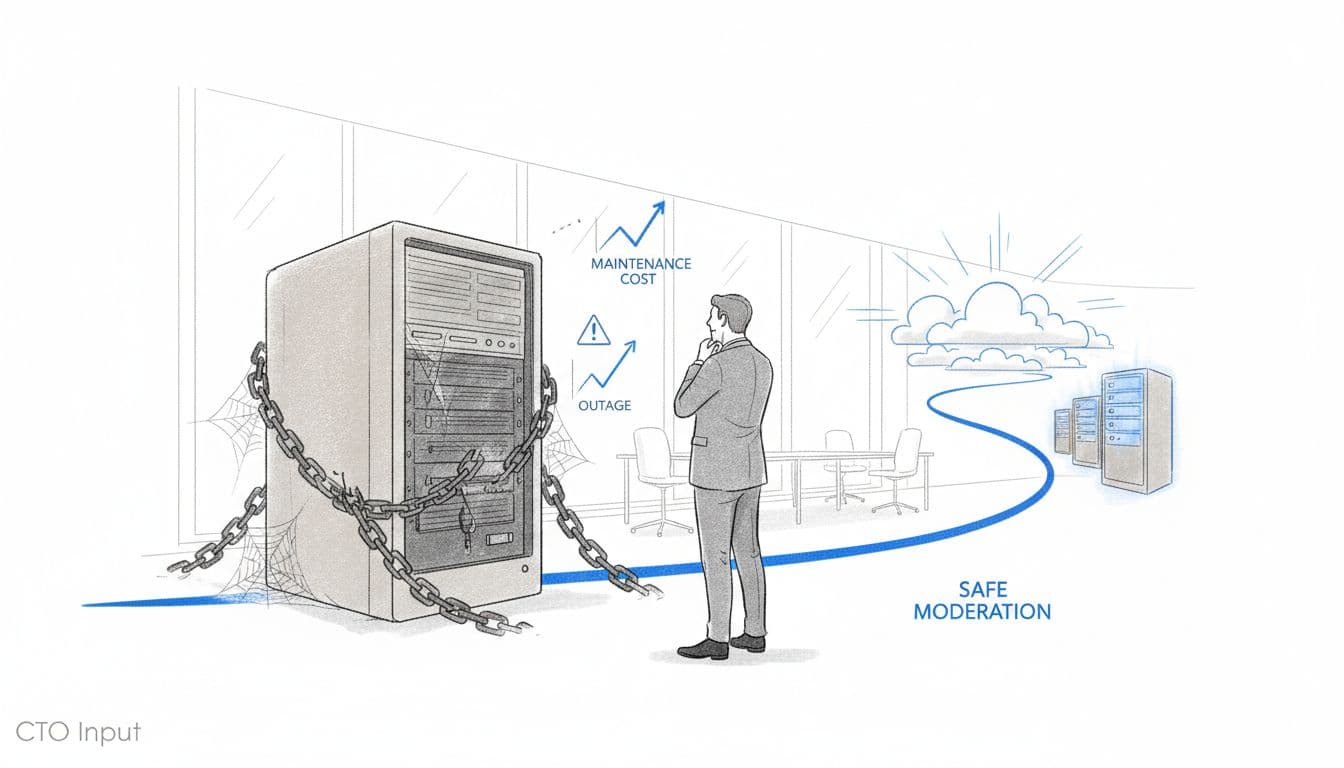
Image created with AI, illustrating a leader who is modernizing legacy systems by weighing risk between legacy systems and modern platforms.
Legacy systems feel like the old engine in a plane that is already in the air. You know it needs service, but you also know you cannot land in the middle of quarter-end.
Leaders stay stuck for a few predictable reasons.
Outage fear. Vendor contracts that are hard to unwind. Critical knowledge sitting in the heads of two people who are already stretched. Compliance rules that feel like a minefield. Maybe you also carry a scar from a past “big transformation” that blew up budgets and trust.
From the board’s point of view, these legacy systems affect margins, customer trust, and even valuation. A platform that no one can explain, that fails during peak season, or that hides key numbers, drags down confidence. You need to modernize legacy systems safely so your business does not slow down, but you cannot gamble core revenue on a guess.
The hidden cost of doing nothing with legacy platforms
On paper, “do nothing” feels safe. In practice, it is expensive.
High maintenance costs creep up every year due to outdated technology. You pay for old infrastructure, extra licenses, and emergency consultants when something breaks. A study of modernization projects shows many firms now look to specialized legacy modernization partners because the cost of standing still keeps rising faster than new investment, sacrificing potential cost savings.
Change cycles slow down. A simple pricing tweak or product bundle can take weeks because of integration issues as legacy systems do not talk to each other. That delay shows up as lost deals, frustrated sales teams, and manual workarounds in spreadsheets.
Outages and incidents increase. These “monolithic applications” are harder to patch and monitor. Each incident may be small, but the pattern is clear: more late nights, more apologies, more distraction from growth.
Cyber and compliance risk grows quietly in the background, with security vulnerabilities in older tech stacks that are harder to secure, especially as regulators expect tighter controls and better reporting.
At some point the board asks, “What is our plan for this?” Doing nothing is also a choice, and it is one that gets harder to defend.
Why big-bang replacements usually fail in mid-market companies
Many mid-market companies swing from “do nothing” to “replace everything.” That move sounds bold. It is usually painful.
Big-bang projects run for 18 to 36 months. By the time the new system is ready, the business has changed, the original requirements are stale, and everyone is exhausted. Front-line teams are pulled into workshops, pilots, and retraining while still expected to hit targets.
The risk peaks at go-live. One cutover weekend, one bad data migration, one missed integration, and you are facing outages in sales, billing, or operations. People remember that pain for years.
There is a better pattern. A phased approach replaces the most risky or strategic pieces, keeps legacy and modern running in parallel for a time, and proves safety with pilots before big moves. That low-drama approach sets up the roadmap you actually need.
A simple roadmap to modernize legacy systems safely without breaking the business
You do not need to pick tools. You need a sequence of decisions that keeps the business safe while you change it.
Here is a clear five-step path.
Step 1: Map where legacy risk really lives in your business
Start with the business, not the tech stack. Make a simple list of legacy systems and ask four questions for each one:
- Does it touch revenue or pricing?
- Does it affect cash flow, billing, or collections?
- Does it impact compliance or audits?
- Does it shape customer experience?
Then ask one more question: If this system failed on the last day of the quarter, what would break? The answers show you where risk actually lives.
Next, sketch dependencies. Which systems feed data into others? Which reports pull from several places? This does not need to be a fancy diagram. Boxes and arrows on a page are enough to see which pieces you can safely touch first.
This is often where a neutral advisor like CTO Input helps. An outside view turns “IT complexity” into a clear map that leadership can act on.
Step 2: Focus on one or two critical journeys, not your whole tech stack
Instead of trying to “modernize IT,” pick one or two end-to-end journeys, for example:
- Quote to cash
- New customer onboarding
- Claims handling
- Patient intake to discharge
Follow that journey step by step. Where do people copy data by hand? Where do they wait for a nightly batch? Where do customers feel friction?
By focusing on a journey for application modernization, you keep scope tight. You protect core operations, because you are not ripping up every system at once. You also get visible wins that build confidence with the board and with front-line teams who live in these processes every day.
Step 3: Choose the right modernization strategy for each legacy system
You do not need one grand strategy. You need the right move per legacy system.
In plain language, the main options are:
- Rehosting (lift and shift)
Move the system to cloud computing through cloud migration with minimal change. Faster, lower risk, good when the software itself still works fine. - Replatforming
Tidy up how the system runs so it scales better or costs less, without changing core behavior. - Refactoring code
Improve the code and structure so it is easier to change later, incorporating containerization or microservices architecture for better scalability. Good when the system is valuable but hard to maintain. This can involve re-engineering for ongoing improvements. - Wrap with APIs (Application Programming Interfaces)
Keep the legacy system, but put a modern interface around it so other tools can connect without ripping out the core. - Replace
Retire the system and bring in something new through re-architecting when it is too fragile or far from where the business is going.
Technical guides such as Inwedo’s overview of modernizing legacy systems strategies and Stride’s review of AI-driven modernization platforms show what this looks like under the hood. Your job is to pick the smallest change that delivers the outcome you care about: less risk, better insight, or faster change.
Step 4: Use phased pilots, heavy testing, and clear communication
A safe pilot is small, real, and reversible.
Start with one region, one product line, or one internal team. Run the new and old flows in parallel for a short time. Test real scenarios: refunds, edge cases, peak volume.
Have backups and a rollback plan agreed in advance. If something misbehaves, you can fall back without drama.
Communicate clearly with staff and, when needed, customers. “Here is what is changing, here is when, here is what to do if something feels off.” Surprise is the enemy of trust.
Step 5: Track results in business terms, not just IT metrics
Modernization should show up in numbers that matter to you, aligning with business requirements, for example:
- Fewer outages that touch customers and improve user experience
- Shorter time to ship a change or new feature
- Less manual rekeying or spreadsheet work for greater operational efficiency
- Improved security posture and audit findings
- Faster, clearer reporting for the board
Use these measures to prove to the board and lenders that modernization is under control and paying off. The same numbers also keep vendors honest and aligned with your goals.
When to bring in outside expertise to reduce risk and speed up modernization
Some leadership teams can drive this change on their own. Many cannot, at least not at the pace the business now needs.
You feel this when projects keep missing, when board cyber questions get harder amid demands for tighter security measures, or when every vendor pitch sounds like the answer and you are not sure who to believe. A fractional CTO, CIO, or CISO model, leveraging DevOps methodology to speed up change cycles and improve operational delivery, gives you senior judgment and a clear plan without a full-time executive hire.
At CTO Input, that starts with understanding where your real risk is, not with selling you a platform. Then it shifts into a simple roadmap that your whole team can follow.
Signs your team should not modernize alone
You do not have to be in crisis to look for help. Common signs include:
- No single executive is accountable for technology risk
- IT speaks in technical terms, and the business tunes out
- Vendors are setting the agenda and language, not you
- There is no clear, written application modernization roadmap that the board has seen
- The same projects keep slipping year after year
This pattern is normal in mid-market companies. It is also fixable when someone sits on your side of the table and connects tech decisions to margin, growth, and risk.
How CTO Input guides leaders through safe, low-drama modernization
CTO Input acts as your senior technology partner. The work typically includes:
- An independent assessment of your legacy systems, risks, and dependencies
- A step-by-step modernization roadmap tied to revenue, cost, and compliance
- Regular executive-level guidance to keep vendors aligned and projects on track
The outcomes are straightforward: fewer surprises, cleaner reporting, calmer board meetings, and technology that supports the growth story you are telling investors and lenders.
You can explore related topics on the CTO Input blog and, when you are ready, schedule a short diagnostic conversation about your own legacy stack.
Conclusion: You can modernize without breaking what works
You are not stuck with fragile legacy systems forever. You can modernize legacy systems safely if you move in phases, focus on the critical journeys, pick the right strategy for each system, and track results in business terms.
You do not need to become a technology expert. You do need a clear, believable plan and a guide who speaks your language. Picture your next twelve months with fewer outages, faster execution, cleaner numbers, and a board that sees technology as an asset instead of a risk.
If you want that outcome, start with a simple step. Visit CTO Input to see how fractional CTO, CIO, and CISO support works for mid-market companies like yours, and spend a few minutes on the CTO Input blog to deepen your plan for application modernization, legacy system modernization, risk, and growth.