

You know the drill. An email from a stakeholder lands at 4 p.m. Friday: “Can you pull last quarter’s client numbers by EOD?” Then Slack pings for vendor spend data. Your team drops everything for context-switching. Priorities shift. Deadlines slip.
These ad hoc data pulls eat hours. They pull focus from real work. You end up with inconsistent numbers. Boards question reports. Staff burn out chasing shadows.
A data request intake process fixes this. It queues requests. It sets rules. You regain control. Read on to build one that works for your team.
Key Takeaways
- Ad hoc pulls create chaos and weak data. A centralized intake process stops that.
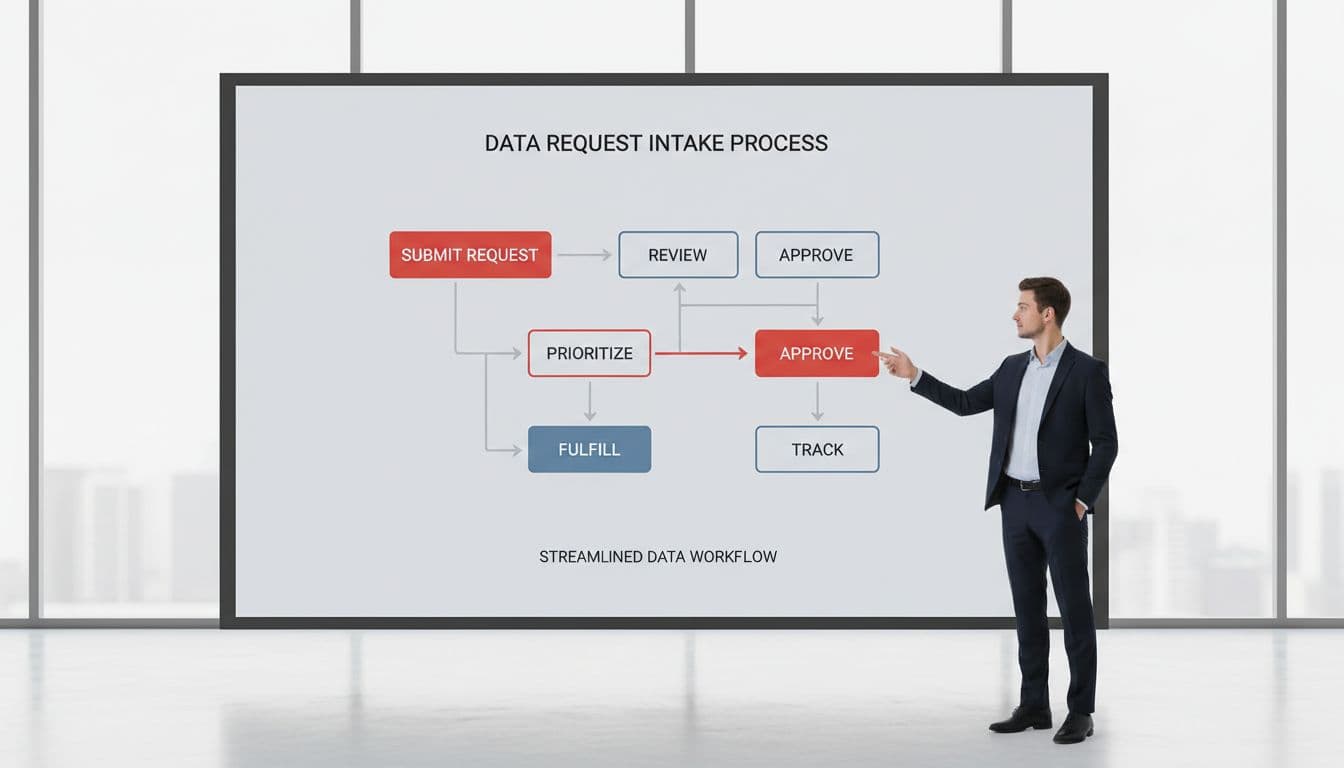
- Define clear steps: submit, review, approve, fulfill.
- Track KPIs like fulfillment time and request volume to prove value.
- Start small. Use an existing intake form first.
Why Ad Hoc Data Pulls Drain Your Time
You run a growing organization. Demand rises. So do data asks to your data teams. Finance needs donor trends. Programs want outcome stats. Leadership pulls for board prep. Each request feels urgent.
Staff dive in without context. One person grabs client data from the CRM. Another exports from spreadsheets. Numbers mismatch due to gaps in internal communication. You spend time reconciling. Trust erodes.
This chaos costs more than time. It hides risks. Sensitive client info scatters across emails. Vendors access what they should not. A breach looms quiet.
Worse, you miss patterns. Requests repeat. No one sees the big picture. Growth stalls because data-driven decisions rest on shaky ground.

Consider data teams drowning in ad hoc requests. They face the same. Vague asks kill strategy and displace high-value data engineering tasks. Your operation mirrors this.
In legal nonprofits, intake overload compounds it. Client data pulls for reports create routing confusion. Check technology challenges facing legal nonprofit intake for patterns you recognize.
You feel the drag. Teams react. Visibility fades. Ad hoc pulls drain time instead of building business value. A data request intake process restores order.
How to Set Up Your Data Request Intake Process
Start simple. You do not need new software. Use an intake form in Google Forms or Microsoft Forms. Link it everywhere: Slack, email signatures, team wiki.
First, define fields for requirements gathering. Requester name. Exact question. Deadline. Business reason. Data needed. This cuts vague asks.
Next, assign owners. You or a deputy reviews daily. Triage by prioritization: board-critical first, nice-to-have last. Reject duplicates or out-of-scope.
Approve fast. Respond in 24 hours. Say yes, no, or needs clarification. Log in a tracker using project management tools: Airtable, Notion, or Excel.
Fulfill with standards. Use one source per dataset. Document steps. Share results securely, no email chains.
Test it. Roll out to one team. Gather feedback. Adjust.
For client-facing work, adapt from single front door intake design guide. It unifies channels. Your data flow benefits the same way.
Train once. Hold a 30-minute all-hands. Show the intake form. Explain why. Resistance fades when they see relief.
Now scale. Integrate with tools like intake-to-outcome clarity checklist and set up automated workflows using tools like Zapier. It spots bottlenecks early.
You build discipline. Requests drop 30% in month one. Focus returns.
Common Pitfalls and How to Avoid Them
You launch the request management process. Uptake lags. People email anyway. Old habits die hard.
Counter it. Remove old channels. Use workflow automation to forward strays to the form. Praise users publicly.
Scope creep hits next. Requests balloon. Set rules upfront: no fishing expeditions. Tie to goals.
Overload reviewers. Limit to 10 per day under your service-level agreement. Delegate routine pulls.
Data quality bites back. Pulls reveal dirty sources. Fix root causes during fulfillment.
Privacy slips in. Mandate consent checks. Use secure shares.
For mission-driven teams, closed-loop referral playbook helps. Track outcomes, not just sends.
Through iteration and feedback, you spot these early. Adjust. The system strengthens.
Measure Success With Clear KPIs
You need proof. Track what matters.
Monitor request volume for better resource management: requests per week. Aim for steady drop.
Fulfillment time: submit to delivery. Target under 48 hours for high priority.
Accuracy: errors per analysis request. Log mismatches.
Value: percent tied to decisions. Survey requesters.
Use a dashboard for transparency into request status across the organization. Google Sheets or Tableau Public works.

See managing data requests guide for templates. Adapt to your needs.
In nonprofits, link to reporting. Use board-and-funder-reporting readiness checklist for alignment.
Numbers tell the story. Boards see control. You justify spend.
FAQs
How long to see results?
One to two weeks. Volume drops. Time saves add up.
What if we lack a data team?
One owner suffices. Delegate pulls. Grow as needed.
Does this work for sensitive data?
Yes. Build in privacy gates. Log access.
Can we automate?
Later. Prove process first. Then Zapier or Power Automate.
You started with chaos. Now you control the flow. Ad hoc pulls end. Visibility rises. Decisions sharpen.
Your team focuses on mission. Boards trust reports. Growth accelerates without drag. The same logic applies to client onboarding and document collection in mission-driven environments. Establish a digital intake process, using data ops as the framework for automating these flows. Download the intake-to-outcome clarity checklist to audit yours today. You deserve this clarity. It makes a compelling business case for organizational clarity.