
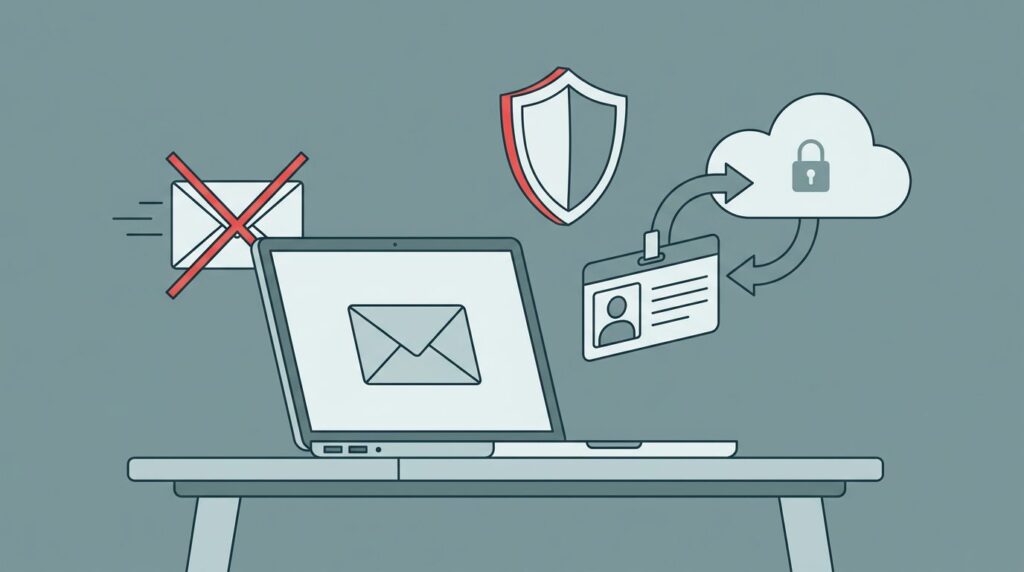
The fastest way to create privacy risk in the client intake process is also the most common. While the client intake process should be efficient, email remains a high-risk vector. Someone asks a client to email a photo of a driver’s license, then that file starts moving through inboxes, phones, downloads, and forwarded threads.
If you lead a mission-driven team, you don’t need more drama around intake when a prospective client reaches out. You need client intake rules that are clear, easy to follow, and safer for staff and clients. The simplest rule is often the strongest: keep client IDs out of standard email and give people one approved path instead.
Key takeaways
- Standard email spreads sensitive files across too many places to control well.
- Effective client intake rules are a cornerstone of a secure client intake process that defines one approved channel for ID collection, plus a cleanup rule for accidental email attachments.
- When you tighten this rule, you usually reduce rework and confusion, not just risk.
Email feels easy, but it creates avoidable exposure
Email is sticky. A prospective client or potential client sends one attachment during pre-screening, and copies may land in a shared inbox, a personal phone, a desktop download folder, a backup system, and a forwarded thread. Later, if you need to answer a privacy question, you may not know where that file traveled.
That risk is not only technical. It is operational. Nonlawyer assistants spend time opening attachments, chasing missing pages, renaming files, and moving documents by hand. Under ABA Model Rule 5.3, firm leaders must make reasonable efforts to ensure the conduct of nonlawyer assistants is compatible with professional obligations. Receiving an email attachment does not constitute giving legal advice but creates a data liability. Meanwhile, the client has already shared one of the most sensitive records they own.
Strong privacy practices usually start with a simple question: what do you really need to collect, and when? You can see that discipline in Mid-Minnesota Legal Aid’s data privacy policy, which separates routine website use from cases where personal data is necessary.
The downstream cost matters too. Once IDs sit in email, they can drift into referrals, reporting, audits, and vendor systems. Confidentiality questions rarely stop at intake. As Washington State Bar News notes in its discussion of client data reporting, data handling decisions keep showing up later, often when scrutiny is highest.
The safer rule is short, clear, and easy to defend
Your rule does not need to be long. In most organizations, one paragraph will do the job:
“Do not request or accept government-issued IDs or other identity documents through standard email. Use only an approved secure form, portal, encrypted transfer method, or live verification process. If a client sends an ID by email, move it under policy, delete the email copy when allowed, and redirect the client to the approved channel.”
That works because it removes guesswork. Staff do not have to invent a workaround in the moment. Clients get one clear instruction. Leadership gets a rule that is simple to explain to boards, funders, and counsel.
You also make intake easier to govern. One approved path gives you better control over consent, retention, access, and deletion. Automated legal intake systems benefit potential clients by offering a secure, efficient submission process without email exposure. If requests are still coming in through too many doors, a single front door intake guide can help you tighten ownership before you buy anything new.
If email becomes your intake safety valve, it will also become your privacy exception path.
There is another benefit. You often do not need a full ID image at first contact. Many teams can verify identity later, or collect a smaller data point up front. Client intake forms and online intake forms help you decide what is necessary, and dynamic intake forms using conditional logic can hide ID upload fields until they are truly necessary, reducing unnecessary data collection. Casebook’s overview of nonprofit intake forms shows why defined fields reduce drift and repeat questions.
Put the rule into daily practice without slowing service
A policy by itself won’t hold. You need a small operating change behind it to strengthen your client intake process.
- Pick one approved route for IDs, such as a legal CRM or practice management software. Keep it simple, mobile-friendly, and easy for staff to explain.
- Give staff a standard reply. When a client emails an ID, they send one approved message with the secure next step.
- Assign an owner for cleanup. Someone must review, transfer, log, and remove accidental email copies under policy.
- Define exceptions in advance. Court deadlines, walk-ins, and low-tech clients happen, but each exception needs a documented fallback.
This is where many teams find hidden drag, especially nonlawyer assistants handling lead management while trying to follow the Rules of Professional Conduct. Nobody owns the inbox. No one knows how long attachments stay there. Vendors may have access you forgot about. Workflow automation improves lead management in these cases. When you map the first 24 hours of a new intake request before the initial consultation, the weak spots usually become obvious.
If you need a fast way to surface those gaps, the intake-to-outcome clarity checklist is a practical place to start. Teams that are fixing intake and scheduling chaos usually begin by shrinking side channels and tightening ownership, not by adding more tools.
Most importantly, safer client intake rules improve the client experience. Your first request tells people how seriously you take their trust. A secure, well-run process feels calmer. It also makes your leadership answers stronger when someone asks, “Where do client IDs live today?”
FAQs about safer client intake rules
Is all email off limits?
No. Email can still work for scheduling, reminders, and general questions with prospective clients. The safer boundary is keeping standard email out of ID collection and other highly sensitive document transfer.
What if a potential client cannot use a portal or secure form?
Portals shine during client onboarding, the ideal time to perform a conflict check and resolve any conflict of interest before a potential client signs an engagement agreement or fee agreement via e-signatures. You still need a fallback that avoids a general inbox if needed. That could be phone intake with live verification, an in-person check, or a staffed secure upload step.
Should you delete emailed IDs right away?
You should follow your legal, retention, and privacy rules. In many cases, you move the file to the approved system, restrict access, and remove the email copy as policy allows.
Do you need new software first?
Not always. Many teams can improve client intake with one approved channel for a conflict check, one reply script, and one clear owner.
Do automated forms lead to unauthorized practice of law?
No. Automated forms help gather initial data from potential clients safely, but they must stick to information collection only and avoid providing legal counsel to prevent unauthorized practice of law.
Email became the default in many organizations because it was quick, familiar, and already there. That does not make it a safe place for potential client IDs.
When you set one clear rule and back it with one approved path, intake gets easier to manage and easier to defend, including tracking the referral source and streamlining the billing process without fee sharing violations for a professional client experience. Client intake rules lay the foundation for a secure relationship with every potential client and prospective client. That is what good intake should do for you: reduce drag, protect trust, and support better decisions under pressure.