

You are under pressure to perform some IT cost cutting. You want more margin, not more tickets.
The risk is simple: many moves to reduce expenses that look smart this quarter quietly damage revenue, culture, and trust over the next 12 to 24 months. A blunt cut can feel “disciplined” while it quietly plants a landmine.
This is where an IT cost reduction strategies comparison helps. You judge every move by two sides of the same coin: short term savings and long term impact on growth, risk, and people.
We will walk through 14 common tactics, call out which ones usually backfire, and suggest better options that protect both cash and momentum.
How to Compare IT Cost Reduction Strategies Without Hurting the Business
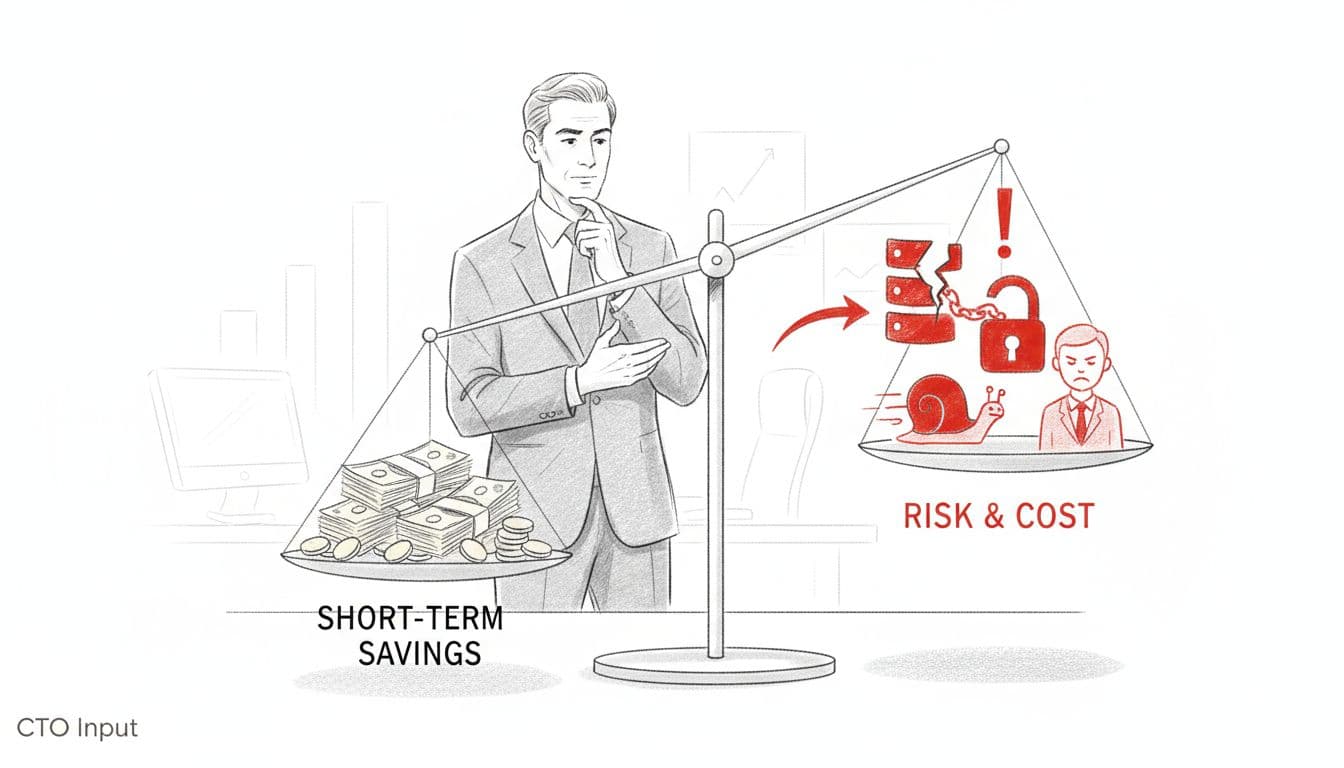
Before reducing any IT line item, you need a simple way to judge the impact of IT cost reduction. Not a 50 page consulting deck. A clear set of lenses you can keep in your head.
Four practical questions work well:
- Revenue and customers: Will this cut help or hurt sales, retention, and customer experience?
- Risk and resilience: Does it increase the chance of outage, breach, or compliance failure?
- Speed of change: Will it slow the ability to ship improvements or respond to the market?
- People and culture: Does it create burnout, confusion, or talent flight?
Research on failed cost programs shows that blunt cuts often damage long term performance more than they help. For example, many finance leaders now stress waste reduction (cutting what adds no value) over simple budget slicing, as described in this perspective on moving beyond simple cost reduction strategies.
Use these lenses as you read each tactic and ask, “What does this really buy me, and what might it quietly destroy?”
A simple scorecard for short term savings vs long term damage
You can think in three timeframes:
- Quick savings: What drops to the P&L this quarter?
- Medium term costs: What extra work, delay, or vendor friction will show up in 6 to 18 months?
- Long term risk: What could create a major incident, failed audit, or lost customer trust later?
Each potential cut should earn a mental score in all three buckets. If the “quick savings” number looks great, but “long term risk” is bright red, you are not saving. You are borrowing from your future at a high interest rate.
Tie every IT cut to strategy, not just to a budget target
Good cuts start with strategy, not a random “cut IT by 15 percent” order. This approach supports IT cost optimization by aligning spending with business priorities.
If you cannot see how IT spending connects to revenue growth, risk reduction, operational scale, and business growth, you are flying blind. That is usually a sign you need help with IT financial management (ITFM) to build a simple technology and cybersecurity roadmap that the whole leadership team can trust.
Once strategy is clear, you cut what does not serve it, protect what does, and invest where a dollar of spend produces more than a dollar of return.
14 Common IT Cost Reduction Moves And Which Ones Backfire
Cutting IT budgets across the board without an assessment
This move is high risk and a poor example of cost reduction strategies. Across the board cuts feel fair and fast. In practice they hit critical systems and security just as hard as waste. The result can be outages, failed audits, and surprise “urgent” projects next year. A short IT spend assessment that ranks systems by business impact is almost always cheaper than cleaning up the mess.
Picking the cheapest software, hardware, or cloud option
This move is situational but often bad. Lowest bid tools often miss key features, have weak support, or require endless workarounds. Hidden costs show up as integration problems, user frustration, and forced upgrades. To optimize infrastructure costs, evaluate open-source software alternatives, data centers consolidation, virtualize servers, or move to cloud-based infrastructure. Focus on total cost of ownership and fit to your workflows, not sticker price alone.
Delaying upgrades and staying on outdated, unsupported systems
This is high risk. Holding old servers and apps to “save money” increases cyber exposure and makes compliance hard, as it avoids necessary legacy systems modernization. Once a vendor drops support, you face emergency projects on their schedule, not yours. Plan a phased modernization path so you spread cost over time while reducing risk each quarter.
Laying off IT staff or freezing hiring to hit short term targets
This move usually backfires. Cutting personnel costs by reducing IT headcount can help this year’s margin, but it slows support and projects, and burns out the people you keep. Rehiring later costs more and takes longer; the high cost of replacement talent contributes to future labor costs, as seen in many cases where layoffs destroyed key know how, a pattern covered in this article on harmful cost saving decisions. Consider re scoping work, improving vendor contracts, outsourcing IT services, using third-party support, or bringing in fractional leadership instead of cutting core skills.
Slashing training and development for IT and business users
This cut is high risk and often invisible at first. When people do not know how to use tools, they click phishing links, misuse data, and avoid new platforms. Adoption drops, rework rises. Targeted training on critical processes is far cheaper than a failed rollout or a breach investigation.
Cutting security tools or cyber services and hoping for the best
This is very high risk. Turning off monitoring, backups, or security partners looks like easy savings, until you face ransomware or a public breach. The recovery cost can wipe out several years of “savings.” Do a smart security review to trim overlap, low value tools, and unused software licenses through targeted application rationalization, but protect backups, monitoring, and access control.
Switching to a fully reactive “break fix” IT support model
This move is situational and often short sighted. Only fixing things when they break sounds cheaper, but skipped patching and maintenance create more downtime, rush fees, and rising operational costs. Staff lose trust in systems. A lean but proactive model with basic standards, checklists, and scheduled maintenance usually wins over the year.
Consolidating vendors without proper governance or design
Vendor consolidation can be generally smart if done well, but many firms do it just for price. That can create lock in, service gaps, and tools that do not match how your teams work. Good consolidation starts with clear requirements, service levels, exit plans, and targeted vendor contracts renegotiation. Strong vendor governance, including targeted vendor contracts renegotiation, often cuts spend while improving service quality, as some advisors on cost cutting mistakes highlight in their guidance on supplier pressure and quality.
Pushing all work to a single “hero” IT person
This pattern is high risk. One overworked generalist becomes the unofficial owner of everything. Key person risk skyrockets. Projects slow, errors rise, vacations vanish. Spread knowledge, document systems, and mix generalists with part time specialists so no single person is a single point of failure.
Locking into long term contracts to get short term discounts
This move is situational. Prepay deals and long contracts can lower this year’s spend, but they reduce flexibility. You might over commit on licenses, pay for unused capacity, or get stuck with a weak partner. Align term lengths with business plans and usage data, and tie renewals to clear performance outcomes.
Ignoring integration work and living with manual workarounds
This is usually a bad idea. Skipping integration projects to “save money” pushes cost into people’s time. Teams export, copy, and retype data between systems, which quietly adds labor, errors, and delay. Measure how many hours per month go into manual steps, then compare that to a well scoped integration project to automate IT processes.
Killing “unapproved” SaaS and shadow IT with no better option
This move is situational. Shadow tools often appear because standard systems are slow or hard to use. Killing them without a plan breaks workflows and hurts morale. First, discover what these tools actually support as part of managing your application portfolio. Then either standardize them, replace them with stronger options, or phase them out with support and training.
Stopping new IT projects completely instead of re prioritizing
This is high risk for growth. A freeze on all new work feels safe, but it delays automation, compliance fixes, and customer improvements. Revenue and risk posture both suffer. Better to rank projects by business value, time to payback, and risk reduction using project management methodologies, then fund a small set of high impact Minimum Viable Product (MVP) initiatives.
Letting cloud usage grow without controls, then cutting at random
This pattern is high risk. Cloud costs climb quietly, then finance reacts with blunt cuts in response to escalating cloud costs that switch off environments and block teams. Systems break, trust erodes. You get more value by tagging resources, rightsizing capacity, turning off idle systems, and reviewing spend regularly, an approach many firms now use to avoid cost cutting backfires and achieve better IT cost reduction as described in this piece on smart cost savings through process improvement.
Smarter Ways To Lower IT Spend Without Creating New Risks
If the list above sounds familiar, you are not alone. The answer is not “spend more.” It is to choose strategic IT cost reduction strategies that support your goals instead of fighting them.
Smart cost reduction strategies eliminate waste without creating new risks, unlike blunt cuts that harm the business. Smart moves for IT cost optimization share three traits: they are tied to clear business outcomes, they reduce risk over time, and they free capacity for growth work instead of choking it.
In 2025, many companies are finding savings by doing audits of Software licenses, controlling Cloud costs, and using automation to Automate IT processes. These help eliminate waste, not value.
Start with transparency: know what you have and what it really costs
You cannot manage what you cannot see. Start with a simple map of your systems, vendors, and major IT spending, linked to the processes and teams they support.
Very often, the first 5 to 10 percent savings come from Quick wins like Application rationalization (turning off unused tools, merging duplicate platforms), cleaning up old devices, and right sizing cloud resources to optimize Infrastructure costs. These moves Reduce expenses. None of them slow the business. Many improve it.
Use expert guidance to design a roadmap, not random cuts
If your leadership team is not sure which spend is “good” and which is waste, bring in outside expertise. A fractional CTO, CIO, or CISO can help you build a clear roadmap that connects technology, cost, and risk to your actual growth plan with a focus on IT cost reduction.
Firms like CTO Input focus on IT cost reduction by finding quick wins in the first 90 days, then shaping a 12 to 24 month plan that keeps savings and resilience moving in the same direction.
Conclusion
Many IT cuts that look smart on a spreadsheet can quietly hurt revenue, resilience, and culture if they are not tied to the IT cost reduction framework. A simple IT cost cutting strategies comparison that weighs short term savings against long term impact will keep you out of that trap.
Use the lenses in this article to review your own IT cost moves and flag any that might backfire. Then shift focus toward cuts that remove waste, protect security, and support Business growth.
If you want a neutral partner to help you build that smarter roadmap, visit https://www.ctoinput.com to see how fractional technology leadership can help. To go deeper on topics like cost, risk, and modernization, explore the articles on the CTO Input blog at https://blog.ctoinput.com.