
That website redesign you’ve been putting off is more than a cosmetic fix. It’s an operational upgrade. For a legal services nonprofit, this isn’t about chasing trends. It’s a strategic move to fix broken internal workflows, lock down sensitive client data, and build a reliable digital backbone for your mission.
The truth is, your website is causing more problems than you think. It’s the reason your team is stuck in spreadsheets, manually re-entering client data from insecure forms. It’s why grant reporting is a recurring fire drill. For organizations like yours, where the stakes are high and the data is sensitive, an outdated website isn’t just an inconvenience. It’s a quiet source of constant stress and a serious risk to your mission.
The goal is to move past a static online brochure. You need a tool that reduces daily chaos for your staff, protects the vulnerable communities you serve, and reliably supports your work.
Your Redesign Roadmap At a Glance
If you’re a busy leader, this is your high-level guide. Think of this project less as a technical update and more as a strategic overhaul designed to align your website with your mission. The goal is to finally get rid of the daily operational chaos that’s burning out your team.
A successful nonprofit website redesign for legal services isn’t just about a fresh coat of paint. It starts with crystal-clear goals, demands total accessibility for every user, and locks down sensitive client data. More than anything, it’s about integrating your systems to eliminate mind-numbing manual work.
This is a deliberate process to transform your digital front door from a source of friction into the reliable backbone your mission deserves.
Your Website Is Costing You More Than You Think
That outdated website may seem like a minor headache, but it’s a symptom of deeper, more expensive problems. It’s why your team spends too much time on manual work and not enough supporting advocates. It’s why pulling numbers for that grant report is a frantic, last-minute scramble across three different spreadsheets.
For an organization focused on justice, a clunky, inefficient website isn’t just a branding issue. It’s an operational risk and a real barrier between you and the people who need your help most.
The Real Price of a Neglected Digital Front Door
The true cost isn’t what you pay for hosting each year. It’s measured in the constant, daily friction that slows your entire organization down. Think about the hidden expenses quietly draining your capacity and budget:
- Wasted Staff Hours: Every time a team member has to copy and paste information from a web form into your case management system, that’s a direct cost. Those minutes add up to hundreds of hours over a year—time that could have been spent supporting your advocates and clients.
- Serious Security Risks: Relying on unencrypted web forms or basic email for client intake is a massive gamble with highly sensitive information. A data breach isn’t just a technical glitch; it’s a profound violation of trust with the people you serve and a major liability for your organization.
- Missed Funding Opportunities: These days, funders and boards ask tough questions about data security and impact. If you can’t produce clear, reliable data on your programs, you look less credible and risk losing the critical support you need to keep the doors open.
Your website should be your most reliable employee. It should be working 24/7 to guide clients to safety, automate routine tasks, and protect your organization’s integrity. For too many nonprofits, it has become a quiet source of constant stress instead.
This guide is for leaders who see the direct line connecting their digital front door to the chaos happening behind the scenes. We’ll walk through a calm, practical roadmap for a nonprofit website redesign for legal services that does more than just look better. It’s about building a stable foundation for your mission, securing your data, and freeing up your staff to focus on what truly matters: the people who need them most.
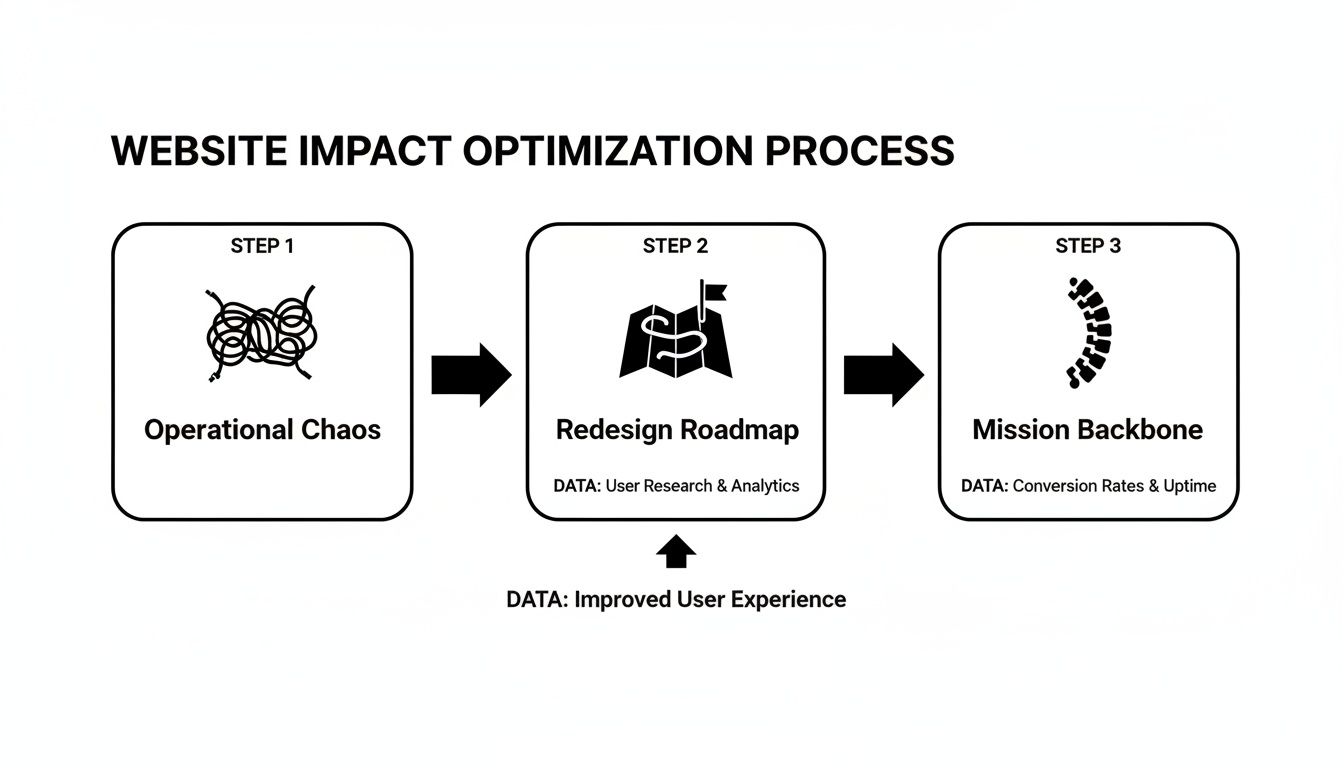
The entire journey is about moving from tangled, fragile systems to a clear, intentional structure that reliably supports your advocates and the communities you serve. The table below breaks this process down into strategic phases. It frames the key questions you should be asking and connects them to the real-world outcomes you can expect.
This is the kind of summary you can share with your board and funders to build consensus and make a strong case for the investment.
Strategic Phases of a Legal Services Website Redesign
| Redesign Phase | Key Strategic Questions | Expected Mission Outcome |
|---|---|---|
| Discovery & KPIs | What specific operational bottlenecks will this project solve? How will we measure success in terms of staff time saved or risk reduced? | A clear business case with measurable goals, like a 50% reduction in client intake processing time. |
| Architecture & Accessibility | How can we structure our site around a client’s urgent problem, not our org chart? Does it meet WCAG 2.1 AA standards for all users? | An intuitive, trustworthy digital front door that guides vulnerable clients to help quickly and upholds your commitment to equity. |
| Intake & Integrations | How do we securely move client data from our website directly into our case management system? How can we automate donation reporting? | Eliminated manual data entry, stronger client data security, and a single source of truth for grant and board reporting. |
| Launch & Measurement | What is our plan for training staff and communicating changes? How will we track our KPIs post-launch to ensure the investment is paying off? | A smooth transition to a platform that demonstrably saves time, reduces risk, and provides clear evidence of your impact. |
Ultimately, each phase is a deliberate step toward building a digital platform that actively works for your mission, not against it. By asking the right questions upfront, you ensure the final product isn’t just a website, but a core piece of your service delivery infrastructure.
Laying the Groundwork Before You Build
A website redesign kicks off long before anyone touches a line of code or picks a color palette. The whole project hinges on one deceptively simple question: What specific operational problem are we trying to solve?
Is the goal to cut down the hours your paralegals spend manually entering client data? Are you trying to build a secure, reliable portal for your pro bono attorneys? Or is it about making your essential legal guides easier for people to find and use on their own?
If you can’t answer that question with absolute clarity, you’ll just end up with a prettier version of the same broken system.
Define Success in Business Terms, Not Vanity Metrics
It’s tempting to fall back on standard marketing metrics—more traffic, lower bounce rates, more time on page. While those aren’t totally useless, they miss the mark for a justice-focused organization. Your mission isn’t just to attract eyeballs; it’s to make life easier for your staff and the communities you serve.
The right way to do this is by setting Key Performance Indicators (KPIs) that are directly tied to your mission and daily operations.
- Instead of: “Increase website traffic by 20%.”
- Try this: “Reduce time-to-first-response for new client inquiries by 50%.”
- Instead of: “Improve user engagement.”
- Try this: “Increase downloads of our pro se legal guides by 30%.”
See the difference? These aren’t website goals; they’re operational goals that the website helps you hit. When you frame success this way, the project stops being a communications expense and becomes a strategic investment in your organization’s capacity. That’s a language that boards and funders understand and get behind.
Building a business case is the first, most critical step of any nonprofit website redesign for legal services. It ensures every dollar you spend is tied to a measurable improvement in how you deliver on your mission.
Uncover the Real-World Friction
Believe me, your staff, clients, and partners know exactly where the current website is failing them. The issue is that nobody has probably ever asked them in a systematic way. Before you even think about writing a Request for Proposal (RFP), you need to sit down and talk to these stakeholders.
And this isn’t about creating a feature wish list. It’s a diagnostic process to map out the real-world pain points.
- Talk to your intake specialists: Have them walk you through a new client’s journey, from their first phone call to getting entered into the case management system. Where are the bottlenecks? What clever (and frustrating) workarounds have they invented just to get the job done?
- Interview your development team: How much time are they burning just to pull program data for grant reports? What information, if they had it, would make it easier to show funders the real impact you’re having?
- Engage with friendly partners or clients: Ask them what it’s really like trying to find help on your site. Is the language confusing? Is it clear who is eligible for your services and who isn’t?
These conversations will generate a concrete list of problems that need solving. You’ll hear things like, “I have to copy and paste every single field from the web form into an email, and then re-type it all into our database.” That one insight is worth more than a dozen slick design mockups because it’s a real, daily frustration.
This kind of deep listening is the foundation for a project that delivers genuine value. For a deeper dive into this discovery phase, check out our complete guide to building a nonprofit technology strategy. It’s this initial work that separates a simple facelift from a true operational upgrade.
Designing a Digital Front Door That Serves Everyone
Think of your website as the first handshake, the front door to your office. For a client in crisis, it has to be a place of trust and immediate clarity. This means you have to design the site around the problems they’re desperately trying to solve, not around your internal departments. When someone lands on your page, they aren’t looking for an org chart; they’re looking for a lifeline.
A successful nonprofit website redesign for legal services guides people to help quickly and without confusion. The design has to work for everyone, whether it’s a potential client needing urgent legal help, a pro bono attorney looking to volunteer, or a foundation officer vetting your impact. Every single element should build confidence and dial down the anxiety.
Structure Your Site Around Your Client’s Problems
I see this all the time: a legal aid website organized by its internal teams—”Litigation,” “Policy,” “Community Outreach.” While that structure makes perfect sense to your staff, it’s completely meaningless to a person facing eviction or a family trying to navigate immigration proceedings.
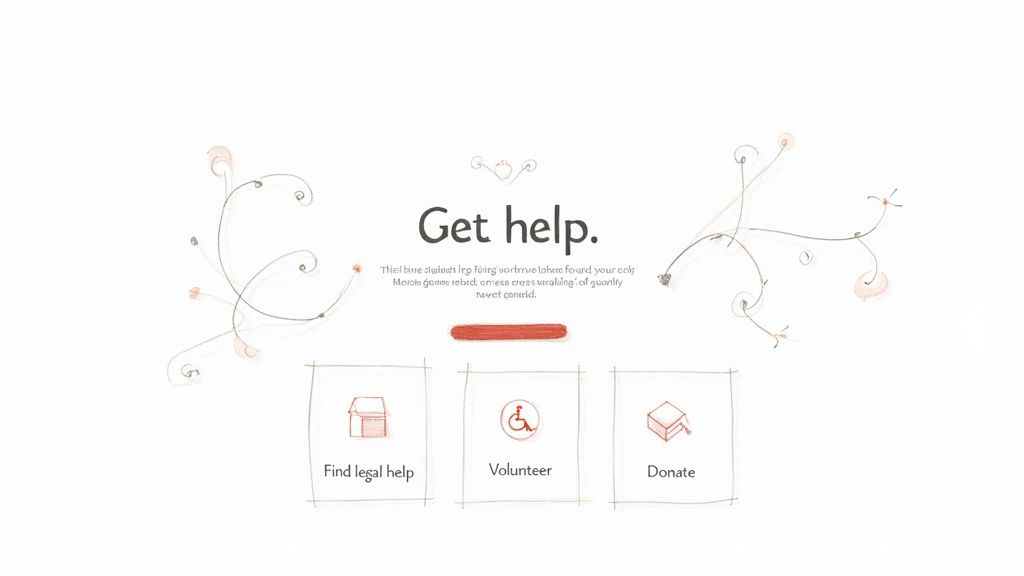
Instead, flip the script. Organize your site’s navigation and homepage around what your visitors need to do. Start with simple, action-oriented language that gets right to the point.
- For Clients: Use clear, direct headings like “Get Legal Help,” “Know Your Rights,” or “Find Resources.”
- For Supporters: Create obvious paths like “Volunteer Your Time,” “Become a Pro Bono Partner,” or “Donate to Our Mission.”
- For Funders: Give them a direct link to sections like “Our Impact” or “Reports and Financials.”
This user-first approach immediately tells each person that you understand why they’re here and can guide them to the right place. It’s a small mental shift that makes a huge difference in building trust and making your site genuinely useful.
Accessibility Is a Non-Negotiable Reflection of Your Mission
For any justice-focused organization, digital accessibility isn’t some extra feature or a “nice-to-have.” It is a public and direct reflection of your commitment to equity. If your website is unusable for people with disabilities, you are actively putting up barriers to the very help you offer.
Meeting the Web Content Accessibility Guidelines (WCAG) 2.1 AA standard is the floor, not the ceiling. This isn’t just about checking off a technical requirement; it has profound, real-world consequences for the people you serve.
A truly accessible website means a blind person using a screen reader can fill out your intake forms, a person with motor impairments can click every button without a mouse, and someone with low vision can actually read your legal guides. It is a fundamental part of delivering on your promise.
Thinking through a secure and simple digital customer journey is critical, and accessibility has to be baked in from the very first sketch, not bolted on as an afterthought.
The Tangible Returns of a User-Focused Redesign
Putting real thought into an accessible, user-centered design pays off in ways that go far beyond just looking good. It directly impacts your ability to secure funding, attract volunteers, and serve your clients more effectively.
Just look at The San Diego Foundation. Their website redesign led to a 41% surge in conversion rates and a whopping 142% increase in lead generation from private foundations. For legal aid groups, those numbers translate directly into more pro bono support and a smoother client intake process. This is especially crucial when you consider that 73% of donors research an organization online before giving. A smart investment in custom branding, clear content, and WCAG 2.1 AA compliance can bring outsized returns for your mission.
This foundational work—getting the design and structure right—is what turns a website from a static brochure into a dynamic, mission-critical tool. It builds the trust and clarity you need to serve your community and the credibility required to sustain your work.
Integrating Systems to Reduce Chaos and Risk
The most significant wins from a nonprofit website redesign for legal services often happen behind the scenes. This is where you connect your public-facing website to the internal systems that run your daily operations, finally turning a source of constant stress into a reliable backbone for your mission.
This isn’t just a tech upgrade; it’s about creating a calm, predictable flow of information. The real goal is to protect client privacy, slash the administrative burden on your team, and get the clean, reliable data you need to prove your impact to funders and the board.
From Insecure Web Forms to Secure Client Intake
For too many legal aid organizations, the client intake process is a huge point of risk. Information submitted through a basic web form often lands in a general email inbox. It just sits there, waiting for someone to manually re-type it all into your case management system (CMS).
That process is a recipe for errors, delays, and serious security vulnerabilities. Every time a staff member has to copy and paste sensitive information, you open the door for data to be mishandled or exposed.
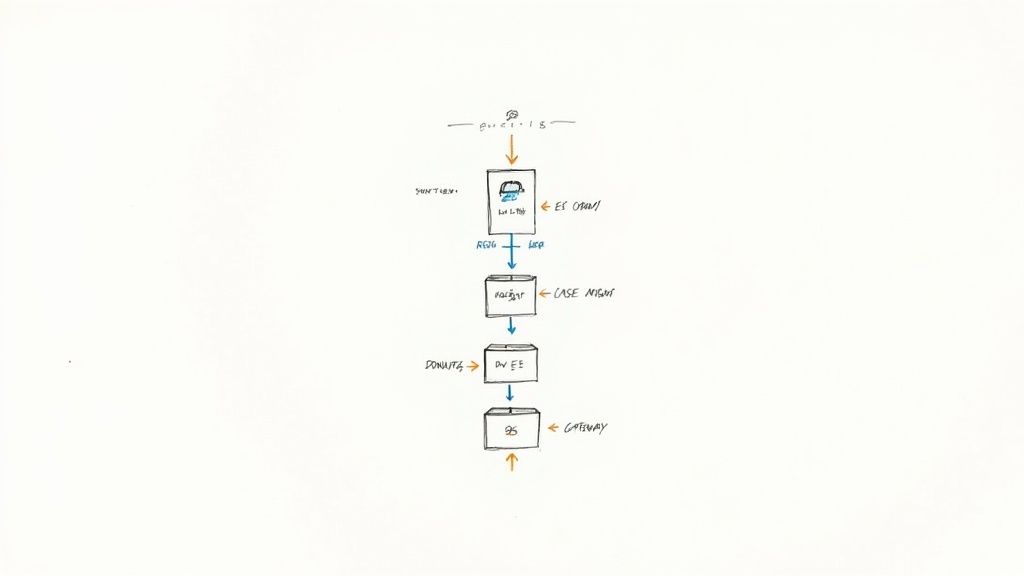
A proper redesign eliminates this weak link. We build secure, encrypted intake forms that pipe information directly into your CMS. This isn’t a “nice-to-have”—it’s a fundamental upgrade to your operational integrity.
- Eliminate Manual Data Entry: This change alone can free up hundreds of staff hours every year. Your team can finally focus on client needs, not tedious data entry.
- Strengthen Client Privacy: Encrypted, direct integration means sensitive information is never left exposed in an email inbox. This dramatically lowers your risk profile.
- Accelerate Response Times: When client data flows instantly into your system, your team can review and respond to urgent legal needs much, much faster.
The goal is to make the secure path the easiest path. When your systems are properly connected, your staff doesn’t have to invent risky workarounds just to get their job done.
Connecting Donations to a Single Source of Truth
The same logic applies to your fundraising. When your online donation form is disconnected from your Customer Relationship Management (CRM) system, your development team gets stuck in a cycle of manual reconciliation. They spend hours exporting donor lists and importing transaction data, just trying to piece together a clear picture for grant reports.
Integrating these two systems automates that entire painful process. A donation made on your website can instantly create or update a contact record in your CRM, log the gift, and trigger an automated thank-you receipt.
Suddenly, you have a single, reliable source of truth for all your fundraising activity. Grant reporting is no longer a frantic fire drill; it becomes a straightforward process of pulling a report. For a deep dive, you can learn more about our approach to a legal nonprofit CRM integration.
The Real-World Impact of Smart Integrations
When systems are integrated thoughtfully, the results are immediate and measurable. One nonprofit, MiracleFeet, saw its average session duration jump by 88% and pages per session increase by 34% within a month of launching a redesigned site with a user-friendly donation flow.
For a legal aid organization, that kind of improvement translates directly to more clients served through streamlined intake. And given that 87% of visitors are on mobile, a responsive and integrated design isn’t optional. A well-executed redesign can lift conversions by as much as 400% through a superior user experience, making it a powerful investment in your mission. You can read more about the findings from MiracleFeet’s redesign and its impact.
Ultimately, these integrations are about more than just efficiency. They are about building a resilient, secure operational core that allows your organization to scale its impact without scaling the chaos.
Planning for Long-Term Impact After Launch
Flipping the switch on a new website feels like the finish line, but it’s really just the starting block. The launch itself needs a solid plan—think content migration, staff training, and a clear heads-up to your community about what’s changing. But the real work, the work that creates lasting value, starts the day after you go live.
A website redesign for a legal services nonprofit is a serious investment, not a one-and-done project. To make it count, you have to circle right back to those operational KPIs you set during the discovery phase. This is how you prove the investment was worth it and figure out what to improve next.
From Launch Day to Lasting Value
Those first few weeks post-launch are absolutely critical. Your team needs to feel comfortable with the new system, and you need to start collecting data right away. We’re not talking about chasing vanity metrics like page views; we’re talking about answering the tough questions that got this whole project started.
- Are we actually seeing that reduction in staff time spent on manual data entry?
- Is the new secure client intake process genuinely faster?
- Can pro bono attorneys sign up and find case files without calling us for help?
These are the outcomes that really matter. When you track them, your website stops being a static brochure and becomes a dynamic, essential part of how you deliver your services.
A Simple Framework for Ongoing Measurement
To keep the site from going stale, you need a simple, repeatable way to check its pulse. You don’t need a data scientist on staff for this—just a little discipline.
- Monthly KPI Check-In: Carve out a little time each month to look at your core operational KPIs. Pull the numbers from your case management system, your CRM, and your website analytics. What’s the story they’re telling?
- Quarterly Stakeholder Feedback: Every three months, do a quick check-in with your intake team, development staff, and maybe a few trusted community partners. A simple question like, “Is the new website making your life easier or harder?” can reveal a ton.
- Annual Strategic Review: Once a year, take a step back and look at the big picture. Is the website still solving the right problems? Have new challenges popped up that the site could help with?
This simple rhythm of measuring and listening ensures your website evolves with your organization and continues to deliver real value long after the initial excitement of the launch has faded.
The alternative? You stick with fragile systems, stay vulnerable to data breaches, and burn out your best people with mind-numbing manual tasks. The whole point of this process is to create a calm, predictable operational environment where technology actually supports your mission.
The results of this sustained focus can be incredible. We’ve seen a growth-driven redesign for one nonprofit lead to a 4217% increase in Google search impressions and a 100% increase in user sessions. But more importantly, the new site streamlined their internal work, freeing up staff to focus on what they do best. To see how a user-centric redesign can multiply an organization’s impact, you can explore the full case study on NewPath Digital. It’s proof that a well-maintained site isn’t just a communication tool—it’s an engine for scaling your services.
Frequently Asked Questions
A nonprofit website redesign for legal services is a major project, and it’s completely normal to have a lot of questions. Here are the answers to the ones we hear most often from executive directors and operations leaders when they start down this path.
How much should this really cost?
You’re likely looking at a range between $25,000 and $75,000 for a small to mid-sized legal services organization. That figure typically covers a custom design, full accessibility compliance (WCAG 2.1 AA), and the essential integrations with your case management and CRM systems.
But the real mind-shift here is to stop seeing this as a line-item expense and start framing it as a strategic investment. What’s the cost of not fixing your biggest operational headaches? If the new site saves your staff hundreds of hours of manual data entry every year, it pays for itself surprisingly fast. That’s the business case your board and funders will understand.
How long does a redesign project take?
Plan on a solid four to six months from the first kickoff meeting to a successful launch. I’ve seen too many projects go off the rails because an organization tried to rush it.
A calm, deliberate pace is your best friend. Here’s a typical breakdown of that timeline:
- Strategy & Discovery: 4–6 weeks
- Design & Architecture: 4–6 weeks
- Development & Integration: 8–10 weeks
- Testing & Content Migration: 2–4 weeks
Let me be clear: skimping on that initial strategy phase is non-negotiable. That’s where you ensure the final website is actually built to solve the right problems from day one.
What is the single biggest mistake to avoid?
The most common pitfall is treating a redesign as a simple “re-skinning” project led only by the communications team. For a legal services nonprofit, a successful redesign is an operational upgrade, not just a cosmetic facelift.
If your project doesn’t get into the weeds of your workflow challenges—like insecure client intake, chaotic grant reporting, or disconnected systems—it won’t deliver real value. It might look prettier, but it won’t fix the underlying issues that burn out your staff and jeopardize your mission.
Do we need a specialized vendor for this work?
In a word, yes. It’s incredibly helpful to work with a partner who gets the unique security, privacy, and accessibility demands of justice-focused organizations. Your average web agency might be great at design, but they often lack the crucial context.
An experienced vendor knows how to handle sensitive client data, build secure connections to case management systems, and navigate the ethical minefield of serving vulnerable populations online. They’ll start by asking about your mission and workflows, not by showing you a portfolio of slick designs. That specialized knowledge is what transforms a website from a simple brochure into a mission-critical asset.
A website redesign is more than a project; it’s your chance to stop fighting daily fires and build a stable foundation for the future. The process requires an honest look at your current systems and a calm, deliberate plan to make them better.
If you’re ready to build a simple, believable modernization path for your organization, CTO Input can help. We act as your seasoned, on-demand technology leader, translating complexity into clear options and ensuring every decision reduces risk and supports your mission.
Schedule a no-pressure discovery call to discuss your challenges at https://www.ctoinput.com.