
An intake specialist scrambles. A client with Limited English Proficiency (LEP) is on the line with a time-sensitive issue, but the on-call interpreter is unavailable. The resulting delay leads to a missed deadline, a critical miscommunication, or worse, a denial of service. This scenario isn't a hypothetical; it's an operational reality that widens the justice gap daily. For legal nonprofits, language access is far more than a compliance checkbox. It's a fundamental chokepoint that drains staff capacity, introduces significant risk, and erects barriers for the very communities you serve.
The manual workarounds and ad-hoc solutions that many organizations rely on are fragile and unsustainable. They burn out staff and create inconsistent service experiences. Choosing the right technology is not about adopting another platform; it’s a strategic decision to build a more resilient and equitable service delivery model. A well-implemented remote interpretation tool, integrated into thoughtful workflows, acts as a capacity multiplier, freeing your team from operational friction to focus on substantive legal work. Before diving into specific platforms, it's helpful to clarify core terminology. For a deeper look into related services, consider understanding the difference between transcription and translation, as these capabilities are often needed in legal settings.
Key Takeaways for Justice Leaders
- Start with the Chokepoint: Don't shop for a tool; solve for a specific operational failure. Is your biggest problem client intake friction, missed deadlines in court filings, or inefficient multilingual staff meetings? The right tool depends on the problem you're solving.
- Security is Non-Negotiable: For organizations serving vulnerable communities, data privacy is paramount. Prioritize vendors who can provide a Business Associate Agreement (BAA) for HIPAA compliance, offer end-to-end encryption, and demonstrate a mature security posture.
- "Bring Your Own Interpreter" vs. Managed Service: Platforms like Zoom and Teams require you to source your own interpreters. Managed services like LanguageLine and CyraCom provide a vetted pool of professionals on-demand. Your choice depends on your budget, risk tolerance, and in-house capacity.
- AI is a Tool, Not a Replacement: AI-powered translation (like Wordly or features in Teams) can be a cost-effective solution for low-risk, one-to-many communications like public webinars. It is not a substitute for a certified human interpreter in any confidential, high-stakes legal interaction.
- Pilot Before You Procure: Before signing a long-term contract, design a small, 30-day pilot focused on your highest-priority chokepoint. Measure the impact on staff time and client experience to build a solid case for a wider, mission-aligned investment.
1. LanguageLine Solutions
LanguageLine Solutions is an established, enterprise-grade provider of on-demand interpretation services, making it a strong contender for legal nonprofits that prioritize reliability, security, and comprehensive support. Rather than a simple software tool, LanguageLine offers a managed service with 24/7 access to a large, vetted pool of interpreters for Video Remote Interpreting (VRI) and Over-the-Phone Interpretation (OPI). This makes it a dependable choice for critical client interactions, from initial intake calls on a high-volume hotline to sensitive client meetings where clarity is paramount.
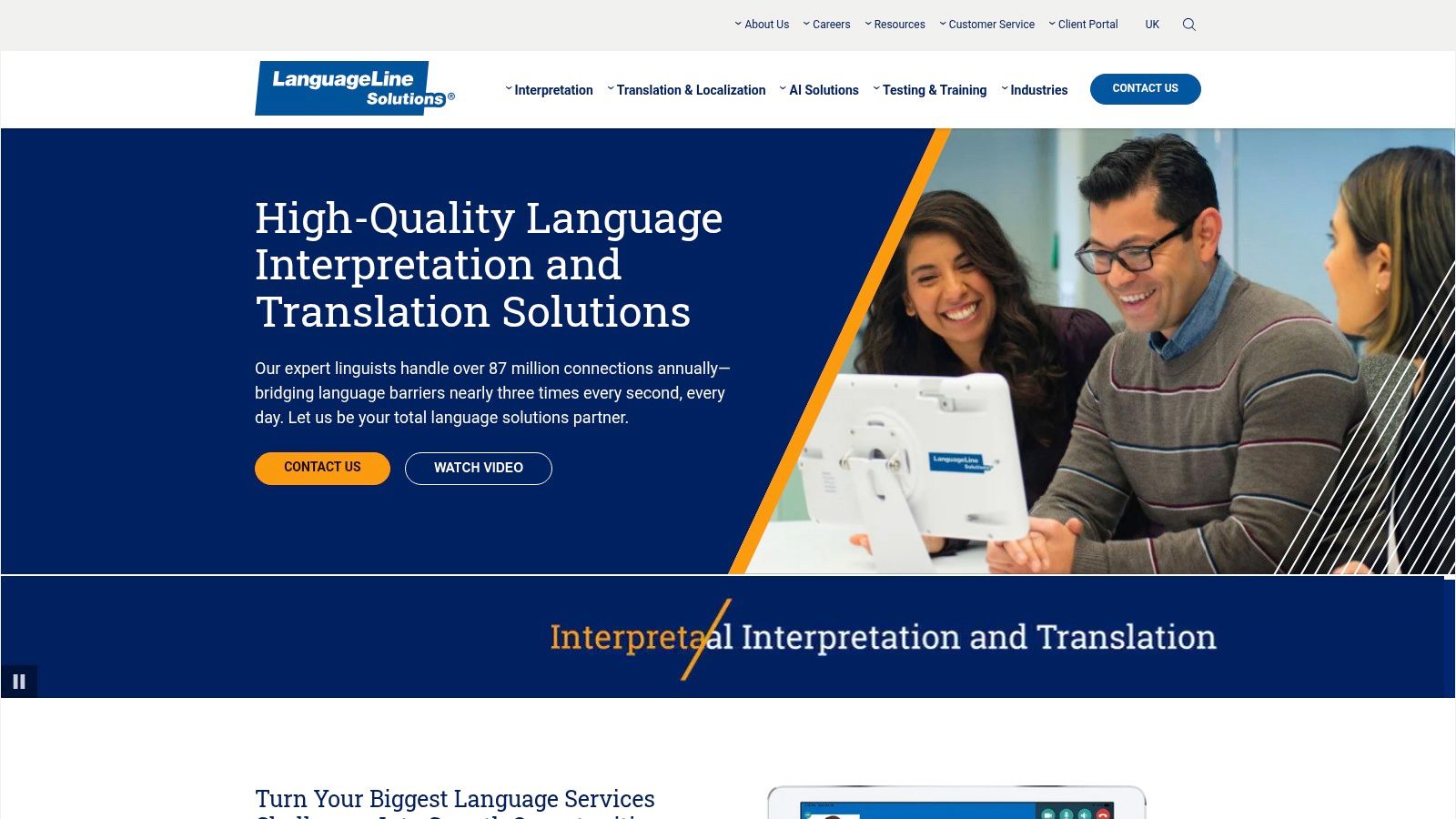
What sets LanguageLine apart is its mature infrastructure and focus on compliance. For operations leaders concerned with HIPAA, ADA, or Section 1557 requirements, LanguageLine provides implementation guidance and training to ensure your team's usage is compliant. Their 99.99% platform uptime and rapid connection times offer the stability needed for court-adjacent work and crisis support. This enterprise-level reliability is a key differentiator from marketplace-style platforms. Organizations needing a strategic approach to technology procurement can find valuable insights on vetting such established vendors in guides focused on technology vendor selection consulting for self-help services organizations.
Key Details & Considerations
| Feature | Details |
|---|---|
| Best For | Legal nonprofits requiring high reliability, compliance support, and a large bench of vetted interpreters for both on-demand OPI and VRI. |
| Services | On-demand VRI (40+ languages incl. ASL), OPI (240+ languages), document translation. |
| Access | Web-based portal and dedicated apps (iOS, Android, PC). |
| Pricing | Not publicly listed; requires a consultation and custom quote. Typically per-minute billing with potential for volume discounts or subscriptions. |
| Pros | High Reliability: Enterprise-grade uptime and a deep bench of qualified interpreters. Strong Support: Includes implementation, staff training, and compliance guidance. Security: Mature security posture suitable for sensitive legal data. |
| Cons | Opaque Pricing: Requires engaging with a sales team to get a quote, which can be a barrier for initial exploration. Fewer Video Languages: Some competitors offer a wider array of languages for VRI. |
2. CyraCom
CyraCom stands out as a strong option for legal nonprofits seeking flexible, pay-as-you-go remote interpretation without long-term commitments. By offering a unified, per-minute billing model across its Over-the-Phone (OPI) and Video Remote Interpreting (VRI) services, it provides predictable costs that align well with the fluctuating demands of client intake hotlines and on-demand communication needs. This straightforward approach makes it one of the more accessible remote interpretation tools for legal nonprofits managing tight operational budgets.
A key differentiator for CyraCom is its transparency and focus on core compliance needs. The company's emphasis on RID/BEI-certified American Sign Language (ASL) interpreters and adherence to ADA/Section 504 requirements offers peace of mind for organizations serving Deaf and Hard of Hearing clients. For operations leaders concerned about data security, CyraCom's services are built on a secure foundation, an essential consideration explored further in guides to HIPAA compliance for legal nonprofits. This blend of per-minute access, transparent policies, and strong ASL support makes it a practical choice for day-to-day legal service delivery.
Key Details & Considerations
| Feature | Details |
|---|---|
| Best For | Nonprofits needing predictable, per-minute billing for VRI and OPI without long-term contracts, especially those with frequent needs for certified ASL interpreters. |
| Services | On-demand VRI (35+ spoken languages & ASL), OPI, and teleconference interpreting. |
| Access | Web portal, dedicated mobile apps, and dual-handset blue phones for on-site access. |
| Pricing | Per-minute billing for connection time only; requires a consultation for specific rates. Policies explicitly state no startup, minimum, or cancellation fees. |
| Pros | Transparent Policies: No hidden fees or long-term contracts, simplifying budget management. Strong ASL Support: Features RID/BEI-certified interpreters, ensuring ADA compliance. Quick Connections: 24/7 availability with fast connection times for on-demand needs. |
| Cons | Opaque Rates: Exact per-minute costs are not public and require a sales consultation. Limited VRI Languages: The number of video-supported languages is smaller than some enterprise competitors. |
3. Propio Language Services
Propio Language Services offers a modern, versatile platform that balances enterprise-grade compliance with user-friendly features well-suited for legal nonprofits. Their Propio ONE platform provides on-demand and scheduled Video Remote Interpreting (VRI) and Over-the-Phone Interpretation (OPI), making it a flexible solution for both urgent needs like hotline calls and planned client meetings. For organizations struggling with intake workflows, Propio’s unique LEP direct-dial feature allows clients with limited English proficiency to call into the organization with an interpreter already connected, reducing friction and wait times.
What makes Propio a strong candidate among remote interpretation tools for legal nonprofits is its solid compliance posture, covering HIPAA, FERPA, and GLBA standards. This is critical for operations leaders handling sensitive client data related to immigration, health, or family law. The availability of an API also allows for potential integration into existing case management systems, a key consideration for technology leaders looking to create more efficient, less fragmented workflows and reduce the manual workarounds that burn out staff. This combination of accessibility features and robust security makes it a compelling choice for organizations seeking to modernize their language access infrastructure.
Key Details & Considerations
| Feature | Details |
|---|---|
| Best For | Nonprofits needing a compliant, all-in-one platform with features that streamline intake and client communication for LEP individuals. |
| Services | On-demand and scheduled VRI/OPI (300+ languages), LEP direct-dial, and API for custom integrations. |
| Access | Web-based portal and the Propio ONE mobile app (iOS and Android). |
| Pricing | Not publicly listed; requires a consultation for a custom quote based on usage volume and service needs. |
| Pros | Strong Compliance: Adheres to HIPAA, FERPA, and GLBA standards, protecting sensitive data. Helpful Intake Features: LEP direct-dial simplifies the process for clients to connect with an interpreter. Integration Ready: API allows for embedding interpretation services into existing workflows. |
| Cons | Opaque Pricing: Custom quotes require direct engagement, which can slow down initial evaluations. Brand Recognition: May be less known than larger, more established market leaders. |
4. Boostlingo
Boostlingo offers a powerful, all-in-one platform that combines an interpreter marketplace with sophisticated management tools, making it an excellent choice for legal nonprofits scaling their language access operations. For organizations managing multiple programs, sites, or even a network of partner agencies, Boostlingo provides a centralized system for on-demand VRI/OPI, scheduled appointments, and even Remote Simultaneous Interpretation (RSI) for larger events like trainings or coalition meetings. This versatility helps reduce the administrative burden of juggling different vendors for different interpretation needs.
What makes Boostlingo a strong contender among remote interpretation tools for legal nonprofits is its focus on operational control and scalability. Its reporting and billing features allow operations leaders to track usage and manage costs across various departments or grant-funded projects, providing the data needed for funder reports. The platform’s ability to integrate with event software like Zoom and Teams via BoostEvents is particularly valuable for capacity-building organizations and networks that need to deliver accessible multilingual webinars or virtual conferences without a complex technical setup.
Key Details & Considerations
| Feature | Details |
|---|---|
| Best For | Legal service networks and multi-site nonprofits needing a single, scalable platform for both on-demand calls and scheduled events. |
| Services | On-demand VRI/OPI, scheduled interpreting, RSI for events (BoostEvents), interpreter management tools. |
| Access | Web-based portal, mobile apps (iOS/Android), and integrations with platforms like Zoom, Teams, and Webex. |
| Pricing | Subscription-based and per-minute usage; requires a custom quote based on volume and features. |
| Pros | Scalability: Easily managed across multiple programs and sites with unified reporting. All-in-One: Covers ad-hoc client calls and large-scale virtual events in one system. |
| Cons | Opaque Pricing: Requires a sales consultation to understand costs. Variable Quality: Interpreter quality can vary as it is a marketplace model. |
5. KUDO
For legal nonprofits whose work involves planned, multi-language events like community webinars, trainings, or formal hearings, KUDO offers a specialized marketplace for booking professional interpreters. Rather than an on-demand service, KUDO focuses on scheduled Remote Simultaneous Interpretation (RSI) that integrates directly with major meeting platforms like Zoom, Microsoft Teams, and Webex. This approach is ideal for operations leaders who need to ensure high-quality, simultaneous interpretation for a specific event without managing the complex logistics of sourcing, vetting, and technically supporting specialized interpreters themselves.
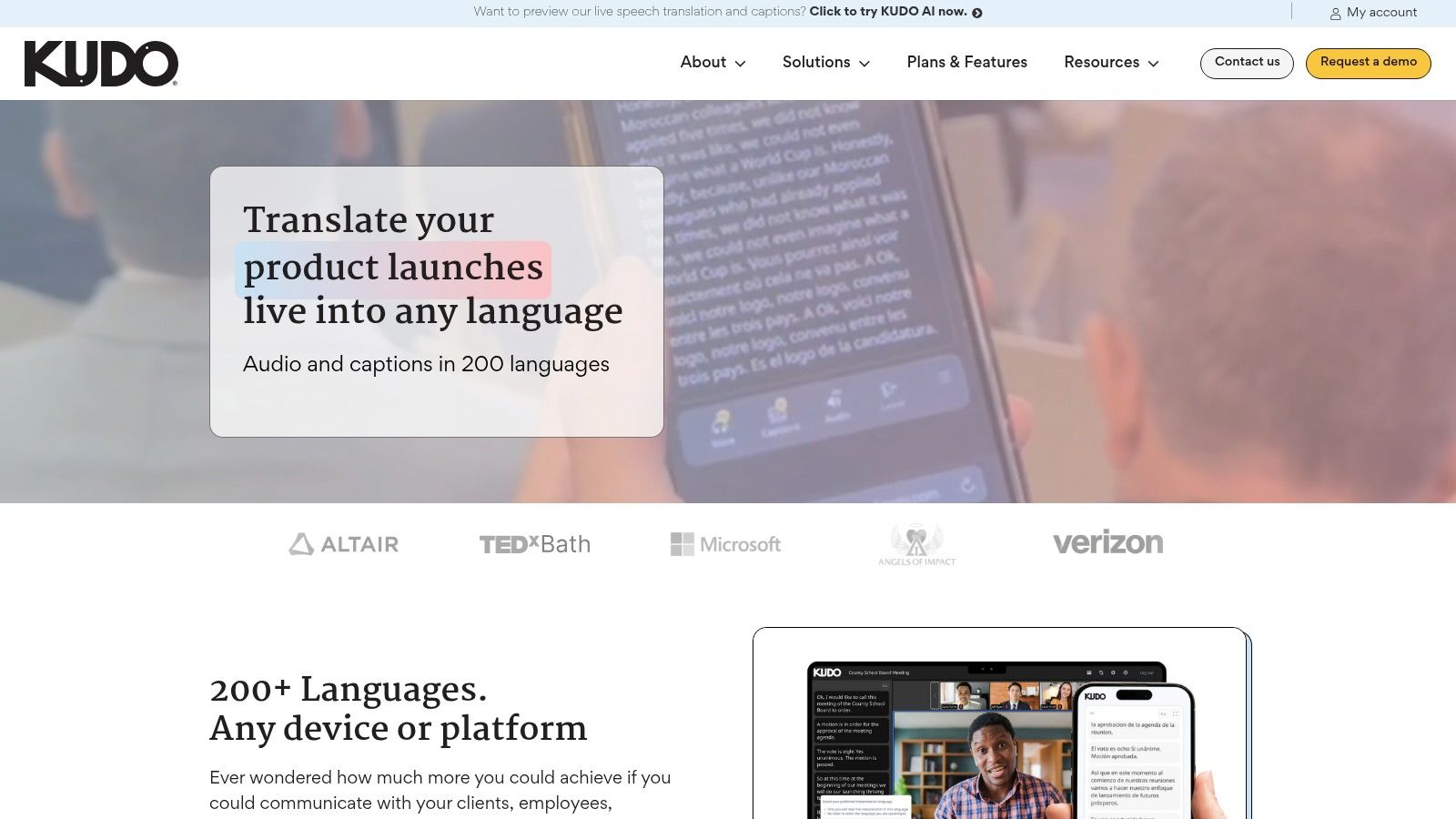
What sets KUDO apart is its ability to match interpreters based on subject-matter expertise, including legal and litigation topics. This ensures that the nuance and specific terminology crucial in legal contexts are accurately conveyed. The platform handles the entire booking process, from sourcing interpreters who sign NDAs to providing technical support during the event, reducing the administrative burden on nonprofit staff. This model provides a reliable solution for high-stakes, planned communication, making it a valuable tool among remote interpretation tools for legal nonprofits focused on education and outreach.
Key Details & Considerations
| Feature | Details |
|---|---|
| Best For | Scheduled events requiring simultaneous interpretation, such as webinars, multi-language coalition meetings, or hearings. |
| Services | Remote Simultaneous Interpretation (RSI) marketplace, subject-matter expert matching (including legal). |
| Access | Integrates with Zoom, Microsoft Teams, Webex, and other platforms; booking is managed via the KUDO website. |
| Pricing | Transparent online hourly pricing. Bookings are made and paid for in advance. |
| Pros | Expert Matching: Connects you with interpreters vetted for specific legal expertise. Platform Integration: Works seamlessly atop existing meeting software. Included Support: Technical support is part of the service, ensuring smooth event execution. |
| Cons | Requires Planning: Not for on-demand needs; requires at least a 12-hour lead time for bookings. Cost Model: Hourly pricing may not be cost-effective for very brief, ad-hoc meetings. |
6. Interprefy
Interprefy is an enterprise-grade cloud platform specializing in remote simultaneous interpretation (RSI), designed for structured, high-stakes multilingual events. This makes it a powerful option for legal nonprofits organizing large-scale trainings, webinars, community town halls, or formal hybrid hearings where multiple languages are needed concurrently. Instead of focusing on on-demand, one-on-one calls, Interprefy provides the backend infrastructure and professional support to integrate simultaneous interpretation directly into platforms like Zoom, Microsoft Teams, and Webex.
What distinguishes Interprefy is its robust security and integration capabilities, making it one of the more advanced remote interpretation tools for legal nonprofits concerned with data integrity and workflow efficiency. With ISO 27001 certification and a deep bench of vetted professional interpreters, the platform offers the assurance needed for sensitive proceedings or collaborations with court systems and government agencies. Organizations managing complex events can leverage their 24/7 technical and project support to ensure a seamless experience, a critical factor when dealing with the operational pressures of high-profile legal advocacy.
Key Details & Considerations
| Feature | Details |
|---|---|
| Best For | Nonprofits hosting planned, multi-participant events like webinars, trainings, or hybrid hearings that require secure, high-quality simultaneous interpretation. |
| Services | Remote Simultaneous Interpretation (RSI), live captioning, AI speech translation, professional interpreter network. |
| Access | Integrates with 80+ platforms (Zoom, Teams, etc.) and offers its own standalone event platform. |
| Pricing | Not publicly listed; pricing is quote-based and tailored to specific event requirements (duration, languages, participants). |
| Pros | Strong Security Posture: ISO 27001 certified, making it suitable for sensitive legal matters. Flexible Integrations: Seamlessly works with existing court, event, and meeting platforms. Comprehensive Support: Offers dedicated project and technical support for events. |
| Cons | Premium Pricing: Can be more expensive for small, informal meetings compared to on-demand services. Not for On-Demand: Best suited for planned sessions rather than spontaneous, spur-of-the-moment interpretation needs. |
7. Microsoft Teams (Language Interpretation + AI Interpreter agent)
For legal nonprofits already embedded in the Microsoft 365 ecosystem, Microsoft Teams offers built-in interpretation features that can serve as a cost-effective starting point. Rather than a standalone service, this functionality integrates directly into your existing meeting platform, providing both human-led and AI-powered options. Teams allows organizers to enable language interpretation for standard meetings, creating dedicated audio channels where human interpreters can provide simultaneous interpretation for attendees. This avoids the friction of adopting an entirely new tool for internal meetings or client consultations that are already scheduled in Teams.
What makes Teams a unique option among remote interpretation tools for legal nonprofits is its dual approach. Alongside channels for live human interpreters (which you must source independently), the integration of Microsoft 365 Copilot introduces an AI Interpreter agent for speech-to-speech translation. While not suitable for high-stakes legal advice due to accuracy limitations, this AI function can be useful for low-risk internal communications or initial, non-critical client interactions. For legal nonprofits, ensuring proper documentation is key; understanding how to record a meeting in Teams effectively complements interpretation services by providing an unalterable record.
Key Details & Considerations
| Feature | Details |
|---|---|
| Best For | Organizations heavily invested in Microsoft 365 seeking an integrated solution for both human and AI-assisted interpretation without adding another platform. |
| Services | Human interpreter channels in meetings (up to 16 language pairs), AI Interpreter agent (speech-to-speech) via Microsoft 365 Copilot, multilingual captions. |
| Access | Integrated within the Microsoft Teams desktop app; some features have web/mobile limitations. |
| Pricing | Interpretation feature is included in many Microsoft 365 business/enterprise plans. AI features require a Microsoft 365 Copilot license. You must budget separately to hire interpreters. |
| Pros | Integrated Workflow: No need to switch platforms if your organization already uses Teams. Dual Capability: Offers both human-led channels and an AI-powered agent for different use cases. Cost-Effective: Leverages existing software licenses, eliminating a separate platform subscription. |
| Cons | BYOI (Bring Your Own Interpreter): Microsoft does not supply interpreters; your nonprofit is responsible for sourcing and vetting them. Technical Limitations: End-to-end encryption is not supported in meetings with interpretation enabled, and some features are limited on web/mobile clients. |
8. Zoom (Built-in Language Interpretation + Translated Captions)
For legal nonprofits already deeply embedded in the Zoom ecosystem, leveraging its native interpretation features is a pragmatic and cost-effective starting point. Zoom allows a host to designate participants as interpreters who can then provide simultaneous interpretation in dedicated audio channels. This is an excellent solution for internal multilingual staff meetings, volunteer training sessions, or public-facing webinars where the organization provides its own interpreters, eliminating the need to procure and manage a separate platform.
What distinguishes Zoom is its hybrid approach, combining human interpretation with machine-powered translated captions. While machine captions are not suitable for direct client legal advice or high-stakes testimony, they can be a powerful accessibility tool for informational sessions or community legal education events where perfect accuracy is less critical. This dual capability allows operations leaders to make risk-based decisions, using human interpreters for sensitive matters and AI captions for lower-risk communications. This flexibility is a key reason many legal service teams have standardized on Zoom, as explored in guides to essential remote work tools for legal services teams.
Key Details & Considerations
| Feature | Details |
|---|---|
| Best For | Organizations already using Zoom that need a simple way to manage their own interpreters for meetings, trainings, and webinars. |
| Services | Simultaneous interpretation channels (up to 25 custom languages), machine-translated captions (35+ languages), dedicated Sign Language view. |
| Access | Built directly into Zoom Meetings & Webinars (requires specific plans or add-ons). |
| Pricing | Included in Business Plus, Enterprise, and Education plans. Available as an add-on for some lower-tier plans. Translated captions require a specific add-on. |
| Pros | Seamless Integration: No new software for staff to learn if they already use Zoom. Cost-Effective: Leverages an existing subscription and allows you to use your own staff or volunteer interpreters. Hybrid Approach: Can combine human interpreters with AI captions for different use cases. |
| Cons | "Bring Your Own Interpreter": Does not provide interpreters; you must source, vet, and schedule them yourself. AI Caption Limitations: Translated captions are not reliable enough for client-specific legal matters. Feature Nuances: Certain features have limitations on different devices and in cloud recordings. |
9. Jeenie
Jeenie offers a flexible, on-demand interpretation platform well-suited for legal nonprofits that need transparent pricing and the ability to start small. It operates as a mobile-first marketplace, connecting organizations directly with interpreters for Video Remote Interpreting (VRI) and Over-the-Phone Interpretation (OPI) via a simple app or web portal. For teams needing to pilot remote interpretation or equip field staff with a pay-as-you-go tool for ad-hoc client encounters, Jeenie’s model removes the barrier of lengthy sales negotiations and complex contracts.
What makes Jeenie a noteworthy option among remote interpretation tools for legal nonprofits is its public pricing structure and specialized support for American Sign Language (ASL) and Certified Deaf Interpreters (CDI). For organizations serving Deaf or hard-of-hearing clients, having on-demand access to qualified CDIs can be critical. While its base plans offer a quick entry point, legal operations leaders must be diligent in selecting the Plus or Premium tiers to ensure access to HIPAA-qualified interpreters, a crucial step for maintaining compliance and protecting sensitive client information. This makes Jeenie a practical choice for testing workflows before committing to a larger, enterprise-wide solution.
Key Details & Considerations
| Feature | Details |
|---|---|
| Best For | Small teams, pilot programs, and organizations needing transparent, pay-as-you-go access to interpreters, especially for ASL and CDI services. |
| Services | On-demand and scheduled VRI/OPI, with specific support for ASL and Certified Deaf Interpreters (CDI). |
| Access | Web-based portal and dedicated apps (iOS, Android). |
| Pricing | Publicly listed per-minute rates and monthly subscription tiers. Subscriptions provide platform access; minutes are billed separately. |
| Pros | Clear, Publicly Listed Pricing: Transparent minute tiers and subscription costs lower the barrier to entry and simplify budget planning. Good for Pilots: The pay-as-you-go model is ideal for distributed teams or testing remote interpretation without a large upfront commitment. |
| Cons | HIPAA Compliance is Tiered: The entry-level plan does not guarantee access to HIPAA-qualified interpreters, requiring an upgrade for legal work. Pay-Per-Use Model: Subscription fees do not include usage minutes, which could lead to variable monthly costs. |
10. Language Services Associates (LSA)
Language Services Associates (LSA) offers a mature and comprehensive suite of language access services, positioning it as a strong choice for legal nonprofits needing a blend of remote and traditional support. With dedicated services for the legal sector, LSA understands the specific compliance and security needs of handling sensitive client matters. This makes it a dependable partner for organizations that require not only VRI and OPI but also occasional on-site interpreters for depositions, court appearances, or complex client interviews where in-person presence is non-negotiable.
What distinguishes LSA is its flexible, multi-modal approach combined with robust backend infrastructure. For operations leaders managing diverse legal programs, the ability to schedule on-site, video, and phone interpretation through a single vendor simplifies procurement and administration. The platform's client portal, which offers real-time reporting and usage data, is a critical feature for grant reporting and budget management. LSA’s commitment to security, including end-to-end encryption and compliance with HIPAA, HITECH, and ADA, provides the necessary assurance for handling privileged information, making it one of the more versatile remote interpretation tools for legal nonprofits.
Key Details & Considerations
| Feature | Details |
|---|---|
| Best For | Legal nonprofits seeking a single vendor for VRI, OPI, and on-site interpreting with a strong focus on legal sector compliance. |
| Services | On-demand and scheduled VRI, OPI, on-site interpreting, and document translation. Includes certified ASL interpreters. |
| Access | Web-based portal and dedicated apps (iOS, Android). |
| Pricing | Not publicly listed; requires a consultation. Typically per-minute billing, which can vary by language, with potential monthly minimums. |
| Pros | Flexible Modalities: A one-stop shop for remote and on-site needs. Legal Specialization: Mature operations tailored to the legal industry. Data & Reporting: Secure client portal provides valuable usage analytics. |
| Cons | Opaque Pricing: Contacting sales is required, and rates are not posted publicly. Potential Minimums: Monthly minimum usage requirements may not suit very small or low-volume organizations. |
11. TransPerfect Connect
TransPerfect Connect operates as an enterprise-scale provider of VRI and OPI, making it a viable option for larger legal nonprofits or networks with substantial and varied language service needs. Backed by US-based call centers and a robust infrastructure, it offers both scheduled and on-demand interpretation, providing the reliability required for court-related deadlines, complex case work, or high-volume intake systems. For organizations that manage multifaceted projects, TransPerfect's ability to bundle interpretation with document translation, transcription, and even e-discovery services creates a single vendor pathway, simplifying procurement and contract management.
What differentiates TransPerfect is its comprehensive service portfolio, which can be a strategic asset for operations leaders looking to consolidate vendors. For a national advocacy organization, this could mean using TransPerfect for on-demand interpretation for client hotlines, scheduled VRI for witness preparation, and certified translation for evidentiary documents, all under one agreement. This approach helps streamline workflows and ensures consistency in quality and security standards across different types of language services, reducing the administrative burden on overburdened operations teams.
Key Details & Considerations
| Feature | Details |
|---|---|
| Best For | Larger legal nonprofits or coalitions needing a single, high-capacity vendor for interpretation, translation, and other complex language services. |
| Services | On-demand and scheduled VRI/OPI, document translation, transcription, e-discovery, and localization services. |
| Access | Web-based portal and mobile apps supported by redundant, US-based call center infrastructure. |
| Pricing | Not publicly listed. Pricing is customized and typically structured under enterprise-level contracts based on service volume and type. |
| Pros | Comprehensive Services: One-stop-shop for interpretation, translation, and more, simplifying vendor management. Strong Infrastructure: Large-scale provider with network redundancy and operational security focus. Legally-Trained Interpreters: Access to interpreters with experience in legal settings. |
| Cons | Enterprise Focus: The sales process and contract structure may be more complex than needed for smaller nonprofits. Opaque Pricing: Requires direct engagement for a custom quote, making initial cost comparison difficult. |
12. Wordly
Wordly offers a different approach to language access, leveraging AI-powered technology for real-time translation and transcription. This makes it a cost-effective and scalable option for legal nonprofits focused on one-to-many communication, such as community legal education webinars, public trainings, or large-scale informational sessions where mass dissemination is the goal. Instead of connecting to a live interpreter, Wordly provides live captions and audio translation directly within virtual, hybrid, or in-person event platforms, making content accessible to a broad audience simultaneously.
The key distinction for operations leaders is understanding Wordly’s specific use case. It is not a substitute for certified human interpreters in confidential client meetings, depositions, or court proceedings where precision and nuance are legally critical. Rather, it serves as a powerful capacity-multiplier for educational and outreach activities. The platform’s transparent, package-based pricing and available nonprofit discounts allow for predictable budgeting, a significant advantage for grant-funded programs. For organizations aiming to make their public-facing content more accessible, Wordly is one of the more straightforward remote interpretation tools for legal nonprofits to deploy for non-critical communications.
Key Details & Considerations
| Feature | Details |
|---|---|
| Best For | Large-scale webinars, trainings, and community presentations where AI-driven captions and translation can broaden accessibility without requiring certified interpreters. |
| Services | Real-time AI-powered captions, audio translation, and transcripts for events. |
| Access | Integrates with major webinar platforms (e.g., Zoom, Teams) and works for in-person or hybrid events via QR code or web link. |
| Pricing | Transparent package-based pricing by hours and attendees; can be purchased online. Nonprofit discounts are available upon request. |
| Pros | Transparent Pricing: Easily understandable pricing model simplifies procurement and budget planning. Scalability: Lower cost relative to human RSI allows for support of very large audiences. Fast Activation: Simple to set up for webinars and events without needing to schedule interpreters. |
| Cons | Not for High-Stakes Legal Work: AI is not a replacement for certified legal interpreters in client-attorney meetings or court. Variable Accuracy: Translation quality can vary based on speaker accents, domain-specific terminology, and audio quality. |
12-Tool Comparison: Remote Interpretation for Legal Nonprofits
| Provider | Core offering & modalities | Languages & quality | Security & compliance | Pricing model & best fit / USP |
|---|---|---|---|---|
| LanguageLine Solutions | Enterprise on‑demand VRI/OPI, ASL via app/web | 40+ languages incl. ASL/BSL; 24/7, 99.99% uptime, large vetted bench | Mature security posture; implementation & ADA/Section 1557 guidance | Quote-based pricing; best for orgs needing enterprise reliability and rollout support |
| CyraCom | Per‑minute OPI/VRI, ASL, phone-first access | 35+ spoken languages + ASL; RID/BEI-certified ASL, quick connects | ADA/Section 504 compliance; 24/7 availability | Per‑minute billing, no long‑term contracts; good for predictable usage and mid/small teams |
| Propio Language Services | Propio ONE app: on‑demand & scheduled VRI/OPI, API, LEP direct‑dial | 300+ languages; 24/7 coverage, enterprise features for hotlines | HIPAA / FERPA / GLBA compliant; enterprise controls | Quote-based; suitable for hotlines, integrated intake workflows and secure integrations |
| Boostlingo | Language access platform + interpreter marketplace, scheduling, RSI integrations | ~10,000 interpreters across ~300 languages; seconds-level connects | Platform reporting, billing and scheduling controls | Subscription/quote; scales across programs and distributed sites, good for events & multi-site ops |
| KUDO | RSI marketplace for planned meetings (Zoom/Teams/Webex) | 200 languages incl. sign; subject-matter interpreter matching, vetted pros | Technical support, NDAs, platform integration support | Hourly RSI pricing by quote; best for planned webinars, hearings and subject-matter needs (12‑hr lead time) |
| Interprefy | Cloud RSI with broad integrations, live captioning & AI | Vetted global interpreters; AI speech features for events | ISO 27001, robust security & project support | Quote-based, premium; ideal for large planned/hybrid events where security & integrations matter |
| Microsoft Teams (Interpretation + AI) | Built-in human interpreter channels + AI Interpreter via Copilot | Human channels up to 16 language pairs; AI speech-to-speech & captions | Tenant-dependent controls; E2EE not supported with interpretation | Included with Microsoft 365 (must source human interpreters); best for orgs already on Teams |
| Zoom (Interpretation + Translated Captions) | Human interpreter channels, machine translated captions/subtitles | Human channels up to 25 languages; machine captions in ~35 languages | Machine captions not suitable for high‑risk legal contexts; recording caveats | Feature in higher-tier plans/add-on; good for courts/nonprofits already using Zoom for meetings & trainings |
| Jeenie | On‑demand mobile/web VRI/OPI, ASL/CDI, subscription tiers | Published per‑minute rates; ASL/CDI options; HIPAA‑qualified on premium plans | HIPAA / SOC 2 platform; admin controls and usage reports | Transparent per‑minute pricing & subscription plans; ideal for pilots and small/distributed teams |
| Language Services Associates (LSA) | VRI/OPI plus onsite interpreting and client portal reporting | RID-certified ASL interpreters; secure end‑to‑end audio/video | ADA, HIPAA, HITECH, Section 1557 compliance; secure reporting | Per‑minute rates (varies); good for legal-focused orgs needing onsite flexibility |
| TransPerfect Connect | Enterprise on‑demand & scheduled VRI/OPI via US call centers | Trained legal-ready interpreters; network redundancy and desktop/mobile access | Strong operational security, redundancy and training standards | Quote/enterprise contracts; suited to large nonprofits with heavy interpretation & translation needs |
| Wordly | AI real‑time captions, audio translation, transcripts, summaries | AI captions/translations; quality varies by domain and accent | Not a substitute for certified interpreters in high‑risk/legal contexts | Package-based pricing with nonprofit discounts; best for trainings, webinars and large audiences |
Frequently Asked Questions (FAQs)
What is the difference between on-demand and scheduled interpretation?
On-demand interpretation is for immediate, unplanned needs, like an unexpected client call. You connect to the next available interpreter in minutes. Scheduled interpretation is booked in advance for planned events like client meetings, depositions, or webinars, often allowing you to request a specific interpreter or one with subject-matter expertise.
Do we need a specific tool for American Sign Language (ASL)?
Most comprehensive VRI providers (like LanguageLine, CyraCom, and LSA) offer qualified ASL interpreters. For organizations serving Deaf or hard-of-hearing clients, it's critical to verify that providers use RID/BEI-certified interpreters to meet ADA compliance standards. Some, like Jeenie, also offer access to Certified Deaf Interpreters (CDIs) for more complex communication needs.
Can we use AI translation tools for client meetings?
No. While AI tools like Wordly or the built-in features in Zoom and Teams are useful for low-risk, one-to-many communications (e.g., public webinars), they lack the accuracy, nuance, and ethical oversight required for confidential legal advice. Using them for client-attorney privileged conversations introduces significant risk of misinterpretation and potential harm. Always use a qualified human interpreter for high-stakes legal work.
What should we look for regarding HIPAA compliance?
If your nonprofit handles Protected Health Information (PHI), you must use a HIPAA-compliant vendor. This means the vendor must be willing to sign a Business Associate Agreement (BAA). You should also verify their security practices, including end-to-end encryption for all video and audio streams and secure data storage protocols.
From Tool to System: Your Next Step Towards Effective Language Access
Navigating the landscape of remote interpretation tools can feel overwhelming. Yet, the core challenge for legal nonprofits isn't just selecting a vendor; it's about building a reliable, secure, and equitable system for language access. A new platform is not a strategy. True progress comes from integrating the right tool into a disciplined workflow that serves your clients, protects their data, and empowers your staff.
The key takeaway is that the "best" tool is the one that fits your specific operational reality, security requirements, and budget constraints. The first step in your modernization path is to stop thinking about platforms and start focusing on the real problem. Simply buying a license will not solve the underlying workflow gaps or data governance issues that lead to staff burnout and client frustration.
Your Implementation Blueprint
Moving from evaluation to implementation requires a deliberate, methodical approach. Instead of a massive, disruptive rollout, we recommend a focused, pilot-driven strategy that builds momentum and proves value. A calm, step-by-step process reduces risk and ensures the technology serves your mission, not the other way around.
Implementation Checklist:
- 1. Define Your Priority Use Case: Start by identifying the single most critical communication chokepoint. Is it the initial client intake call? A complex case strategy session with a multilingual family? A remote deposition? Be specific, as the technical and workflow needs for each are vastly different.
- 2. Conduct a Security and Privacy Review: Before any pilot begins, answer these critical questions. Where will client data be stored? What level of encryption is used for audio and video streams? Does the vendor sign a Business Associate Agreement (BAA) to cover HIPAA compliance? This step is non-negotiable, especially for organizations handling sensitive immigration, health, or criminal justice matters.
- 3. Design a Small, Measurable Pilot: Select a single team or program for a 30- to 60-day pilot. Define what success looks like upfront. Will you measure reduced wait times for LEP clients, fewer scheduling errors, or improved staff feedback on interpreter quality? Track these simple metrics to build a case for wider adoption.
- 4. Plan for Training and Workflow Integration: A tool is only effective if people use it correctly. Develop a simple training protocol and a one-page guide for staff. Show them exactly how and when to use the tool within their existing case management or communication process. This is what you stop doing: stop relying on ad-hoc, inconsistent workarounds that create risk and burn out your team.
From Chokepoint to Capacity
The goal of adopting new technology is not to add another layer of complexity to your team’s already demanding work. It is to remove friction, reduce risk, and reclaim capacity so your advocates can focus on what they do best: delivering high-quality legal services. By focusing on a single, high-impact problem and testing a solution in a controlled way, you transform a daunting technology decision into a manageable, mission-aligned project.
The ultimate question is one of prioritization. Look at your entire service delivery chain, from the first phone call to the final case outcome. Your next step is not to choose from a list of twelve tools. It is to answer one honest question:
Which communication chokepoint in our service delivery causes the most harm to clients or burns the most staff time, and how can we design a small pilot in the next 60 days to test a better way?
Answering that question will point you directly to the right tool and, more importantly, the right strategy for building a more just and accessible system for all.
Choosing the right technology is only the first step; building a durable, secure, and mission-aligned system is where the real work begins. If you need a seasoned partner to help you design that implementation roadmap and align your technology with your programmatic goals, CTO Input provides fractional CTO and advisory services for the justice ecosystem. We help organizations like yours move from recurring tech stress to reliable systems that support your frontline advocates and prove your impact.