
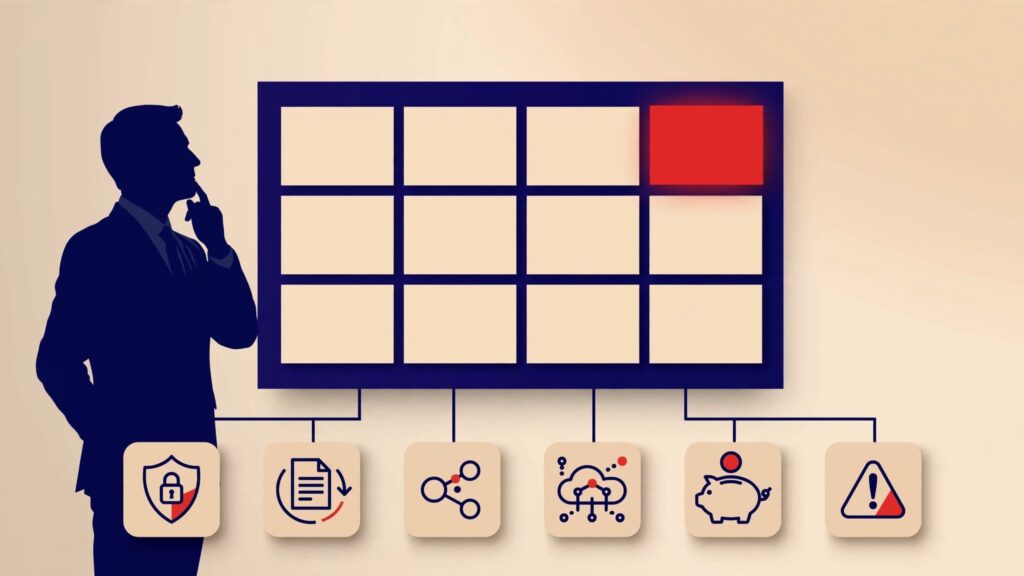
Technology decisions rarely arrive one at a time. A vendor renewal lands beside a cyber insurance question. A new AI tool appears while an ERP project is already behind. Without a technology decision calendar, the loudest issue usually wins. It provides a forward-looking view of executive technology choices, decision dates, owners, evidence, and business impact.
You don’t need to manage project tasks or sit in technical meetings. You need a clear rhythm for decisions affecting growth, cost, risk, customer trust, and budgeting. This approach creates repeatable review cadences your leadership team can use.
Key Takeaways
- Track executive decisions, not every IT task, in the calendar.
- Assign each decision a business sponsor, technology recommender, approver, and decision date.
- Use weekly reviews to clear blockers, monthly reviews for spend, vendors, delivery, and risk, and quarterly reviews to reset priorities.
- Trigger reviews for vendor renewals, security exceptions, AI use, data issues, and major platform changes before they become surprises.
- Link every major technology decision to a budget, expected business outcome, and evidence leaders can review.
- Use a one-page executive technology calendar to give management and the board visibility without adding reporting noise.
Build the Calendar Around Decisions, Not Tasks
A task list tells the technology team what to do. A decision calendar tells leadership when it must make a call.
That difference matters. “Complete ERP testing” is a delivery activity. “Approve the go-live date after reviewing data quality, operating readiness, customer impact, total cost, budget variance, and risk exposure” is an executive decision.
An executive decision is a choice that changes material spend, business capability, customer experience, continuity, compliance exposure, or strategic direction. The calendar should bring together the few decisions that can change cost, growth, customer experience, business continuity, or risk.
Record the decision date, owner, evidence required, financial impact, dependencies, and escalation route. This makes the calendar part of your business technology strategy, not another project-management artifact.
A useful calendar also exposes a technology leadership gap. If a renewal, risk acceptance, or platform decision has no clear owner, the problem isn’t scheduling. It is unclear authority.
That is where executive technology oversight becomes practical. Leadership needs to see upcoming choices early, rather than receive retrospective status reports after the money is spent.
Start With the Decisions That Shape the Business
Begin with the next 12 months. List 10 to 20 meaningful decisions across seven categories.
Cover growth and customer experience; core platforms and applications; cybersecurity and privacy; data and AI; vendors and contracts; continuity and resilience; and technology operating capacity.
Keep the first version short. Ten to 20 meaningful decisions are more useful than a catalog of every system request.
Tie each decision to a business outcome
Start with three to five business outcomes for the next 18 months. They might include opening a new location, improving customer onboarding, reducing operating cost, preparing for an acquisition, or lowering cyber exposure.
Then ask which technology decisions support or threaten those outcomes. This keeps your technology roadmap connected to the business plan.
Record the desired outcome and success measure for each item. Also capture estimated one-time and recurring cost, budget owner, decision date, review trigger, dependencies, required evidence, and consequence of delay.
A security initiative might target fewer critical gaps. A workflow change might reduce manual handling time. A platform replacement may protect revenue capacity or retire a costly legacy system.
A fractional CTO playbook can help you group initiatives by outcome, cost, benefit, and risk rather than by the department requesting a tool.
Give every item an owner and a date
“IT owns it” is rarely clear enough. Finance may validate cost. Operations may own the process. Legal may define a privacy requirement. The vendor may influence the recommendation. One executive must still make the final call.
Decision rights should show who recommends, approves, funds, executes, and escalates. Only one person should have final approval authority.
Each calendar item should show:
- The accountable business sponsor responsible for the result.
- The technology lead responsible for the recommendation and delivery path.
- The finance reviewer who validates cost and funding assumptions.
- The legal or compliance reviewer who confirms relevant requirements.
- The executive approver who approves, defers, or declines the decision.
- The escalation owner who acts when risks, costs, or timing exceed agreed limits.
- The decision date, any trigger for an earlier review, and the evidence required before that date.
This is a decision rights map in plain language. It prevents founder-led technology decisions from becoming last-minute reactions to a vendor demo or a project crisis.
A decision without an owner is not a decision waiting to happen. It is a risk waiting to surface.
For example, the CFO validates the cost, the COO owns process readiness, and the CEO approves a platform replacement when spend or continuity exposure exceeds the agreed threshold.
Set a Technology Operating Rhythm
The calendar needs a regular review pattern. You shouldn’t wait for a board meeting, breach, or failed project to examine technology.
Each cadence needs a clear purpose, defined attendees, useful inputs, and a documented output. A practical rhythm separates urgent choices from strategic ones and gives your team a predictable place to raise hard issues early.
Use weekly reviews for blockers and near-term risk
Use a 20 to 30 minute weekly review to clear blockers and surface near-term risk. Include the CEO or delegate, technology lead, and owners of active risks. Review decisions due within 30 days, new incidents, material blockers, customer-impacting issues, and trigger events.
Trigger events include a renewal inside 120 days, forecast overspend above an agreed percentage, or a critical security finding. Also include a material incident, missed milestone, major customer requirement, acquisition, or vendor ownership change.
The output should be a decision, a named next action, an owner, and a due date. Don’t turn this into a status meeting.
Use monthly reviews for spend, vendors, and delivery
Use monthly technology governance to connect technology spend with the operating budget. Include the CEO, finance lead, technology lead, procurement, and business owners. Review roadmap movement, vendor performance, active risks, and changes in priorities.
Compare actuals with the operating budget, forecast, committed spend, renewal exposure, savings assumptions, and benefits delivered. By quarter, show one-time costs, ongoing subscriptions, expected savings, and the assumptions behind each decision. This supports technology spend optimization by connecting investment to measurable results.
Review vendor management here as well. Check contract notice periods, renewal dates, service-level performance, open disputes, concentration risk, and exit dependencies. Use Auditing vendors and technology risk to examine commercial terms, operational contacts, escalation paths, and dependencies, not only security questionnaires. The output should include an updated forecast, named actions, and any investment changes.
Use quarterly reviews to reset direction
Use quarterly reviews to reset strategic direction. Include the CEO and leadership team, technology lead, finance, and owners of major initiatives. Review priorities, capacity, budget allocation, major dependencies, roadmap assumptions, and unresolved tradeoffs.
Require an explicit decision on what to accelerate, defer, or stop. Markets change. Acquisitions stall. A vendor shifts direction. A major customer requirement can change the order of work. Reset the roadmap at each quarter boundary, even if its formal review happens at least twice a year.
The executive technology leadership guide offers a practical weekly, monthly, and quarterly operating cadence. Use it to keep decisions tied to real business consequences.
Put the Decisions CEOs Often Miss on the Calendar
Some choices stay below the executive line until they create a problem. Put them on the calendar before that happens.
Track cybersecurity, privacy, and continuity choices
Cybersecurity oversight needs scheduled decisions, not occasional concern. Calendar the risk assessment review, cyber insurance renewal, incident response exercise, disaster recovery test, recovery objective approval, security exception expiration, and material vulnerability remediation.
A security exception is documented approval to operate temporarily outside a stated control or risk threshold. Set review triggers for material exposure changes, failed tests, expiring exceptions, and overdue remediation.
Each entry should name the business sponsor and risk owner. Attach an evidence package, budget impact, and review trigger.
Your board cybersecurity reporting should show exposure, business impact, accountable owner, mitigation, risk threshold, funding request, and decision needed. Ticket volume can support the discussion, but it shouldn’t lead it.
The same applies to data privacy and information governance. Data governance means the rules and accountability for how data is accessed, maintained, protected, and used.
Include access rights, retention, data quality, sensitive data use, third-party sharing, and ownership. A data governance framework gives leaders a place to make those tradeoffs visible.
The ISACA guidance on cybersecurity risk governance is useful context for keeping cyber risk discussions connected to governance and informed decision-making.
Schedule AI decisions before tool adoption spreads
AI adoption strategy should not be limited to approving a chatbot subscription. Add use-case assessment, vendor due diligence, data-handling review, output validation, acceptable-use policy, pilot approval, and post-launch monitoring.
Assign each AI decision a business sponsor and risk owner. Require an evidence package, budget view, and trigger for reassessment.
The 2023 NIST Artificial Intelligence Risk Management Framework provides a useful reference point for governing, mapping, measuring, and managing AI risk. It is not a substitute for executive judgment. It helps structure the questions.
AI governance sets the controls and decision rights for where AI may be used and with what data. It also defines how teams detect and handle errors.
Ask what business problem the tool solves, what data it touches, who validates output quality, and what happens when it is wrong. That is AI governance leaders can defend.
Use Decision Rights Instead of More Meetings
More meetings won’t fix blurred ownership. Clear decision rights will.
For each material technology choice, identify who recommends, approves, funds, executes, and escalates. This creates a lightweight RACI-style structure with plain-language roles. Routine purchases should stay with delegated leaders. The CEO should approve only choices affecting material spend, strategic direction, customer trust, operating risk, continuity, or a threshold breach.
Escalate decisions with real business exposure
Define monetary, risk, customer-impact, and timeline thresholds in advance. When a choice crosses one, route it to the named approver and document the next step.
Major platform changes, unplanned spend above an agreed threshold, material vendor commitments, security exceptions, acquisitions, and service continuity risks should have a defined escalation path. For example, an owner can approve a routine vendor renewal within budget. A significant price increase goes to the CFO, a strategic or high-risk commitment goes to the CEO, and material technology risk or investment may require board oversight.
The board may need to oversee material technology risk and strategic investment. It doesn’t need to manage the delivery backlog. Good technology governance for boards gives directors a clear view of exposure, progress, tradeoffs, and management ownership.

Bring in the right level of leadership
A capable IT manager, MSP, or internal development lead may not have authority to make enterprise tradeoffs. That doesn’t mean the team is failing. It means the company has outgrown informal technology leadership and needs clearer decision ownership.
An interim CTO can provide continuity during a leadership transition. A fractional CTO can improve executive recommendations and strategic tradeoffs. A fractional CIO can guide operating model and investment decisions part time. A fractional CISO can take security accountability where no internal owner exists.
If decisions keep stalling because nobody owns the whole picture, fixing gaps in technology decision-making should come before buying another tool.
Create a One-Page Calendar Your Leadership Team Will Use
Your leadership calendar doesn’t need complex software. A spreadsheet, board packet, or shared planning page can work if the information is current and the owners are real.
Use a one-page technology strategy to keep the view clear.
| Timing | Decision category | Decision | Trigger | Decision date | Business outcome | Estimated one-time cost | Recurring run-rate | Budget line | Accountable owner | Approver | Evidence link | Dependency | Next review date | Executive action |
|---|---|---|---|---|---|---|---|---|---|---|---|---|---|---|
| Q1 | Cybersecurity | Approve cybersecurity priorities | Annual risk review | Mar. 15 | Reduce exposure and close recovery gaps | $50K estimate | $12K per month | Security program | COO | CEO | Risk assessment | Recovery testing | Q4 review | Fund, defer, or reset scope |
| Q2 | Vendor management | Renew or replace a core vendor | Contract notice date is 120 days away | Before notice date | Avoid unused spend and protect the exit path | $0 to $25K estimate | $18K per month | Core systems | CFO | CEO | Usage and pricing review | Data cleanup and user training | 30 days after decision | Renegotiate, renew, or exit |
| Q3 | AI investment | Decide on an AI use case | Business case is complete | Sept. 15 | Test value with appropriate controls | $10K estimate | $5K per month | Innovation pilot | Business sponsor | CEO | Business case and data review | Data availability | 30 days after pilot | Pilot or stop |
| Q4 | Annual planning | Set next year’s roadmap | Capacity and budget planning | Nov. 15 | Align outcomes, capacity, and spend | To be estimated | To be estimated | Technology roadmap | CEO | Board or executive team | Outcomes, capacity, and risk review | Approved priorities | Next annual planning cycle | Fund, defer, or reset scope |
For example, if the contract notice date is 120 days away and usage is below plan, show migration as dependent on data cleanup and user training. Include a dependency in the executive view only when it affects a decision date, cost, risk, or exit path.
Connect the page to annual budgeting. Approved decisions enter the current forecast, deferred decisions move to the next budget cycle, and unplanned decisions require a documented tradeoff before funding.
Use technology dashboards to show outcomes, spend, risk, and decisions due. Avoid decorative reporting. Board-ready reporting should help leaders decide what to fund, stop, or delay.
FAQs About a Technology Decision Calendar
How often should a CEO review the calendar?
Review near-term decisions weekly when pressure is high or major work is active. Review spend, risk, vendors, and roadmap movement monthly. Use quarterly sessions for direction, investment, and major tradeoffs.
Set the cadence to match business volatility. Review sooner when a trigger changes the decision’s cost, risk, or timing.
What decision categories belong on the calendar?
Include decisions about strategy, investment, risk, vendors, architecture, data, cybersecurity, and operating capacity. Add a decision when delay could affect growth, cost, resilience, or customer commitments.
For example, schedule a platform renewal before its notice period. Don’t wait until the contract renews automatically.
How do trigger-based reviews work?
A trigger is a defined event that forces an earlier review. Examples include a security incident, missed milestone, material cost increase, acquisition, or vendor change.
Set the trigger, owner, response time, and escalation path in advance. This keeps the leadership team from waiting for the next scheduled review.
How do technology decisions connect to the operating budget?
Link each material decision to its budget line, cash impact, and expected business outcome. Separate recurring operating costs from one-time implementation costs.
If a project exceeds its approved range by 10 to 15 percent, require reapproval before approving additional spend.
Who should approve a technology decision?
The person accountable for the business outcome should recommend the decision. The CEO or executive team should approve choices that change strategy, risk, major spend, or customer commitments.
Document one approver, required advisers, and the approval date. Avoid giving veto power to everyone who attends.
What evidence is sufficient for a decision?
Use the minimum evidence needed for the decision’s size and risk. A major investment may require options, cost ranges, benefits, implementation risks, and a pilot result.
For a smaller purchase, a clear problem, owner, price, and renewal terms may be enough. Don’t wait for perfect data when delay costs more.
What belongs in a 12-month technology roadmap?
A 12-month roadmap should show your most important initiatives, not every request in the queue. Include the business outcome, owner, timing, rough cost range, expected benefit, major risk, and decision date.
Include technical debt, the future cost created by deferred technology maintenance, when it threatens delivery or reliability. Include application portfolio rationalization, the process of deciding which systems to keep, replace, consolidate, or retire, when it affects growth, cost, or continuity.
When should you bring in a fractional CTO?
Consider a fractional CTO when technology decisions cross departments, risk is rising, or vendors have too much influence. It’s also useful during a CTO transition, acquisition readiness, or fast growth.
Bring in a fractional executive when you need senior judgment and decision structure, but not a full-time technology leader. Get an Executive Technology Clarity Check when decisions have no clear owner, weak evidence, or no path to approval.
Clear Decisions Create Calmer Leadership
The calendar shows leaders what is coming, what must be decided, who has authority, and when each decision is due. It makes the required evidence and budget impact visible before the discussion. It also identifies triggers that require an earlier review.
You do not need more technical detail. You need clearer visibility, stronger ownership, and decisions made before pressure makes them harder. Schedule the next 12 months of material technology decisions, assign owners and approvers, and place the first weekly, monthly, and quarterly reviews on the leadership calendar.