
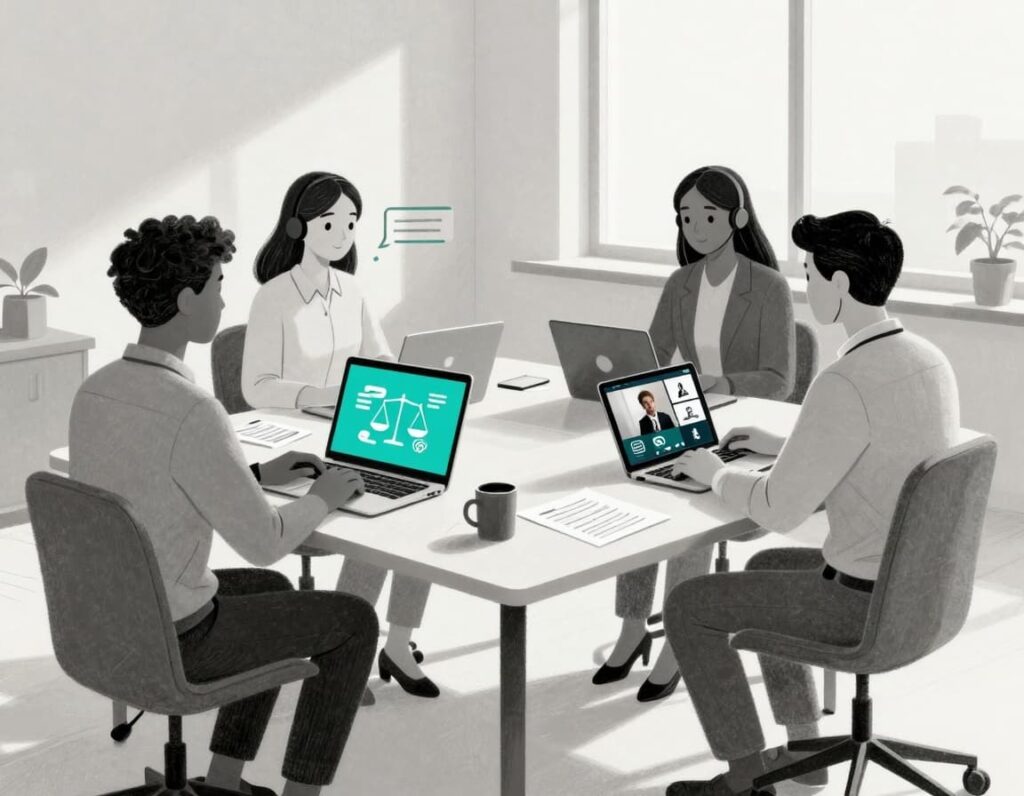
Much justice work now happens on digital devices like screens or phones. Your legal teams are trying to reach clients in detention, rural towns, crowded apartments, and shelters using remote legal support. Many speak languages your team does not, or cannot find in person on short notice, requiring real-time translation.
Remote interpretation tools are the phone, video remote interpreting (VRI), and in-meeting interpreting services that connect staff, clients, and interpreters without anyone needing to travel. They are no longer a side project. For organizations working with immigrants, refugees, and limited English proficient communities through language access, remote interpretation tools for legal nonprofits are part of core infrastructure, like email or your case system.
Without a plan, you feel the pain every day: rare languages you cannot staff, rushed scheduling, rising travel costs, privacy fears, and uneven client experience. With the right tools and a simple roadmap, those same pain points can turn into calmer, more predictable workflows.
Key Takeaways: Remote Interpretation Tools for Legal Nonprofits
- Strong interpreting services are now core infrastructure for legal nonprofits that serve immigrant and refugee communities, not a nice extra.
- Strong tools cover security, legal-ready interpreters, broad language coverage, and basic integration with tools your staff already use.
- Platforms like LanguageLine, Boostlingo, CyraCom, and Zoom interpretation can support phone, video, and in-meeting interpretation without deep tech builds.
- Instead of buying tools one by one, plan a small pilot, clear workflows, and training so staff actually use the services.
What Remote Interpretation Looks Like in a Legal Nonprofit Today

Common use cases with immigrant and refugee clients
Picture your intake team handling calls from new arrivals across the state. With phone interpretation, they can bring in an interpreter within minutes, screen for eligibility, and direct urgent cases to the right advocate.
Video Remote Interpreting (VRI) helps with asylum prep, domestic violence safety planning, and complex benefits interviews. Staff can see body language, pick up on confusion, and build trust with clients who may already feel watched and unsafe.
Remote tools also support Pro Bono Services through brief services clinics, know-your-rights webinars, and cross-region partner meetings. A client in a rural town, an interpreter in another state, and your attorney in a city office can share one conversation without anyone getting in a car or on a bus.
Short reminders, deadline updates, or document pickup notices often work fine with over-the-phone support. Save video for moments when relationship and nuance matter most.
Types of tools: phone, video, and integrated platforms
Most legal nonprofits use a mix of three models:
- Over-the-phone Services (OPI) for quick calls and intakes.
- Video remote interpreting (VRI) for longer, sensitive, or complex conversations.
- Interpretation built into tools like Zoom for hearings, webinars, and group meetings.
Vendors like LanguageLine Solutions, CyraCom, and Boostlingo offer large language networks and can connect by phone or video. Some, such as the Boostlingo interpreter services for Nonprofit Organizations, focus on nonprofit use cases and flexible access.
Comprehensive Interpreting Services often support American Sign Language (ASL) for clients who are Deaf or Hard of Hearing (DHH).
Technology Platforms, often Cloud-based platforms, now combine phone, video, scheduling, and reporting. That means operations leaders can see usage by program, track costs, and spot gaps in language coverage. Zoom interpretation and similar features in meeting platforms can then support Conference/Virtual Meetings where you need simultaneous channels for different languages.
Looking ahead, AI Interpreting holds potential to complement these existing services.
How to Choose the Right Remote Interpretation Tools for Your Legal Nonprofit
Match tools to your legal and language needs
Start with a short checklist, not a vendor pitch. Have your legal teams/attorneys list practice areas, such as immigration, family, housing, and youth. Map where clients live and how far they are from your offices or clinics.
Then write down your top 10 languages and any rare or Indigenous languages that matter for ensuring language access to the Limited English Proficiency (LEP) community. Note when video is required, when phone is fine, and when you still need in-person support, such as for certain court dates or forensic interviews.
Platforms like Boostlingo or LanguageLine offer interpreting services that cover hundreds of languages. They can configure interpreting services for legal settings. Others focus more on healthcare or large events. Ask every vendor about legal experience, interpreter certifications, and training on trauma-informed and culturally responsive practice. The goal is a pool of professional interpreters who understand both the law and the lived experience of your clients.
Protect client privacy and comply with funder and court rules
For immigration, detention, domestic violence, and youth work, privacy is not optional. Your tools must support confidential conversations and protect people who already face surveillance and harm, with robust security and privacy features on accessible digital devices.
Look for basic security features in plain terms: encrypted connections, strong login controls, and clear rules about how long call records are stored. Make sure the platform lets you turn off recording by default and restrict who can access any logs or summaries.
Ask how the tool fits with court or agency expectations in your main jurisdictions for regulatory compliance. Some courts accept remote interpretation without issue, including for remote court proceedings, remote depositions, and exhibit management. Others have rules on camera placement, on-screen names, or documentation.
Choose a cloud-based platform that serves as your technology platform to manage data securely. Involve whoever manages cybersecurity or IT for your group. Many nonprofits need a wider view of digital risk, similar to the topics covered in CTO Input’s technology and cybersecurity leadership services at https://www.ctoinput.com.
Control costs and avoid surprise overages
Most phone and video services charge per minute. Some add minimums for scheduled sessions or offer bundles with a certain number of minutes each month.
Usage often spikes during large enforcement actions, policy changes, or new grant programs. Long asylum interviews, court prep, or complex family law consults can add hours of interpreter time in a single week.
A few simple practices help:
- Ask about nonprofit pricing and volume discounts.
- Set alerts or monthly usage reports so someone reviews patterns.
- Route brief updates in service delivery to lower-cost phone channels, not high-definition video.
- Reserve high-definition video for cases where it clearly improves trust or clarity.
These choices belong inside a broader technology plan, not in isolation. For more structured planning ideas, you can review the technology roadmap guidance for legal nonprofits at https://ctoinput.com/technology-roadmap-for-legal-nonprofits.
Make Remote Interpretation Work: Pilots, Training, and a Simple Roadmap
Start with a small pilot and clear success metrics
You do not need a network-wide rollout on day one. Pick one or two programs, such as immigration intake, a detention hotline, or high-stakes scenarios like documenting for Remote Depositions and handling complex documents requiring Exhibit Management, and run a 3 to 6 month pilot.
Define what success looks like in plain terms: faster access to interpreters, accurate Real-time Translation, fewer canceled appointments, higher client satisfaction, and cleaner interpreter documentation captured effectively in your Case Management system. Involve advocates, supervisors, and someone from operations or data so the pilot reflects real work, not ideal workflows. This approach also helps structure future Pro Bono Services offerings.
As you plan, you may uncover related problems, like poor Wi-Fi in interview rooms or outdated Digital Devices that drop video calls. For a wider view of these patterns, many leaders find it helpful to read about common technology challenges for Nonprofit Organizations at https://ctoinput.com/technology-challenges-for-legal-nonprofits.
Train staff, document workflows, and support advocates
Even the best tools fail if staff are unsure when or how to use them. Short, role-based trainings often work better than long all-staff sessions. Give intake workers, Legal Teams/Attorneys, supervisors, and admin staff each a simple path that fits their day.
Create quick reference guides and checklists and store them where people already work, such as your case system or shared drive. Practice three key skills: introducing the interpreter, setting ground rules in plain language, and capturing interpreter details in case notes while following proper Interpreting Services protocols.
Many vendors offer videos and handouts tailored to their Technology Platform. You may still need someone inside your organization to adapt them to local workflows and funder rules. When staff feel supported and confident, they are far more likely to use remote interpretation tools in a consistent way.
Frequently Asked Questions
Are free tools like Zoom alone enough for confidential legal meetings?
Free conference/virtual meetings platforms like Zoom can help with basic connections, but they lack the infrastructure of professional interpreters, including qualifications, legal-specific training, and compliance needs. For legal teams/attorneys handling sensitive work, pair these platforms with a professional interpretation service and secure channels with clear security settings. Emerging technologies like AI interpreting and speech-to-text show promise but often fall short of the reliability required for confidential legal meetings.
How can a small legal nonprofit afford remote interpretation?
Start with a focused pilot and a narrow set of use cases, then grow from there. Ask vendors for nonprofit discounts, consider shared contracts with partner organizations, and use reporting to shift minutes to the lowest-cost option that still serves the client well.
What is the difference between phone and video interpretation in legal work?
Over-the-phone services (OPI) work well for short updates, simple intakes, and quick triage. Video remote interpreting (VRI) supports trust-building, safety planning, and complex interviews where body language and facial cues matter for both accuracy and relationship.
Conclusion: Build Interpretation Into Your Core Infrastructure
Remote Interpretation Tools and Interpreting Services for legal nonprofits are now part of the backbone of service, not a side project. When you clarify your needs, choose tools that protect clients and budgets with strong Security and Privacy, run a focused pilot, and train staff well, you create more consistent Client Experience and optimized Service Delivery for reliable Remote Legal Support, leading to safer experiences for people who already carry enough risk.
CTO Input helps Nonprofit Organizations weave interpretation into a broader, practical technology roadmap. That means aligning the Technology Platform with Case Management, security, and data reporting, and helping leaders explain these choices to boards and funders in clear, defensible terms. You can learn more about our support for justice organizations on the legal nonprofit technology products and services page at https://ctoinput.com/legal-nonprofit-technology-products-and-services, and see how peers are approaching similar work in the real-world technology case studies at https://ctoinput.com/legal-nonprofit-technology-case-studies.
If you are ready to move from scattered tools to a calm, intentional plan, you can schedule a conversation at https://ctoinput.com/schedule-a-call. For more articles on building safer, calmer, and more effective technology systems, visit the CTO Input blog at https://blog.ctoinput.com.