

If you lead nonprofit organizations focused on justice, your data probably lives in too many places. Case notes in one tool. Grant stats in another. Donor history in a third. Without Constituent Relationship Management (CRM), staff spend evenings in spreadsheets, trying to make the numbers match.
Legal nonprofit CRM Integration is simply the work of connecting those tools so they share clean, secure data. In 2026, with remote teams, AI, and rising privacy risk, that connection is no longer a nice-to-have. It is how you protect clients, prove impact, and keep staff from burning out.
This guide walks through what integration really means in legal work, the benefits you can bring to your board and funders with these software solutions, and a simple 5-step roadmap that respects confidentiality and supports advocates.
Key takeaways for busy leaders
- Integrated CRM means one trusted record for people, cases, and support, not five conflicting versions.
- The payoff is safer data, calmer reporting cycles, streamlined operations, and more staff time for advocacy.
- You can start with a small pilot and grow over 12 to 36 months instead of a risky big bang.
What legal nonprofit CRM integration actually means
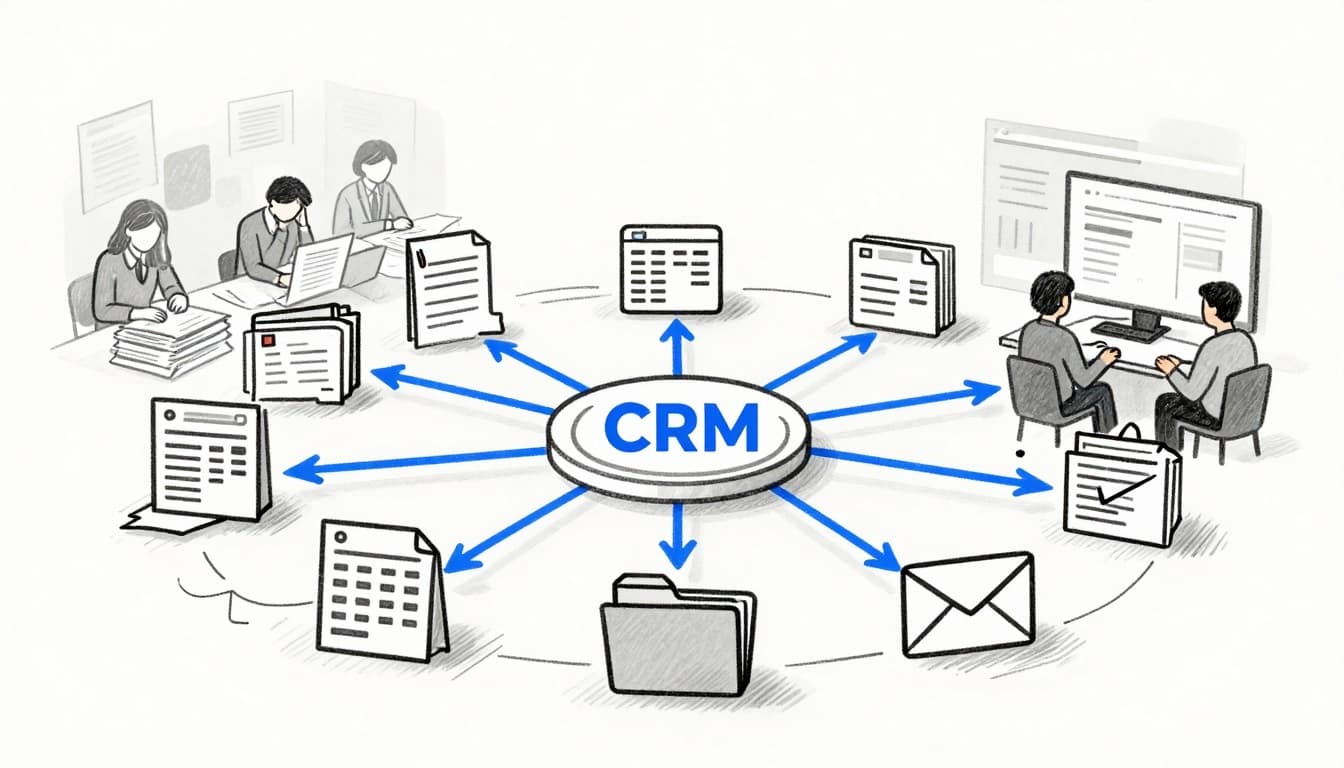 At its core, legal nonprofit crm integration means your core systems talk to each other without constant copy and paste. Intake, case management software, program management, email, fundraising, and sometimes learning or events all feed a central nonprofit CRM software’s shared set of records.
For your staff, that looks like fewer logins, fewer places to update addresses, and fewer “which spreadsheet is right?” debates. For leaders, it looks like up-to-date dashboards on cases, outcomes, and revenue without a last-minute scramble.
From scattered tools to one shared source of truth
Most legal nonprofits run on some version of this mix:
- A case system or practice-management tool
- Online intake forms
- A donor management CRM
- Email marketing or SMS
- Event management
- A forest of Excel files
Without integration, each system is its own island. Staff retype names. Conflicts checks are manual. Outreach events never connect back to real cases or donors.
With legal nonprofit CRM integration, client and supporter records sync across tools. A single contact can link to intakes, cases, pro bono work, and donations. Grant managers see live counts instead of guessing. Reporting time feels predictable, not like a fire drill.
How legal nonprofit CRM integration is different from a normal nonprofit CRM
Legal work adds layers that standard nonprofit CRMs do not handle well on their own. You carry:
- Sensitive client information
- Conflicts checks
- Long, complex case lifecycles
- Privileged communication
That means you need strong confidentiality controls, role-based access, and clear audit trails. For example, development might see anonymized outcome data, while only attorneys see full case notes.
Some legal aid organizations connect tools like Clio’s Legal Nonprofit Case Management software to a cloud-based platform like Salesforce Nonprofit Cloud or NeonCRM. Others integrate a custom case system with a fundraising CRM chosen from a list of nonprofit legal CRM tools. These complex environments and tradeoffs are described in more detail in CTO Input’s overview of technology challenges for legal nonprofits.
Key benefits of legal nonprofit CRM integration for justice-focused organizations
For executive directors, COOs, CFOs, operations leads, and fundraising directors, the question is simple: does this reduce chaos, risk, and wasted effort?
Done well, legal nonprofit CRM integration gives you safer data, faster reporting, and more time for actual advocacy, not just admin.
Stronger client protections and cleaner data controls
Every export is a risk. Today, many teams share CSVs by email, store case lists on laptops, or move data into tools that do not match your privacy standards.
An integrated stack reduces that risk:
- Staff work in connected systems instead of passing files around.
- Role-based access limits who can see client information, especially for immigration, youth, and incarceration-related work.
- Audit logs show who viewed or changed sensitive data.
Modern nonprofit CRM software and platforms like Salesforce for Nonprofits also bring stronger encryption and compliance features. For a broader view of security and governance options across your stack, CTO Input outlines a range of software solutions.
Faster, more accurate reporting for grants, boards, and coalitions
When data is scattered, every report is a small research project. Staff pull numbers from the case system, donor CRM, Mailchimp, and a dozen sheets. Someone always finds a new “final” file.
With integrated systems, the CRM can link:
- Case outcomes
- Program participation
- Pro bono hours
- Donations from the Donor Database and grants
Your team builds reusable dashboards for reporting and analytics instead of rebuilding reports from scratch. End-of-quarter and Grant Tracking become updates, not emergencies. Boards get clear trend lines. Coalitions get consistent, defensible data.
More staff time for advocacy instead of admin work
Integration is about time. Simple changes can free real hours:
- New intakes auto-create or update CRM records.
- Pro bono signups create both volunteer and matter records.
- Outreach events sync attendance into both program and fundraising pipelines.
Low-code connectors and templates, which provide automation features and are described in resources like the CRM Integration for Nonprofits report, now let small teams automate common tasks without a full IT department. That means your staff can spend more of their week helping advocates and partners, and less of it doing data cleanup.
A simple 5-step roadmap to legal nonprofit CRM integration
You do not need to start with code. Start with how work really happens. Then move in small, steady steps. For a deeper, multi-year view, CTO Input’s legal nonprofit technology roadmap guide expands on this approach.
Step 1: Map your programs, data flows, and legal risks
Gather a few program, development, fundraising, and operations leaders. On one page, list:
- Core programs and case types
- Where key data lives now (intake, case system, CRM, email, forms)
- High-risk data (immigration, youth, incarceration, medical, financial)
Mark who touches that data and where it leaves the case system. This becomes your north star for what must be protected and what must be connected.
Step 2: Choose the right CRM and case integration pattern
There is no single right pattern, but most legal nonprofit organizations land in one of three:
- CRM as hub, such as Salesforce Nonprofit Cloud, with integrations to case management software like Clio.
- Case system as hub, with only light CRM features layered on.
- Hybrid, where a data warehouse or integration tool sits between systems.
Pick the pattern that fits your mission, budget, staff skills, risk profile, integration capabilities, and customized options, not the one with the flashiest demo.
Step 3: Design roles, permissions, and data sharing rules
Before you connect systems, decide who can see what. For example:
- Development sees anonymized outcomes for donor management, but not client names for certain matters.
- Clinic students see only their assigned matters, with redacted notes where needed.
- Executive leaders see trends and counts, not case-level detail for sensitive programs.
Write these rules down. Then test them with real scenarios to catch gaps before integration work starts.
Step 4: Start small with a pilot, training, and realistic change management
Pick one program, region, or workflow as a pilot. Define simple success measures, such as:
- Fewer duplicate entries
- Faster grant reporting
- Reduced spreadsheet use
Offer hands-on training at an 8th-grade reading level, with short tip sheets and clear examples. Involve front-line staff early, including those supporting volunteer management and member management, so the system reflects their reality. For inspiration, you can review phased approaches in legal nonprofit technology case studies.
Step 5: Monitor, improve, and grow over 12-36 months
Treat integration as a steady journey. Every few months, check:
- Number of manual spreadsheets still in use
- Time to produce a standard grant report
- Staff satisfaction with systems
As the base stabilizes, you can add features like automated workflows, online portals, or better analytics tied back to your CRM for fundraising. Leaders who want structured, long-term guidance on that journey can review the process to schedule a call with CTO Input.
Key takeaways and common questions about legal nonprofit CRM integration
Key takeaways
- Legal nonprofit CRM integration creates one trusted record across intake, cases, and fundraising.
- Strong access controls and audit trails protect sensitive client data while still supporting development and partnerships.
- Integrated data makes grant, board, and coalition reporting faster, clearer, and less stressful.
- A 5-step roadmap, starting with mapping and a small pilot, keeps change manageable.
FAQs about legal nonprofit CRM integration
How much time and budget does a typical integration take for a mid-sized legal nonprofit?
Most mid-sized nonprofit organizations plan for a phased effort over 6 to 18 months, with a modest first phase focused on core integrations and reporting, then later phases that add donor management, automation, online donation forms, event management, and advanced analytics.
How do we avoid staff burnout during the change?
Limit the first phase, invest in practical training, and retire old spreadsheets quickly so people feel real relief through streamlined systems that enable personalized outreach. Involve staff who understand day-to-day work as co-designers, not just “end users.”
Are small or clinic-based organizations too small for CRM integration?
No. Smaller teams often see the biggest gains from even light integration between intake, case tracking, and a simple CRM, including strong contact management that leads to better donor retention. The key is to pick tools and patterns that match your size, not an enterprise setup.
Conclusion
Nonprofit CRM Integration for legal aid organizations is not about fancy software. It is about safer data, steadier reporting and analytics, better donor retention, and more time for advocacy and support.
CTO Input acts as a fractional CTO or CIO for justice-focused nonprofit organizations, helping leaders map current systems, design secure architectures with customized options, including assessing integration capabilities and implementing automation features, select the right vendors like Salesforce for Nonprofits, and oversee integrations over time to achieve steadier reporting and analytics. Instead of a one-off project, you gain a calm partner who understands your mission, your funders through grant tracking and donor database for fundraising campaigns, and the risks in your fundraising campaigns.
If you want a clearer path forward, you can explore services and examples on CTO Input’s main site, and read more practical guidance on the CTO Input blog. The first step can be small: align your leadership team on one shared integration goal, or start an exploratory conversation about what a safer, saner data backbone with robust contact management could look like for your organization.