
Your intake line is full. A client finally gets through, and you can hear the stress in their voice. You ask for proof of income, a lease, a notice, a case number, a copy of an ID. They say they have some of it, somewhere. You tell them to email what they can, and you’ll follow up.
Three days later, your team is still chasing basics. The client is still confused. A deadline is still getting closer.
That “scavenger hunt” is not a client problem. It’s a system problem. A client eligibility packet is one of the fastest ways to reduce repeat calls, rework, and missed handoffs, without betting your capacity on a big tool rollout.
Key takeaways (practical, measurable, people-centered)
- A 10-minute eligibility packet is designed to be understood in 10 minutes, not completed in 10 minutes.
- The goal is fewer follow-up calls and faster eligibility decisions, with less client confusion.
- Standardize the “minimum viable” set of facts and documents, then add small program-specific add-ons.
- Stop doing the thing that burns capacity: sending clients to hunt through old emails, portals, and vague lists.
- Track three numbers for proof: completeness rate, follow-up contacts per applicant, and time to eligibility.
Why follow-up calls explode (and why it matters to trust)
Eligibility and documentation friction creates a quiet tax on everything: staff time, client confidence, and data quality. It shows up as short calls that turn into long threads, missing documents that trigger more calls, and inconsistent notes that later break reporting.
Common root causes:
- Undefined “minimum required”: Staff ask for “everything,” because no one wants to miss the one document that matters.
- Too many versions: Each program, office, or partner has its own checklist.
- Low clarity under stress: Clients are often dealing with housing loss, family crisis, detention, or court pressure. A long list doesn’t land.
- Unsafe contact and privacy risk: Clients may not have a safe voicemail, shared email access, or stable storage for sensitive files.
If any of this sounds familiar, it lines up with broader common technology challenges faced by legal nonprofits, where the real cost is not the tools, it’s the workarounds.
What a “10-minute eligibility packet” actually is
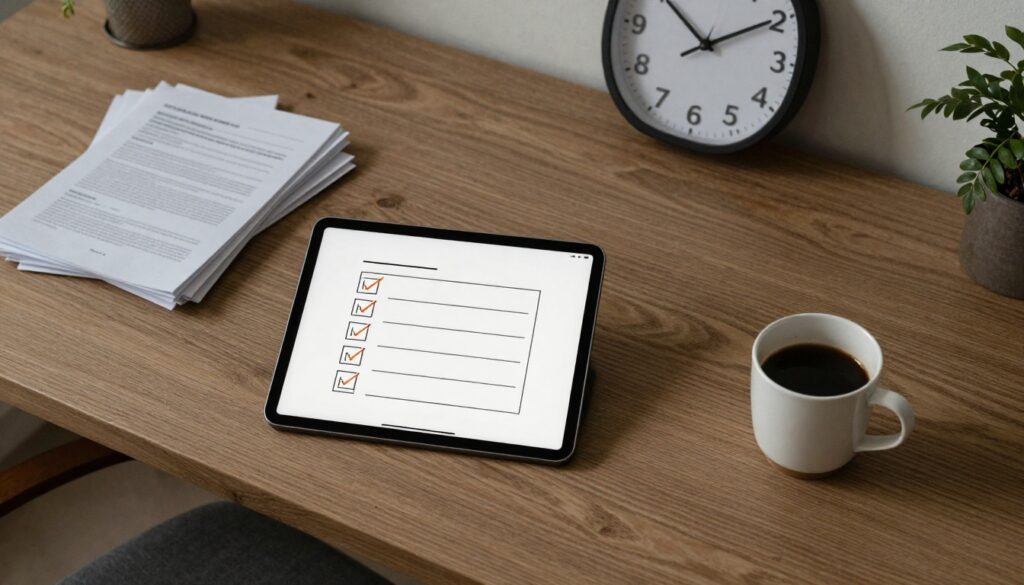
A 10-minute packet is a small set of pages and links that a client can understand quickly, on a phone, in plain language. It answers four questions:
- What info do you need from me to decide if you can help?
- What documents count as proof (with examples)?
- How do I send them safely?
- What happens next, and when?
This is not just a nicer PDF. It’s a decision tool for your intake team and a confidence tool for the person asking for help.

The packet blueprint: the smallest set that changes behavior
Keep it short enough that staff will actually use it, and clients won’t abandon it. For many organizations, this is a 2 to 4-page core, plus a 1-page add-on by program.
Here’s a practical structure that works across most civil legal aid contexts:
| Packet element | What it prevents | What “done” looks like |
|---|---|---|
| One-page “What to gather” checklist | Vague requests, repeat calls | 8 to 12 bullets, plain language, examples |
| Eligibility mini-form (client-facing) | Missing facts, conflicting notes | Household size, income type, safe contact, deadline, location |
| “Proof examples” page | Clients sending unusable docs | “Any one of these counts,” photo-friendly guidance |
| Safe sharing instructions | Privacy failures, lost documents | Clear options (upload, email, drop-off), safety note |
| Next steps and timing | Anxiety calls, missed deadlines | When you’ll respond, what to do if deadline is urgent |
If you need a reference point for what a comprehensive intake form can include (even if you won’t use all of it), the ILRC’s sample is a useful comparison for scoping and field choices: GENERAL SCREENING FOR LEGAL SERVICE PROVIDERS SAMPLE CLIENT INTAKE FORM (PDF).
“Stop doing this” to get capacity back this month
Stop sending clients a free-form email that says, “Send whatever you have.”
It feels flexible. It’s actually expensive.
That habit creates three failures at once: clients guess wrong, staff sort and ask again, and your records become a junk drawer. Replace it with a single packet link and a single subject line format that staff reuse every time.
Also stop letting each program maintain its own eligibility checklist in isolation. You can keep program differences, but the core should be shared.
Decision rights: who owns the packet, and who can change it
Eligibility packets fall apart when “everyone” owns them, which means no one does. Name roles:
- Packet owner (one person): accountable for keeping it current.
- Approvers (two to three people): intake lead, program lead, privacy or data lead.
- Contributors: front desk, advocates, partner coordinators, interpreters.
Set a monthly 20-minute review for the first quarter. After that, quarterly is often enough, unless rules or court forms change.
If you want this to stick, anchor it in a broader operating plan, not a side project. That’s the spirit of CTO Input’s technology roadmap for legal nonprofits, start with reality, set light governance, then improve in steps your staff can absorb.
Build it for phones, language access, and low-bandwidth reality
A packet that assumes a printer is a packet that many clients can’t use.
Design choices that reduce drop-off:
- Accept photos of documents as a default, as long as you explain what needs to be visible.
- Put the checklist first, and keep it readable on a phone.
- Offer a “safe contact” option, and say it clearly. Alaska Legal Services does this plainly in its online eligibility flow: ALSC Online Eligibility Interview.
- Treat language access as part of quality, not a later translation task. A short translated checklist often beats a long translated form.
Measure the outcome that matters: fewer loops, faster decisions
Don’t measure “packet sent.” Measure friction.
Start with three numbers you can pull with light effort:
- Completeness rate: % of intakes that arrive with the required items on first submission.
- Follow-up contacts per applicant: calls, texts, emails, anything staff must do to complete the file.
- Time to eligibility decision: from first contact to yes/no/referral.
Add one qualitative check each month: listen to five real intake recordings (or read five transcripts) and note where clients get stuck.

FAQs
What if different programs have different eligibility rules?
Keep a shared core packet, then attach a one-page add-on per program. The core covers identity, household basics, safe contact, deadlines, and common proof types. The add-on handles the special cases.
What if clients can’t upload documents?
Offer at least two non-upload paths (in-person drop-off, partner drop, mail, or a scheduled document review call). The packet should name those options up front, not after the first failed attempt.
Is a 10-minute packet too short for complex cases?
It’s short on purpose. The packet is for eligibility and triage, not full representation. Complexity belongs in the next step, after you’ve reduced uncertainty and repeat contacts.
How do we avoid collecting more sensitive data than we need?
Use data minimization. Ask only for what drives an eligibility decision or a safe handoff. Keep access tight, and store documents in the approved place, not in inboxes.
How CTO Input helps you make this real (without a “platform first” detour)
A strong packet is a workflow commitment. It touches intake, programs, privacy, and reporting.
CTO Input helps justice-focused organizations do this in a calm, disciplined way: map how intake really happens, design the smallest packet that changes outcomes, set clear decision rights, then run a 30-day pilot with metrics. If your systems are already fragile, we’ll align this work with your broader stack and governance using our legal nonprofit technology products and services and patterns proven in legal nonprofit technology case studies.
If you want a next step that doesn’t require a budget miracle, take one week and answer this: where do your last 20 intakes get stuck, and how many staff touches did each one take?
Then bring that list to a short conversation at https://www.ctoinput.com, or go one level deeper on the thinking at https://blog.ctoinput.com. When you’re ready to act, schedule a call.
The honest prioritization question to end on: Which single chokepoint, if fixed in the next quarter, would buy back the most staff capacity and client trust?