
You lead a justice-focused organization that’s grown fast, tackling some of society’s toughest problems. But that growth has come at a cost. Your technology, once a simple tool, now feels like a quiet source of stress. Case data is scattered, grant reporting is a recurring fire drill, and the risk of a security incident—especially with sensitive information about immigration, incarceration, or youth—is a constant worry. The “good enough” systems that got you here are now a source of significant risk, threatening the very people you exist to protect.
You know you need to act, but the world of cybersecurity is filled with jargon, expensive tools, and fear-mongering. You don’t need another vendor pitch; you need a clear, calm, and actionable plan to understand your actual risks and what to do about them.
This isn’t a generic, overwhelming list. It’s a prioritized IT security assessment checklist designed for leaders like you. It’s a guide to help you ask the right questions, identify the most significant vulnerabilities, and take practical steps to protect your mission, your staff, and the communities you serve. We’ll walk through the controls that matter most, translating technical concepts into the language of risk, operations, and mission impact. Think of this as the first conversation with a trusted advisor, helping you move from anxiety and uncertainty to a clear, defensible roadmap that strengthens your organization from the inside out. This checklist will give you the framework to start that essential work.
Key Takeaways for Leaders
- Identity is Your New Perimeter: Strong access control, especially Multi-Factor Authentication (MFA), is your most critical defense.
- Vulnerability Management is Non-Negotiable: Unpatched software is the most common entry point for attackers. A systematic patching process is essential.
- Your People are a Critical Defense Layer: Continuous security awareness training turns your staff from a potential weakness into your best defense against phishing and social engineering.
- A Tested Plan is Your Safety Net: An untested incident response or disaster recovery plan is just a document. Regular drills are the only way to ensure you can recover from a real event.
- Start with Visibility: You can’t protect what you don’t know you have. A clear inventory of your assets and data is the foundation of any effective security program.
1. Access Control: Who Can Get In?
Your organization’s digital front door is no longer a physical office; it’s the login screen for every user. Access Control is the foundational discipline that ensures only the right people can access specific systems and data. It’s not just about passwords; it’s about enforcing the principle of “least privilege”—giving people access only to the information they absolutely need to do their jobs. This is the first, most critical check on any IT security assessment checklist.

Why This is Your Top Priority
Stolen passwords are the leading cause of data breaches. Without strong controls, a single compromised password can give an attacker the keys to your most sensitive information. For an organization handling confidential client data or grant information, that risk is unacceptable. Effective access control minimizes your attack surface by creating a structured, auditable system for managing who can do what, where, and when.
Actionable Steps for Your Assessment
Your assessment should verify the strength and consistency of your access controls. Focus on these practical questions:
- Is Multi-Factor Authentication (MFA) Mandatory? Is MFA required for all high-risk systems? This includes email, financial software, donor CRMs, and any cloud service holding sensitive data. Start with your most privileged users and make a plan to roll it out to everyone.
- Is Access Based on Roles? When a new person starts, is their access granted based on a pre-defined role (e.g., “Program Manager,” “Paralegal”) rather than being copied from a colleague? This simplifies onboarding, offboarding, and audits.
- Do You Review Who Has Access to What? At least quarterly, department heads should review their team’s access rights. This simple check catches “privilege creep,” where people accumulate unnecessary access over time, creating risk.
- How Do You Manage Admin Access? Are your IT staff or vendors using permanent, all-powerful administrator accounts for daily work? The modern approach is to grant elevated rights only temporarily, for a specific task, creating an audit trail and reducing risk.
2. Data Protection: Is Your Most Sensitive Information Scrambled?
Your data is your most valuable asset. Protecting it is non-negotiable. Encryption is the cornerstone of securing information, whether it’s stored on a server (at rest) or being sent across the internet (in transit). It’s a method of scrambling data so it’s unreadable to anyone without the right key. A comprehensive IT security assessment checklist must scrutinize how your data is protected everywhere it lives.
Why This is Your Top Priority
A data breach can cause devastating harm to your clients, your reputation, and your funding. Encryption is your last line of defense. Even if an attacker gets past your other security controls and steals a file, strong encryption makes the data useless to them. For organizations handling sensitive client information, financial records, or protected health information (PHI), robust encryption is a fundamental requirement.
Actionable Steps for Your Assessment
Your assessment must confirm that encryption is consistently applied to all sensitive data. Focus on these key areas:
- Data-at-Rest Encryption: Is all sensitive data stored on servers, laptops, and databases encrypted? This includes using technologies like full-disk encryption (BitLocker for Windows, FileVault for Mac) on all company-issued devices.
- Data-in-Transit Encryption: Is all data sent over networks—internal and external—scrambled using modern encryption like TLS 1.2 or higher? This applies to your website, email, and any other tool that sends data over the internet.
- Centralized Key Management: How do you manage the “keys” that lock and unlock your data? Spreading keys across different systems and people is a huge risk. Using a centralized, secure system to manage them is the modern standard.
- Backup Encryption: Are your data backups encrypted? Crucially, are they protected with a different key than your live data? This prevents a single attack from wiping out both your primary data and your safety net.
3. Vulnerability Management: Are Your Digital Doors and Windows Locked?
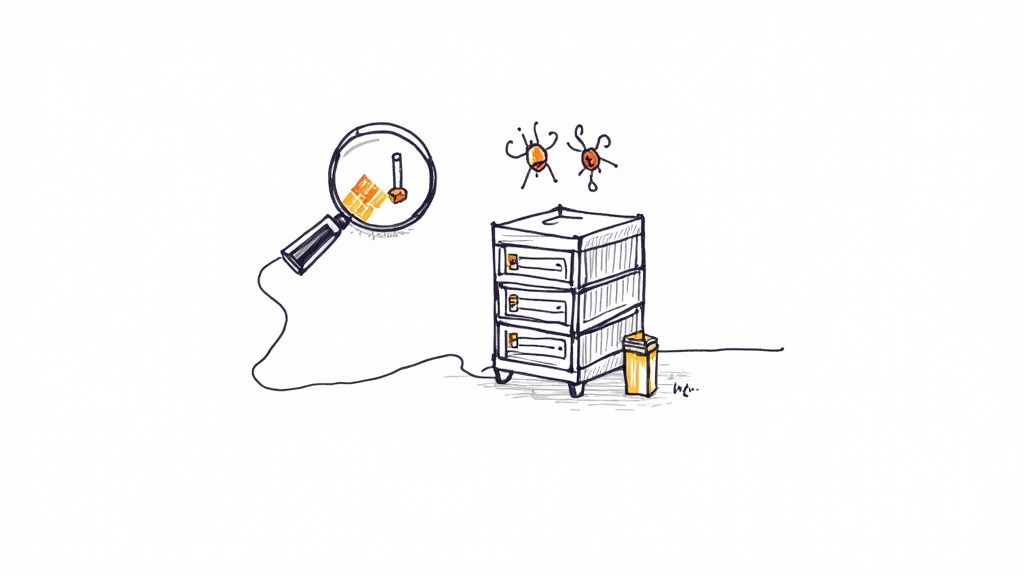
Unpatched software is one of the most common and preventable ways attackers get in. Vulnerability management is the continuous process of finding, prioritizing, and fixing security weaknesses in your systems. A strong patching program closes these digital windows of opportunity before an attacker can exploit them. This proactive defense is an essential pillar of any IT security assessment checklist.
Why This is Your Top Priority
Major breaches, like the 2017 Equifax incident, were caused by a failure to patch a known vulnerability. Attackers are constantly scanning the internet for these easy targets. Without a systematic approach, your organization is exposed to well-documented exploits. For an organization handling sensitive case data, a single unpatched server can lead to a devastating breach.
Actionable Steps for Your Assessment
Your assessment must go beyond simply asking “do we patch?” It should evaluate how disciplined and timely your process is.
- Do You Have Clear Timelines? Have you defined how quickly patches must be applied based on their severity? Critical vulnerabilities, especially those known to be actively exploited, should be fixed within 24-72 hours. High-risk ones should be addressed within two weeks.
- Do You Prioritize Internet-Facing Systems? Your website, VPN, and email servers are your most frequent targets. They demand the most aggressive patching schedule.
- Are You Actively Looking for Vulnerabilities? Do you regularly scan all your systems, both internal and external, for weaknesses? These scans give you a clear, prioritized list of what needs fixing.
- Do You Test Patches Before Deploying? Is there a process to test critical patches in a safe environment before rolling them out everywhere? This prevents an emergency fix from accidentally causing an operational outage. You can learn more about building this process with a detailed cybersecurity risk assessment template.
4. Security Awareness Training: Is Your Team Part of the Solution?
Your most advanced firewall can be bypassed by one clever phishing email. Technology alone is not enough; your employees are a critical part of your defense. Security awareness training is the process of educating your team about cyber threats and safe practices. It transforms your staff from a potential vulnerability into an active human firewall, a non-negotiable part of any modern IT security assessment checklist.
Why This is Your Top Priority
Human error is a factor in the vast majority of data breaches. An employee who clicks a malicious link, uses a weak password, or mishandles sensitive client data can unintentionally cause a catastrophic incident. For organizations built on trust, this human-driven risk is immense. A strong training program builds a security-conscious culture, dramatically reducing the odds of a breach caused by phishing or social engineering.
Actionable Steps for Your Assessment
Your assessment must evaluate whether your training is an effective defense or just a “check-the-box” exercise. Focus on these practical questions:
- Do You Run Regular Phishing Simulations? Are you testing your employees with fake phishing emails? These tests should happen at least quarterly to measure your baseline risk and track improvement. When someone clicks, they should get immediate, helpful training.
- Is the Training Role-Specific? Does your training go beyond generic password advice? Your finance team needs specific training on wire transfer fraud, while program staff need guidance on safely sharing data with partners. The training must feel relevant to their daily work.
- Is the Training Engaging? Ditching the boring annual video for interactive modules, leaderboards, and even rewards for employees who report phishing attempts turns a chore into a collaborative effort.
- Does Leadership Participate? When executives and board members openly participate in and champion the program, it sends a powerful message that security is a core organizational value, not just an IT problem.
5. Network Security: Can an Intruder Move Freely?
Imagine your network is a building. A flat, unsegmented network is like a building with no internal walls—once someone is inside, they can go anywhere. Network segmentation is the practice of creating internal walls, dividing your network into smaller, isolated zones. This strategy dramatically reduces the “blast radius” of a security breach, containing an attacker in one area and preventing them from reaching your most critical assets. This is a core principle of any modern IT security assessment checklist.
Why This is Your Top Priority
A flat network is an attacker’s dream. Once they gain a foothold, they can move freely to find and steal sensitive data or deploy ransomware across your entire organization. For organizations handling sensitive case files or client data, containing a potential compromise is not just good practice—it’s essential. This principle of containment is the foundation of modern security frameworks like Zero Trust.
Actionable Steps for Your Assessment
Your assessment must verify how effectively you isolate critical assets. Focus on these practical areas:
- Can You Map Your Network? Do you have a current map of your network that shows where your most sensitive data lives? This map is the blueprint for creating your internal walls.
- Are Your Crown Jewels Isolated? Your most critical systems—like your case management database or financial platform—should be in their own highly restricted zone. Only explicitly authorized users and services should be able to communicate with them.
- Do You Audit Your Firewall Rules? At least quarterly, you should review the rules that control traffic between your network zones. Look for overly permissive “any-to-any” rules or rules for systems that no longer exist. Every rule should have a clear business justification.
- Are You Adopting a “Zero Trust” Mindset? Begin moving toward a “never trust, always verify” approach. This means every request to access data is authenticated and authorized, even if it comes from inside your office network.
6. Incident Response: Do You Have a Fire Drill for a Cyberattack?
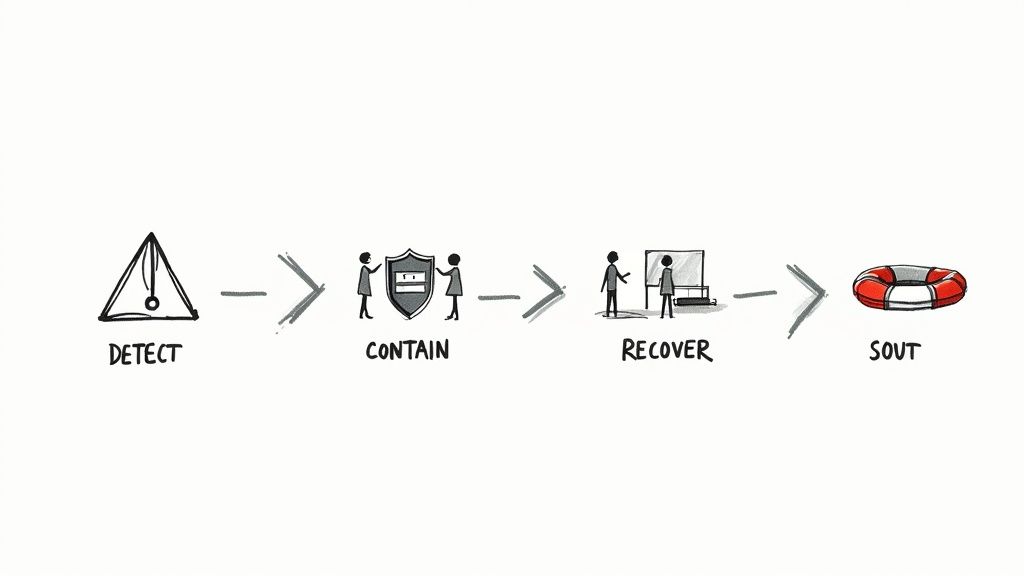
A security incident is not a matter of “if” but “when.” An Incident Response (IR) plan is the documented, practiced strategy your organization will use to handle a breach. A good plan minimizes damage, reduces recovery time, and protects your reputation by ensuring a coordinated and calm response during a crisis. It’s an essential, non-negotiable part of any modern IT security assessment checklist.
Why This is Your Top Priority
Without a practiced plan, a security event becomes chaos. Decisions are made under pressure, steps are missed, and the damage spirals. A robust IR plan turns a potential catastrophe into a managed event. For organizations handling sensitive client or case data, a slow or disorganized response can erode trust, violate legal obligations, and jeopardize your mission.
Actionable Steps for Your Assessment
Your assessment must evaluate your readiness to handle a live incident. It’s not about having a document; it’s about having a tested capability.
- Is There a Designated IR Team? Do you have a pre-defined team with clear roles and contact information? This team should include people from IT, leadership, legal, and communications.
- Is the Plan Documented and Tested? Review your IR plan. Does it have clear steps for identifying, containing, and recovering from an incident? Crucially, you must run tabletop exercises at least quarterly to simulate different attack scenarios and pressure-test the plan.
- Do You Know How to Preserve Evidence? Your procedures must ensure that evidence is preserved for investigation. Teams should be trained not to immediately wipe affected systems, as this destroys the digital clues needed to understand what happened.
- Do You Conduct a “Lessons Learned” Review? After every incident, a post-mortem review is mandatory. This process is vital for identifying weaknesses in your defenses and improving your security to prevent the same thing from happening again.
7. Configuration Management: Are Your Systems Secure by Default?
A single misconfigured server or cloud service can create a gaping hole for attackers. Configuration Management ensures all your systems—from laptops to cloud services—are set up according to a secure, pre-defined standard, or “baseline.” This practice prevents vulnerabilities caused by human error or “configuration drift” over time. This systematic approach is a non-negotiable part of a comprehensive IT security assessment checklist.
Why This is Your Top Priority
Most security incidents don’t exploit brand-new, sophisticated attacks; they exploit simple misconfigurations. Without baseline standards, the security of every new device depends on the individual who set it up. For organizations handling sensitive data, this inconsistency introduces unacceptable risk. Standardized configurations dramatically reduce your attack surface by ensuring that security settings are enabled by default across your entire technology stack.
Actionable Steps for Your Assessment
Your assessment should confirm that secure baselines are defined, implemented, and enforced. Focus on these key areas:
- Are Secure Configurations Documented? Do you have documented, secure standards for all critical assets? You don’t have to start from scratch; you can leverage industry guides like the CIS Benchmarks.
- Is the Process Automated? Are you using tools to automatically apply these secure settings? Automation ensures consistency and prevents manual errors when deploying new systems.
- How Do You Detect Unauthorized Changes? Do you have automated tools that scan your systems regularly and alert you if a configuration has changed from the secure baseline? This ensures your systems stay secure over time.
- Are Changes Formally Managed? Are all changes to your secure baselines managed through a formal review process? This ensures any modification is reviewed for its security impact before being deployed.
8. Third-Party Risk Management: Are Your Vendors a Weak Link?
Your organization’s security extends to every vendor in your supply chain. This discipline ensures you are actively managing the significant risks introduced by third-party partners who have access to your data or systems. Failing here can lead to a breach originating from a source you don’t directly control, making it a crucial part of any IT security assessment checklist.
Why This is Your Top Priority
Some of the most damaging cyberattacks in recent history were supply chain attacks that exploited trusted vendor relationships. For organizations handling sensitive client data, the risk is twofold: a breach through a vendor can be just as devastating as a direct attack, but you have less control. A structured approach to managing vendor risk is essential for survival.
Actionable Steps for Your Assessment
Your assessment must scrutinize the rigor of your vendor management program. Focus on these critical areas:
- Have You Identified All Applicable Regulations? Do you have a clear map of all legal and regulatory frameworks (e.g., GDPR, HIPAA) you must follow? This requires assigning clear ownership for compliance to a specific person or team.
- Do You Classify Vendors by Risk? Not all vendors are equal. They should be classified by risk level (critical, high, medium, low) based on their access to your data. Your cloud provider or payroll processor requires the deepest scrutiny.
- Do Your Contracts Include Security Requirements? Review your vendor contracts. Do they include mandatory clauses for breach notification, your right to audit their security, and cooperation during an incident? These legal protections are non-negotiable for critical partners. For deeper insights, you can review our guide on the best practices for vendor management.
- Do You Monitor Vendors After the Contract is Signed? How do you verify your vendors remain secure? Your process should include annual security assessments or reviewing their formal audit reports (like a SOC 2 report).
9. Security Monitoring: Can You See an Attack in Progress?
You cannot protect against threats you cannot see. Security monitoring is the surveillance system for your digital environment. It involves systematically collecting and analyzing data from across your network, servers, and applications to identify suspicious activity in real time. A good monitoring system turns a flood of raw data into actionable intelligence, a non-negotiable part of a modern IT security assessment checklist.
Why This is Your Top Priority
Many major breaches occurred not because the initial intrusion went unseen, but because the alerts were missed or ignored. Without effective monitoring, attackers can operate inside your network for months, quietly stealing sensitive data. Strong detection capabilities drastically reduce an attacker’s “dwell time,” minimizing potential damage. For organizations handling confidential data, this rapid visibility is crucial.
Actionable Steps for Your Assessment
Your assessment must confirm that you have the visibility needed to detect and investigate threats. Focus your review on these key areas:
- Are Your Logs Centralized? Are logs from all critical systems (firewalls, servers, key applications) being sent to a central, secure location? This is the first step to connecting the dots during an attack.
- Are You Looking for Specific Attack Patterns? Have you set up specific alerts for common attack techniques, like an unusual login from a foreign country or someone trying to access files they shouldn’t?
- Do You Keep Logs Long Enough? Are logs retained for at least 12 months? This is often a compliance requirement and is essential for investigating an incident long after it occurs.
- How Do You Handle Alerts? Do you have a clear process for escalating critical alerts to the right people 24/7? Your system must be tuned to minimize “false positives” so your team can focus on genuine threats.
10. Disaster Recovery: Can You Get Back Up After Being Knocked Down?
A major disruption—a ransomware attack, a cloud outage, a natural disaster—is always a possibility. Disaster Recovery (DR) is the discipline that ensures your critical operations can recover quickly. It’s not just about having backups; it’s about having a tested plan to restore services within a timeframe your organization can tolerate. For any organization, a strong DR plan is a core part of your IT security assessment checklist.
Why This is Your Top Priority
Downtime isn’t just an inconvenience; it’s a direct threat to your mission. A successful ransomware attack that encrypts both your primary data and your backups can halt your operations for weeks, eroding the trust of funders and the communities you serve. A well-designed and regularly tested DR plan is your ultimate safety net, ensuring you can restore operations without paying a ransom or suffering catastrophic data loss.
Actionable Steps for Your Assessment
Your assessment must go beyond confirming backups exist. It needs to validate your ability to recover in the real world.
- Have You Defined Your Recovery Goals? For each critical system, have you defined your Recovery Time Objective (RTO – how quickly you must be back online) and Recovery Point Objective (RPO – how much data you can afford to lose)? These business decisions drive your entire strategy.
- Are Your Backups Truly Safe? Follow the 3-2-1 rule: at least three copies of your data, on two different types of media, with one copy stored off-site and offline (air-gapped). This prevents a single attack from wiping out everything.
- Have You Ever Tested a Full Restoration? You must conduct quarterly tests to restore files, applications, or entire systems from your backups. A backup that hasn’t been tested is merely a hope, not a plan.
- Is Your Recovery Plan Written Down? Do you have a step-by-step, documented playbook for recovering critical services? This ensures the process doesn’t rely on a single person’s knowledge. The ability to regain customer trust after an outage often depends on the speed and confidence of your recovery, which comes from clear documentation and practice.
From Checklist to Confidence: Your Path Forward
You’ve just worked through a comprehensive IT security assessment checklist. It’s easy to feel overwhelmed. The sheer number of areas—from access controls to vendor risk—can seem like an insurmountable wall. But this isn’t just a list of technical tasks to complete. It’s about building a foundation of operational resilience and trust.
For mission-driven organizations, the stakes are uniquely high. A security incident isn’t just a financial problem. It can mean exposing vulnerable individuals, disrupting critical advocacy, and breaking faith with the communities you exist to serve. The purpose of this IT security assessment checklist is to transform security from a source of anxiety into a strategic enabler of your mission. It’s the framework that allows you to confidently handle sensitive data, protect your team, and prove your diligence to funders and your board.
What Happens if You Do Nothing?
Ignoring these risks means accepting a future of recurring fire drills, constant anxiety, and the ever-present threat of a mission-crippling incident. Staff will continue to waste time on manual workarounds, data will remain scattered and unsafe, and your organization’s growth will remain built on a fragile foundation. A single breach could jeopardize your funding, your reputation, and most importantly, the trust of the people you serve.
What Does Success Look Like?
By following this plan, you can build a future where technology is a stable backbone, not a source of stress. Your staff will have simple, secure tools that let them focus on their work. Reporting to your board and funders will be straightforward, based on clear data. You will handle sensitive information with a confidence that deepens the trust of your partners and communities. You will move from a state of quiet chaos to one of calm, proactive control, freeing up capacity to focus on the frontline work that truly matters.
This checklist provides the “what,” but a trusted partner can help you with the “how” and “why.” At CTO Input, we are calm, seasoned advisors who start with your mission. We help justice-focused organizations build simple, believable modernization paths for technology, data, and security. If you’re ready to move from a state of worry to proactive control, a conversation with CTO Input is your logical next step.